4-18
4.4
Setting a cross cut
Using the values set with the command and timeout specified in separator, set whether performing cross cut or
not.
P. 8 - 8
"Setting a separator"
P. 8 -11
"Setting a timeout"
Reference
This setting will be saved even if the power is shut off.
Operation
Supplement
Perform the settings in Normal menu.
1 Press the [PAUSE/MENU] key.
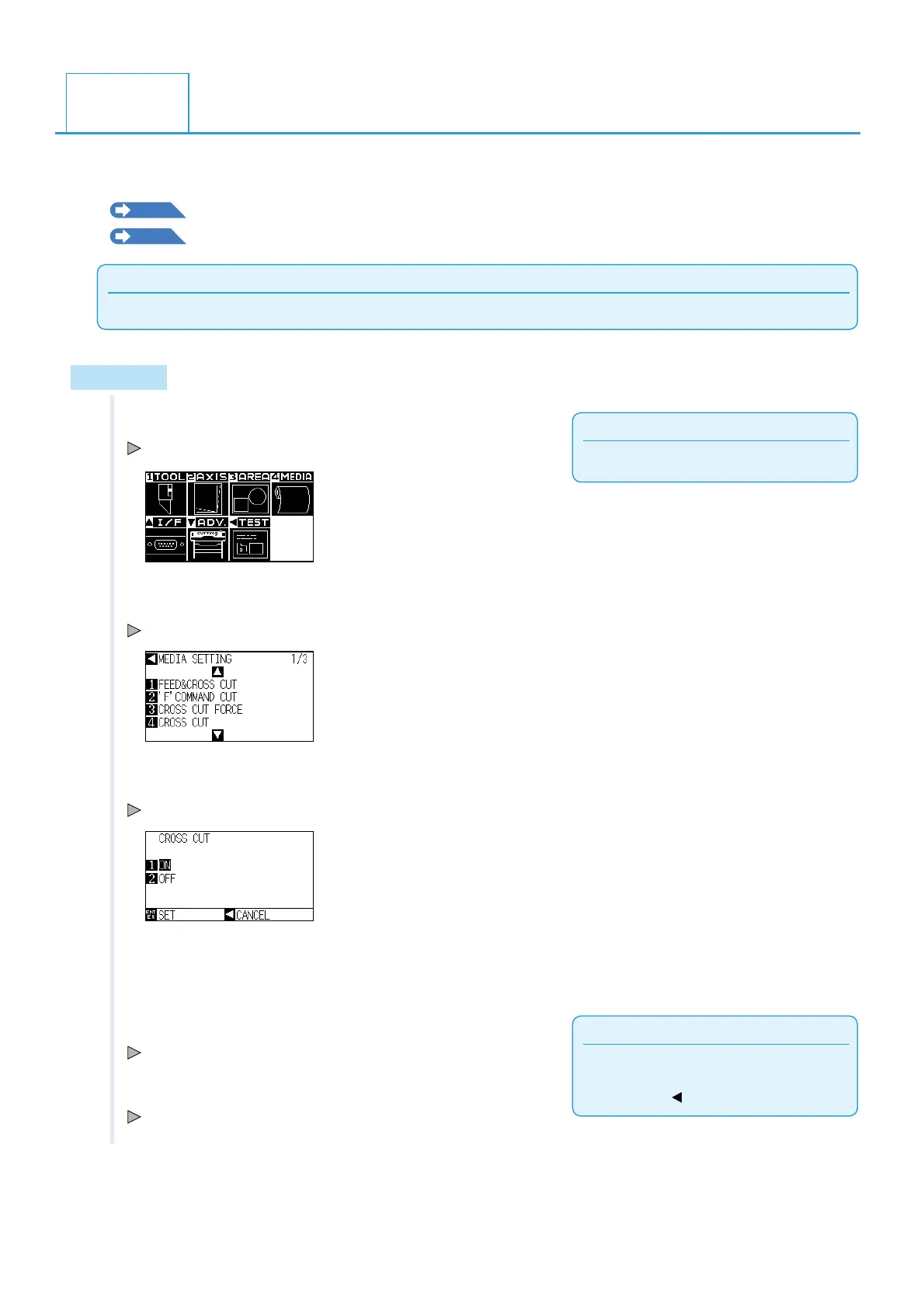
MENU screen is displayed.
2 Press the [4] key (MEDIA).
MEDIA SETTING screen (1/3) is displayed.
3 Press [4] key (CROSS CUT).
CROSS CUT screen is displayed.
4 Press [1] key (ON) or [2] key (OFF).
Supplement
It will return to MEDIA SETTING screen (1/3)
without changing the settings when you press
the POSITION (
) key (CANCEL).
5 Confirm the setting and press the [ENTER] key (SET).
Confirm the settings and return to the MEDIA SETTING screen (1/3).
6 Press the [PAUSE/MENU] key.
It will return to default screen.












 To Next Page