12-15
Create a self-test pattern to check the operation of the plotter.
CAUTION
Do not place your hand around the moving areas. The tool carriage will start moving, so there is a chance of injury. Tool carriage will
start to move immediately after selecting to plot the test pattern.
Operation
Supplement
See "Loading Media (Paper)"
P. 2-7
for
loading the media.
1 Set a media larger than A1 size.
Supplement
Please choose Condition No.2 when
selecting the tool conditions for operating
with the pen plunger.
For setting the pen plunger, see "Attaching a
Tool"
P. 2- 4
.
For changing the tool conditions, see
"Selecting Tool Condition"
P. 2-2 9
, and for
tool settings, see "Setting the Tool Condition"
P. 2- 3 0
.
2 Select the pen plunger condition setting and place the pen
plunger in the pen holder.
Supplement
Perform the settings in Normal menu.
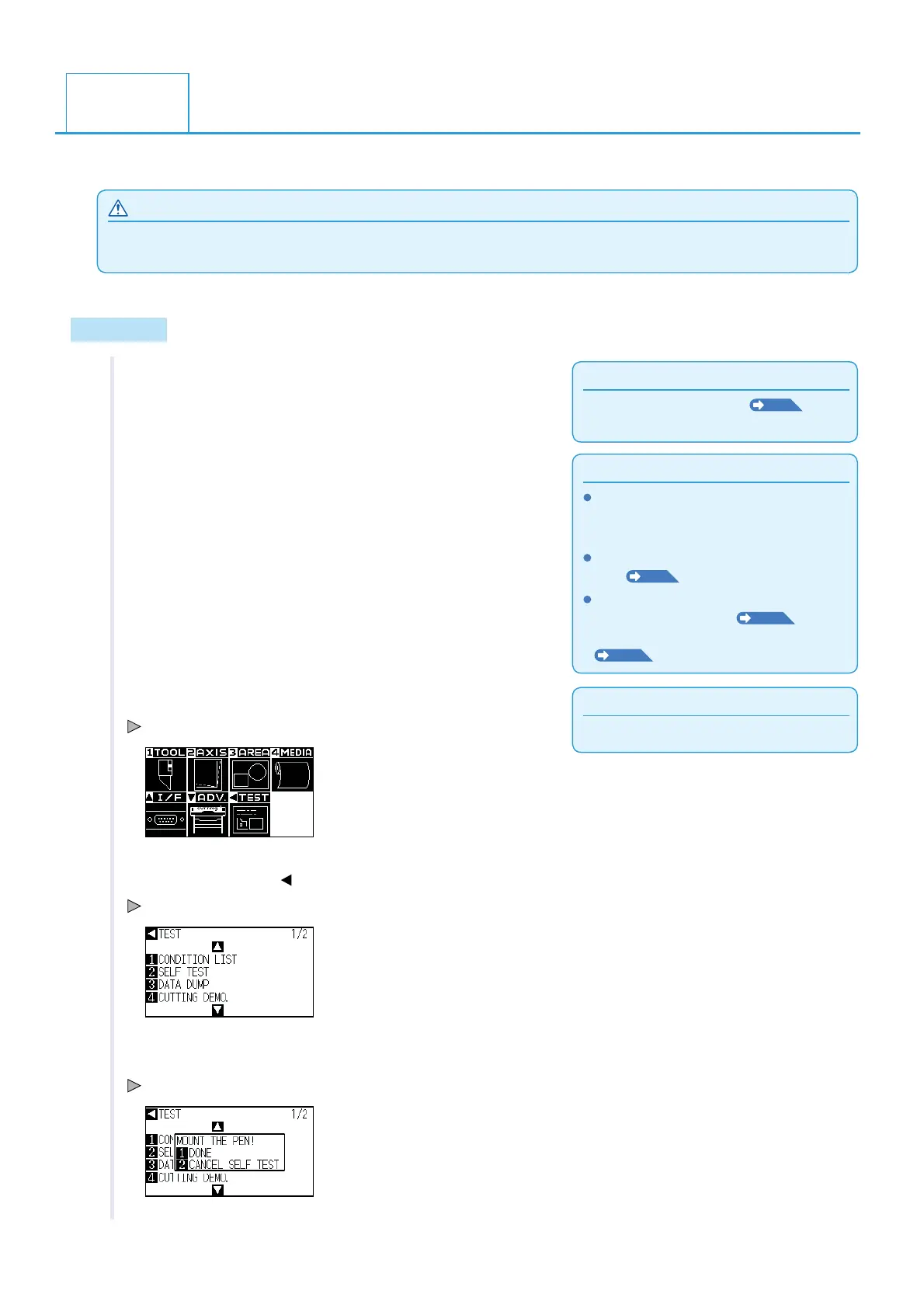
3 Press the [PAUSE/MENU] key in the default screen.
MENU screen is displayed.
4 Press the POSITION ( ) key (TEST).
TEST menu screen (1/2) is displayed.
5 Press the [2] key (SELF TEST).
SELF TEST start screen is displayed.
12.3
Creating Test Pattern












 To Next Page