FC8000-UM-251-9370 8-21
8. TROUBLESHOOTING
8.5.5 Self Diagnostic Test
Operationstatuscanbetestedbyselfdiagnostictestbyoperatingthesensorsandswitchesfollowingthe
instructiononthescreen.
Operation
(1) Conrmthatthepoweristurnedoff.
(2) Turnthepoweronwithoutloadingthemedia.
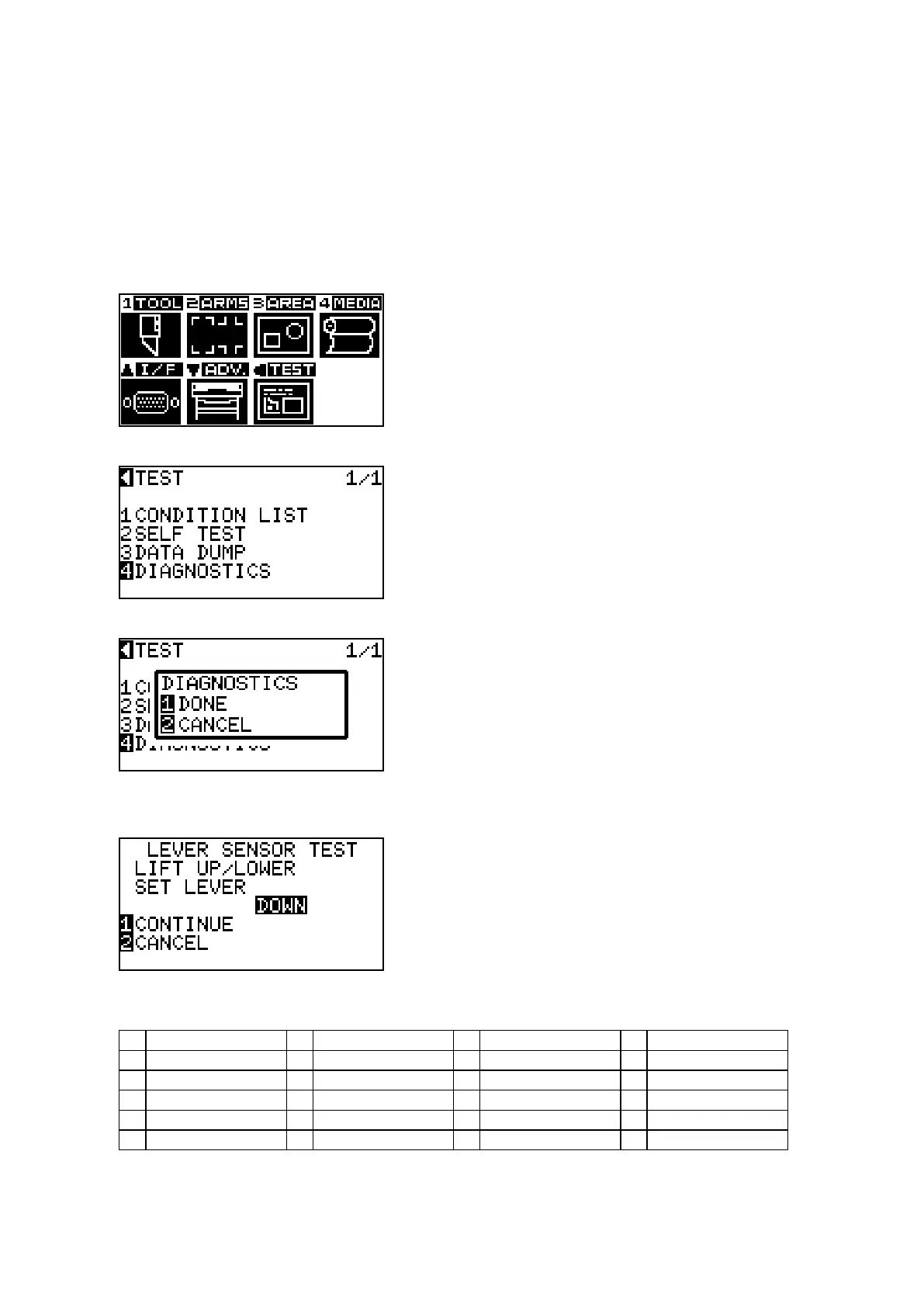
(3) Pressthe[MENU]keytodisplaythemenubelow.
(4) PressthePOSITION(t)key(TEST)todisplaythemenubelow.
(5) Pressthe[4]key(DIAGNOSTICS)todisplaythemenubelow.
(6) Pressthe[1]key(DONE).
Thersttestingmenuisdisplayed.Andfollowtheinstructionsonthemenu.
(7) Pressthe[1]keytocontinuetothenexttest,afteryouchecktheCAMleversensor.
(8) Thetestingitemsareshownbelow.
1 Camleversensor 2 Homesensor 3 Pushrollersensor 4 Rearmediasensor
5 Fontmediasensor 6 Xmotorsignal 7 Ymotorsignal 8 Toolheightsignal
9 [1]key 10 [2]key 11 [3]key 12 [4]key
13 POSITION[u]key 14 POSITION[t]key 15 POSITION[q]key 16 POSITION[p]key
17 [ENTER]key 18 [CONDITION]key 19 [ORIGIN]key 20 [FAST]key
21 [CROSSCUT]key 22 [COPY]key 23 [MENU]key 24 [STOP]key









 To Next Page