FC8000-UM-251-9370 7-10
7. ADJUSTMENT
7.3.3 Clearing the Non-Volatile RAM
Whenyoureplacethemainboard,youmustcleartheNon-VolatileRAM(NOV-RAM).
IfyoucleartheNon-VolatileRAM,youwilllosethesetupparametersforeachadjustment.
InputtheadjustmentvaluestothemainboardafteryoucleartheNon-VolatileRAM.
How to clear the Non-Volatile RAM.
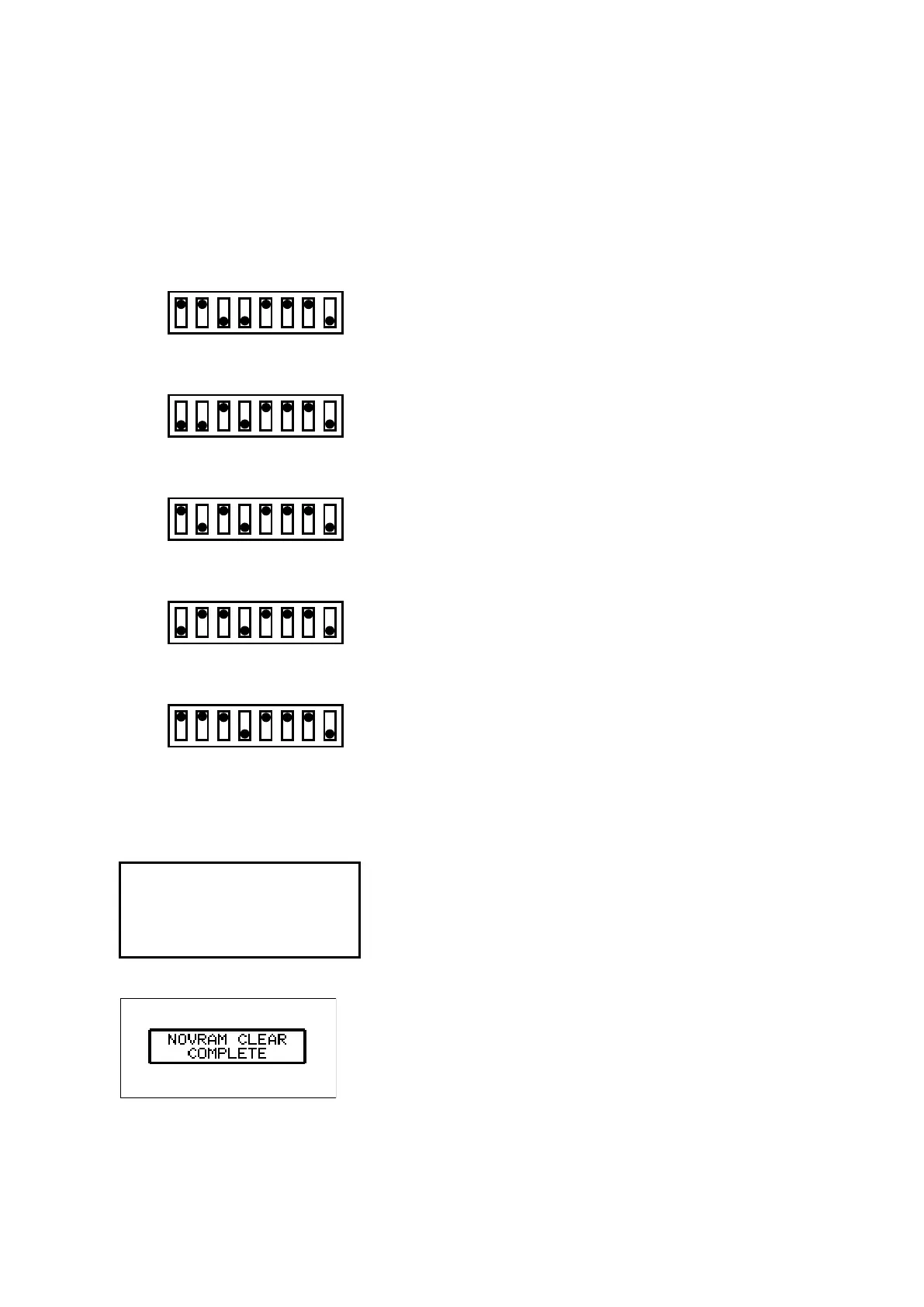
(1) SetSW1totheNOV-RAMclearmodeasshownbelow.
FC8000-60
SW1
1 2 3 4 5 6 7 8
ON
OFF
FC8000-75
SW1
1 2 3 4 5 6 7 8
ON
OFF
FC8000-100
SW1
1 2 3 4 5 6 7 8
ON
OFF
FC8000-130
SW1
1 2 3 4 5 6 7 8
ON
OFF
FC8000-160
SW1
1 2 3 4 5 6 7 8
ON
OFF
(2) Turnonthepowertotheplotter.
(3) TheNOVRAMCLEARSTARTmenuappears.Theplotterimmediatelystartstocleartheparameterson
theNOV-RAM,andthensetsthedefaultvalues.
NOVRAM CLEAR START
(4) Whentheprogrammingiscomplete,theNOVRAMCLEARCOMPLEREmenuappears.
(5) Turnoffthepowertotheplotter.









 To Next Page