FC8000-UM-251-9370 6-25
6. DISASSEMBLY AND REASSEMBLY
6.2.14 How to Replace the Drive Roller
How to detach the drive roller
(1) Detachtherightandleftsidecovers(seeSubsection6.1.1).
(2) Detachthefrontguideandrearguide(seeSubsection6.1.5andSubsection6.1.5).
(3) Detachtherearandfrontwritingpanels.(seeSubsection6.1.7andSubsection6.1.7).
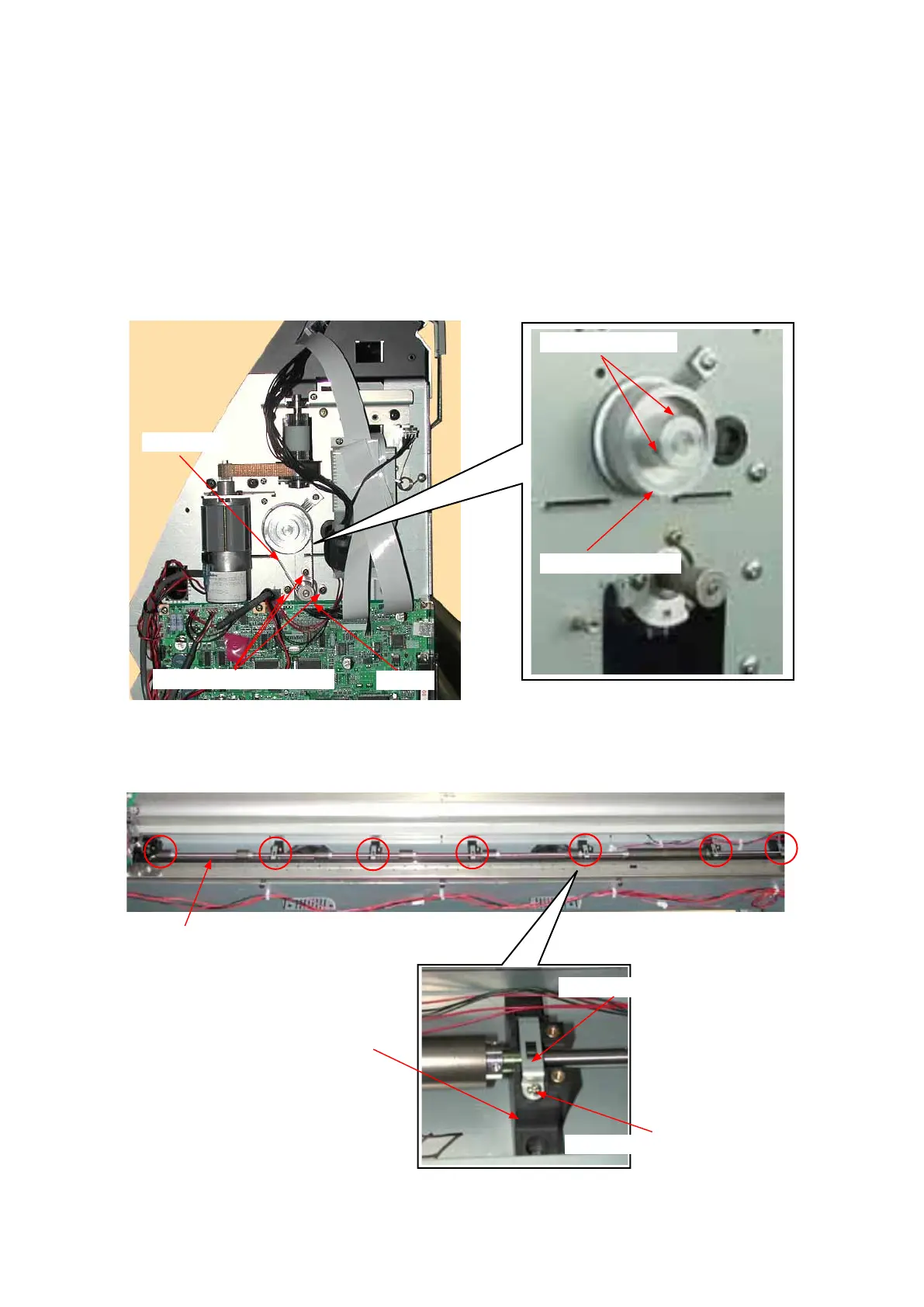
(4) LoosenthethreeM3L6bindingheadscrewsholdingtheX-motortoloosentheXdrivebelt.
(5) RemovethetwoM3L4WPsetscrewsholdingtheX-drivepulleyanddetachtheX-drivepulleyfromthe
driveroller.
M3L6bindingheadscrew
M3L4WPsetscrew
Xmotordrivepulley
Xmotor
Xdrivebelt
(6) RemovetheXdrivebeltfromtheX-motorpulley.
(7) RemovetheM3L6bindingheadscrewsholdingthebearingcoversanddetachthebearingcoversfrom
thepillowblocks.(Don’tremovetheM3L6bindingheadscrewsholdingthepillowblocks.)
Driverollerassembly
M3L6bindingheadscrew
Pillowblock
Bearingcover
(8) SlideouttheX-driverollertotheleftsideanddetachtheXdriverollerassemblyfromtheunit.









 To Next Page