FC8000-UM-251-9370 3-1
3. OPERATIONS
3. OPERATIONS
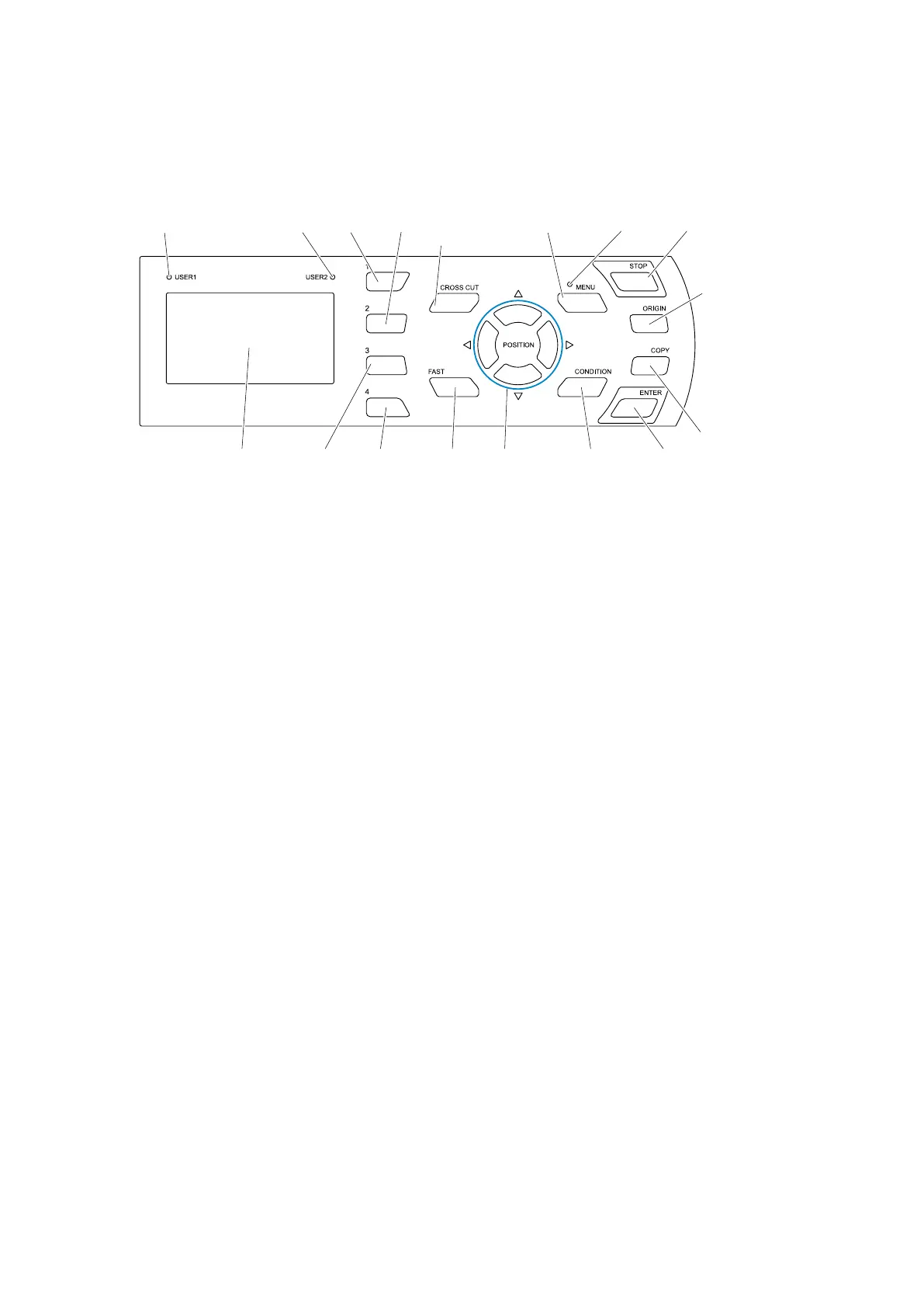
3.1 Control Panel
Thissectionexplainsthefunctionoflampsandkeysonthecontrolpanel.
USER1 lamp USER2 lamp [1] key
[2] key CROSS CUT
key
MENU lamp[MENU] key [STOP] key
[ORIGIN] key
[ENTER] key[CONDITION]
key
POSITION[FAST] key[3] key [4] key
[COPY] key
Screen (LCD)
Control Keys
POSITIONkeys.............. Therearefollowingfunctionsdependingontheoperation.Movethetoolcarriage
andmedia.Itwillmovespecifieddistancewhenitispressedonce,andcontinuously
movewhenitispresseddown.ItwillselectthemenuwhenUP,DOWN,LEFTor
RIGHTarrowkeysaredisplayedinthemenuonthescreen.
FAST............................... Thetoolcarriageorthemediawillmovefasterwhenitispressedsimultaneously
withPOSITIONkey.Itwillworkasamenukeywhenitisdisplaying“F”onthe
screen.
CROSSCUT.................. Itwillcutoffthemediathathasfinishedcutting.
STOP.............................. Cuttingoperationwillstopimmediatelywhenthe[STOP]keyispressedwhile
cutting.
Youcanresetthemediabypressingthe[STOP]keywhilecuttingwhenthemedia
hasshifted.
ORIGIN........................... Itwillsetthecurrentpositionasanoriginpoint.
Theplotterisresetbypressingthe[ENTER]keyandthe[ORIGIN]key
simultaneouslyinthefirstscreenoftheMENUmode(MENUscreen).
Menu Keys
MENU............................. ItwillswitchtotheMENUmode.MENUlampislitintheMENUmode.
ItwillgointoMENUmodeifitispressedonce,andMENUmodewillbeturnedoff
whenitispressedagain.
DifferentfunctionaresetintheMENUmode.
DatareceivedwhileintheMENUmodewillbestoredinthedatabuffer.
CONDITION................... Itwilldisplaythescreentosetthetoolconditions.
1,2,3,4.......................... Selectthemenunumberdisplayedinthescreen.
ENTER........................... Itwilldefinethesettings.Theplotterisresetbypressingthe[ORIGIN]keyandthis
keysimultaneouslyinthefirstscreenoftheMENUmode(MENUscreen).Itwill
displaycurrentcuttingareawhenthe[ENTER]keyispressedinREADYstatus.









 To Next Page