FC8000-UM-251-9370 7-26
7. ADJUSTMENT
7.3.13 Conrming the 2-Pen Model (2-pen model)
Thissettingwillconrmthattheplotterisa2-penmodel.
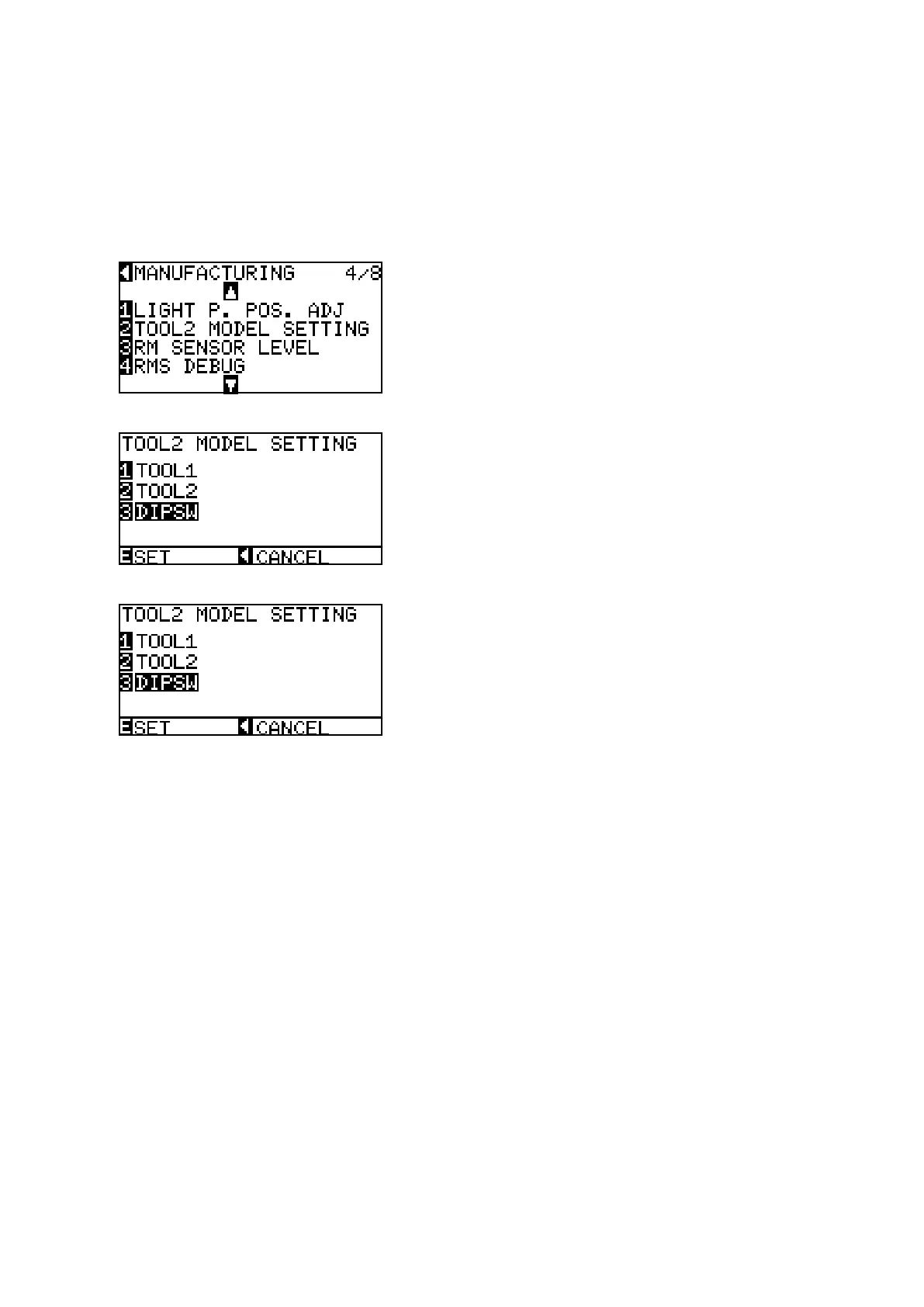
Ifyoureplacethemainboard,usethefollowingproceduretomakethe2-penmodelsetting.
(1) LoadanA2orlargersizesheetofpaperintheplotter.
(2) Entertheadjustmentmenu(seeSection7.3.4).
(3) PresstheUporDownpositionkeyuntilthemenushownbelowisdisplayed.
(4) PresstheF2keytodisplaythemenushownbelow.
(5) PresstheF3keytoselecttheDIPSW.
(6) PresstheENTERkeytosettheDIPSW.
(7) Turnoffthepowertoexitfromtheadjustmentmenu.









 To Next Page