FC8000-UM-251-9370 7-14
7. ADJUSTMENT
7.3.7 Adjusting the Pen Force
Thisadjustmentwillsetthepenforce.
Ifyoureplacethemainboard,usethefollowingproceduretoinputtherecordedadjustmentvalues.
Ifyoureplacethemovingcoiland/orthepenblockassembly,youmustadjustthepenforceusingthe
followingprocedure.
How to adjust the pen force
(1) Mounta0.9mmdiametercutterpeninthepenholder.
(2) Loadasheetofpaperintheplotter.
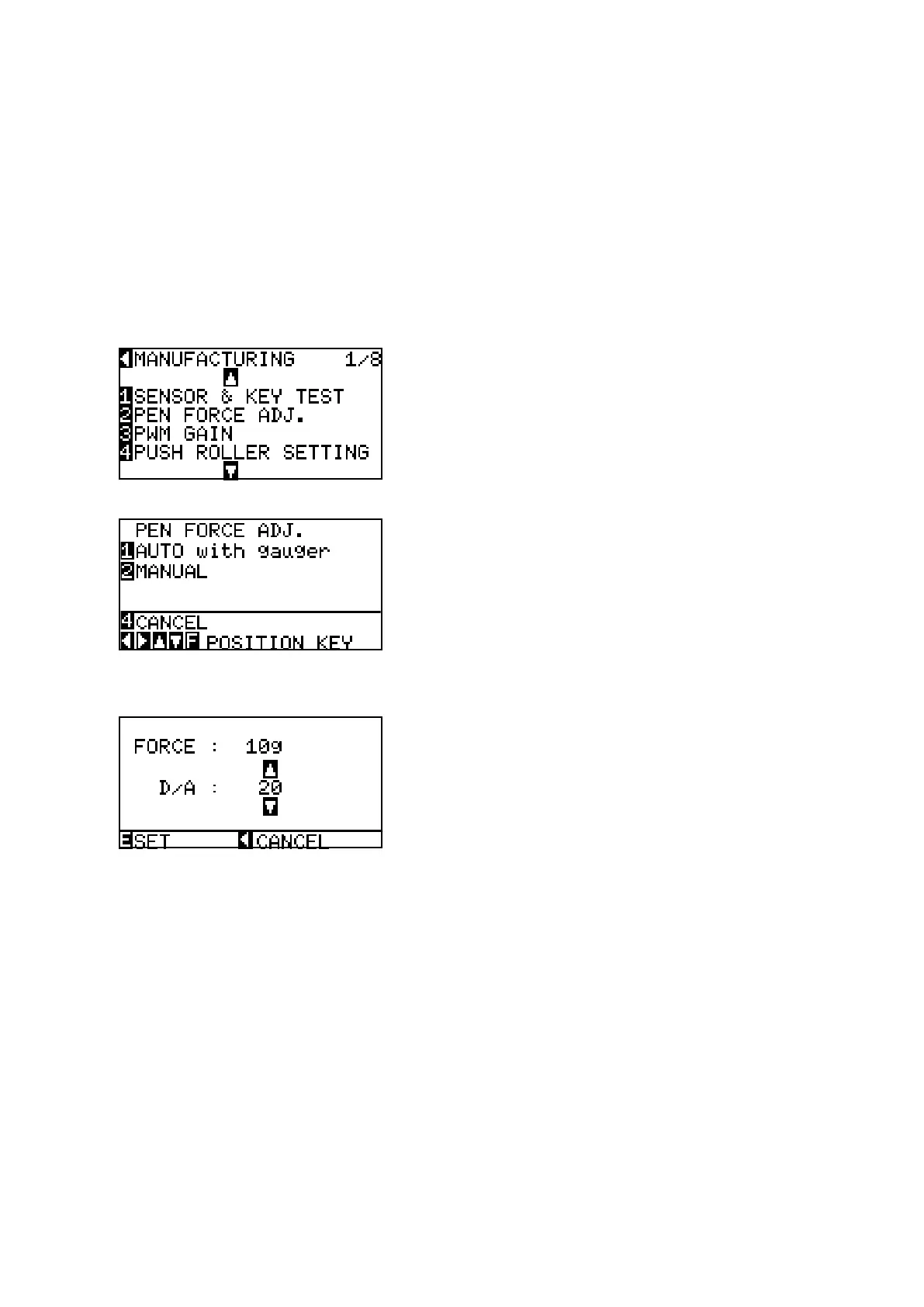
(3) Entertheadjustmentmenu(seeSection7.3.6).
(4) PresstheF2keytodisplaythemenushownbelow.
(5) PresstheF2keytodisplaythemenushownbelow.
Don’tselectAUTO!
(6) Thepenislowered.Ifyouhavereplacedthemovingcoiland/orthepenblockassembly,usetheforce
gaugetomeasuretheactualforce.Ifyouhaveonlyreplacedthemainboard,inputtheadjustment
valuesthatwererecorded.
UsetheUPARROWkeyorDOWNARROWkeytochangetheforcesetting.ThenumberontheLCD
willincreaseordecrease.Ifyouhavereplacedthemovingcoiland/orthepenblockassembly,measure
theactualpenforceagain.
Ifyoureplacedthemovingcoiland/orthepenblockassembly,adjustthe10g-penforce.Ifthemeasured
valueiswithinthespecicationrange(10±2g)orifyouhaveinputtherecordedvalue,presstheENTER
keytostorethesetting.Thenextspeciedpenforceappears.









 To Next Page