FC8000-UM-251-9370 7-19
7. ADJUSTMENT
7.3.9 Adjusting the Registration Mark Sensor Sensitivity
Ifyoureplacethemainboard,youneedtoadjustthesensitivity.
How to adjust the registration mark sensor sensitivity
(1) Entertheadjustmentmenu(seeSection7.3.4).
(2) LoadanA2orlargersizesheetofpaperintheplotter.Thepapercolormustbewhite,anditis
recommendedthathigh-qualitypapermadeforink-jetprintersbeused.
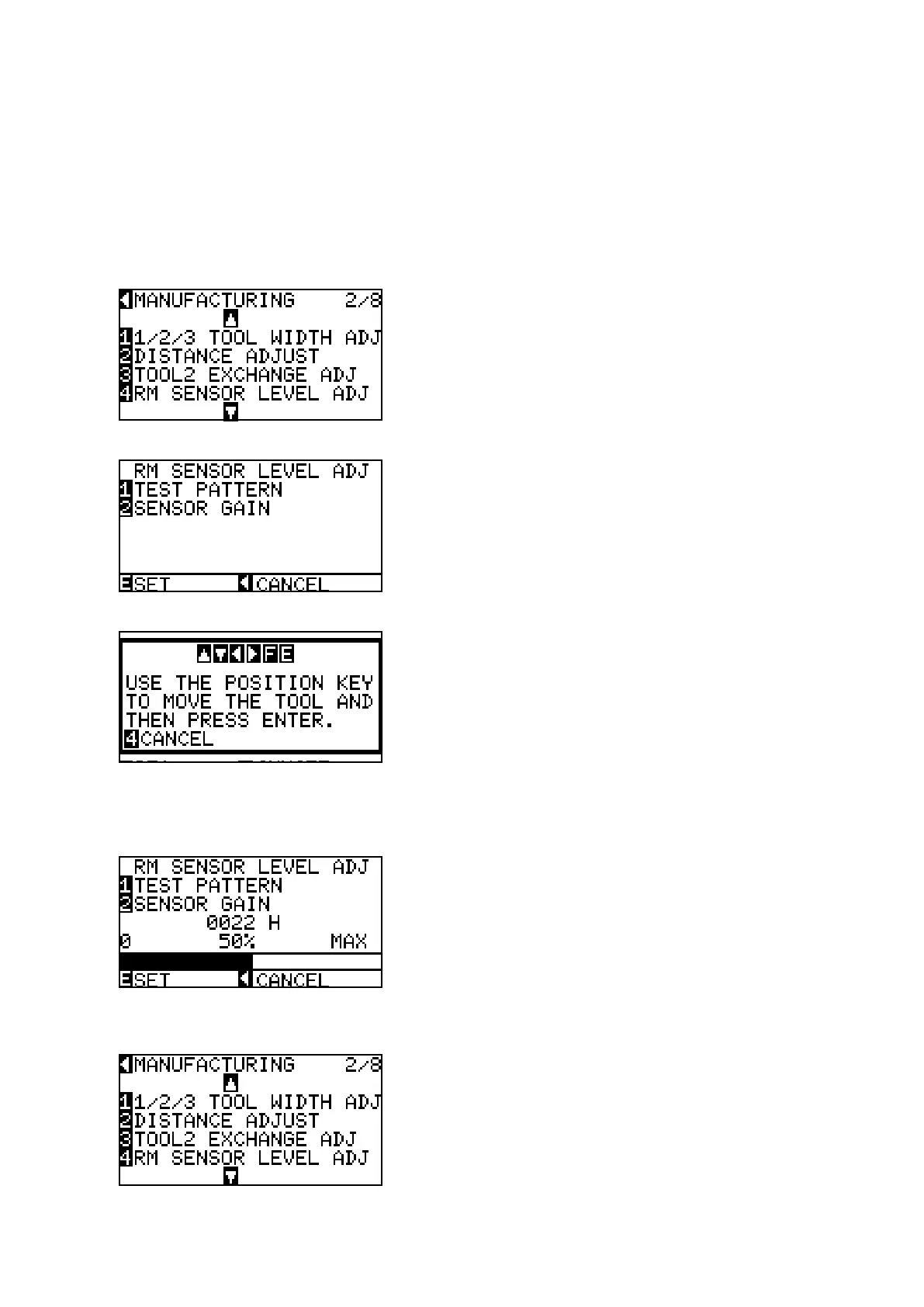
(3) PresstheUParroworDownarrowkeyuntilthemenushownbelowisdisplayed.
(4) PresstheF4keytodisplaythemenushownbelow.
(5) PresstheF2keytodrawthecrosspattern.
(6) UsetheARROWkeystomovethepentoanopenareatoadjusttheregistrationmarksensorgain.
(7) PresstheENTERkeytostarttheregistrationmarksensorgainadjustment.Theplotterimmediately
adjuststheregistrationmarksensorgainautomatically.Theplotterdisplaysthemenushownbelow.
Conrmthattheoutputlevelisbetween50%to60%.
(8) PresstheENTERkeytostorethesetting.
(9) Turnoffthepowertoexitfromtheadjustmentmenu.









 To Next Page