FC8000-UM-251-9370 6-13
6. DISASSEMBLY AND REASSEMBLY
6.2.5 How to Replace the Pen Block
How to detach the pen block
(1) Detachtherightsidecover(seeSubsection6.1.1).
(2) Detachthecentercover(seeSubsection6.1.4).
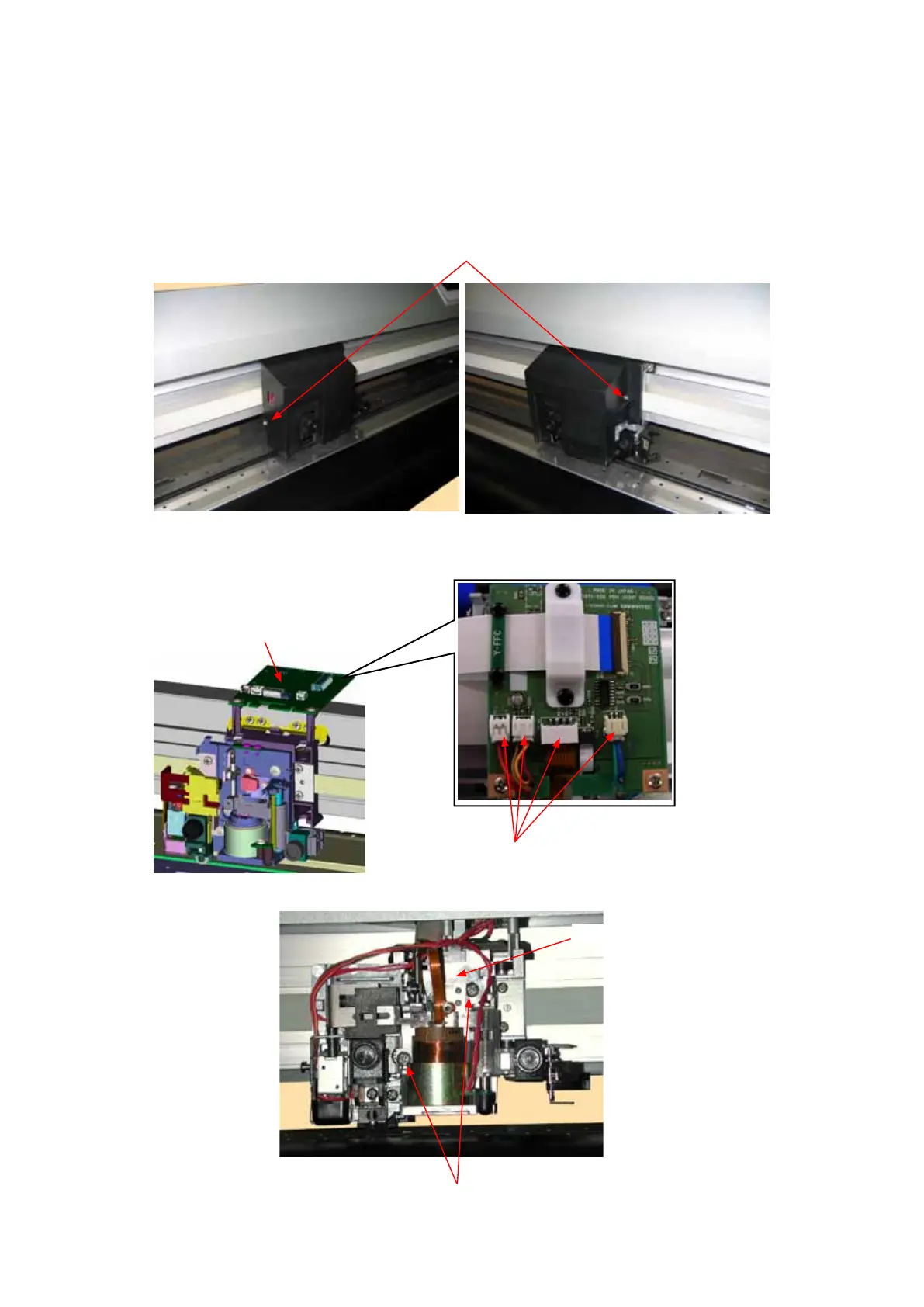
(3) LoosenthetwoM3L6bindingheadscrewsattachingthepenblockcover.
M3L6bindingheadscrew
(4) Detachthepenblockcover.
(5) DisconnectthecablesfromconnectorJ502,J504,J505andJ506ontheY-relayboard.
Disconnectthesecablesfromtheconnectors.
Yrelayboard
(6) RemovethetwoM4L6bindingheadscrewsattachingthepenblock.
M4L6bindingheadscrew
Penblock









 To Next Page