FC8000-UM-251-9370 6-14
6. DISASSEMBLY AND REASSEMBLY
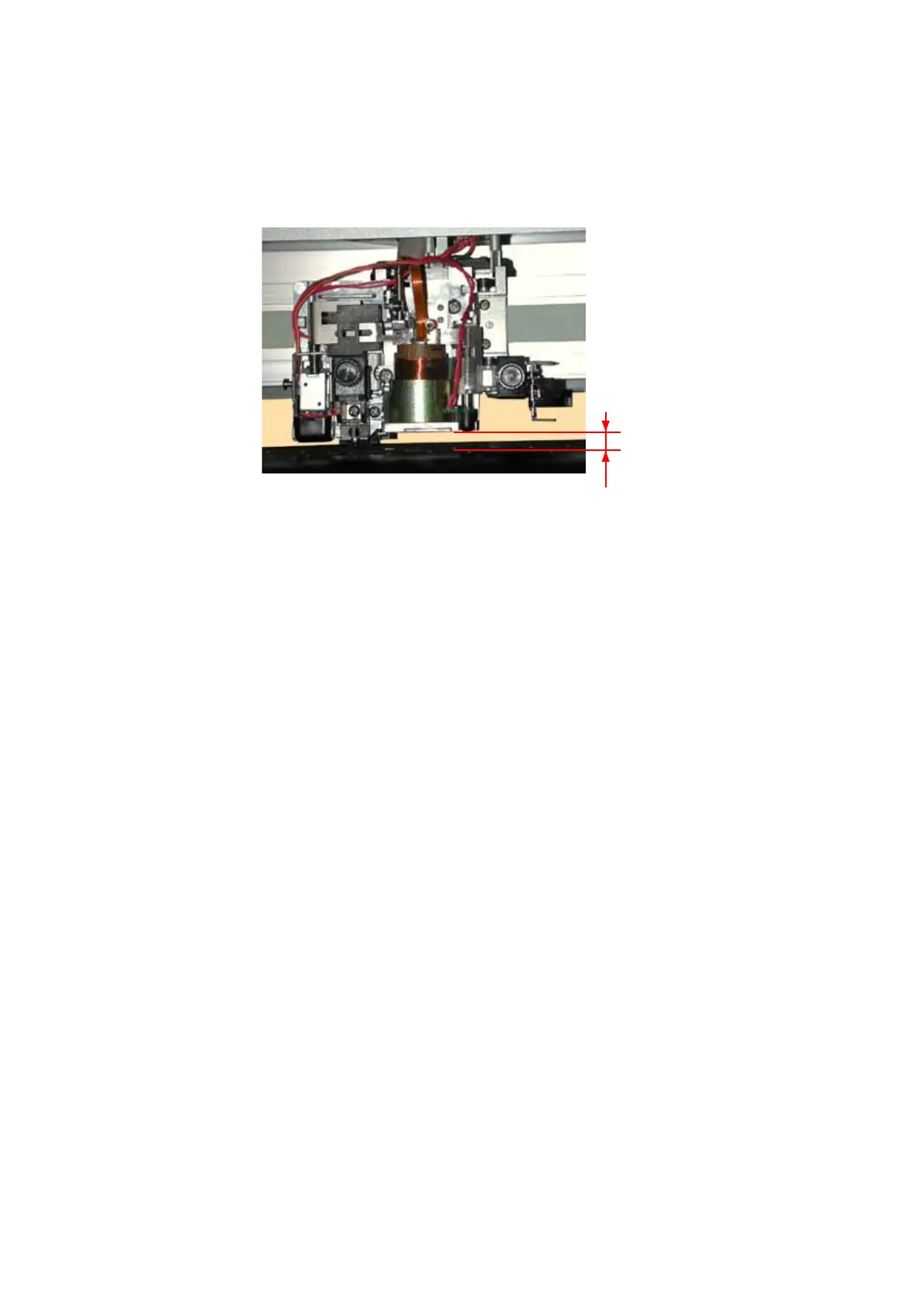
How to reinstall the pen block
(1) AttachthepenblocktotheY-slider.
(2) FastenthetwoM4L6bindingheadscrewstoattachthepenblocksothatthereis
agapof10mm
betweenthebottomofthepenblockandthecuttingmat.Performavisualchecktomakesurethat
thepenblockisnotmountedatanangle.
10mm
(3) Reattachtheotherpartsinthereverseorderinwhichtheyweredetached.
(4) Performthepenforceadjustment(seeSection7.3.7).
(5) Performtheautoregistrationmarksensorsensitivityadjustment(seeSection7.3.9).
(6) Performtheautoregistrationmarksensoroffsetadjustment(seeSection7.3.10).









 To Next Page