FC8000-UM-251-9370 3-4
3. OPERATIONS
Iconofthecorrespondingoperationbuttonisdisplayedinthescreentochangethesettingvalues.
Increase or decrease the setting
value using POSITION (pq) key.
Select the change unit by [FAST]
key.
Select the setting by
number keys (1, 2, 3, 4) or
POSITION (pqtu) keys.
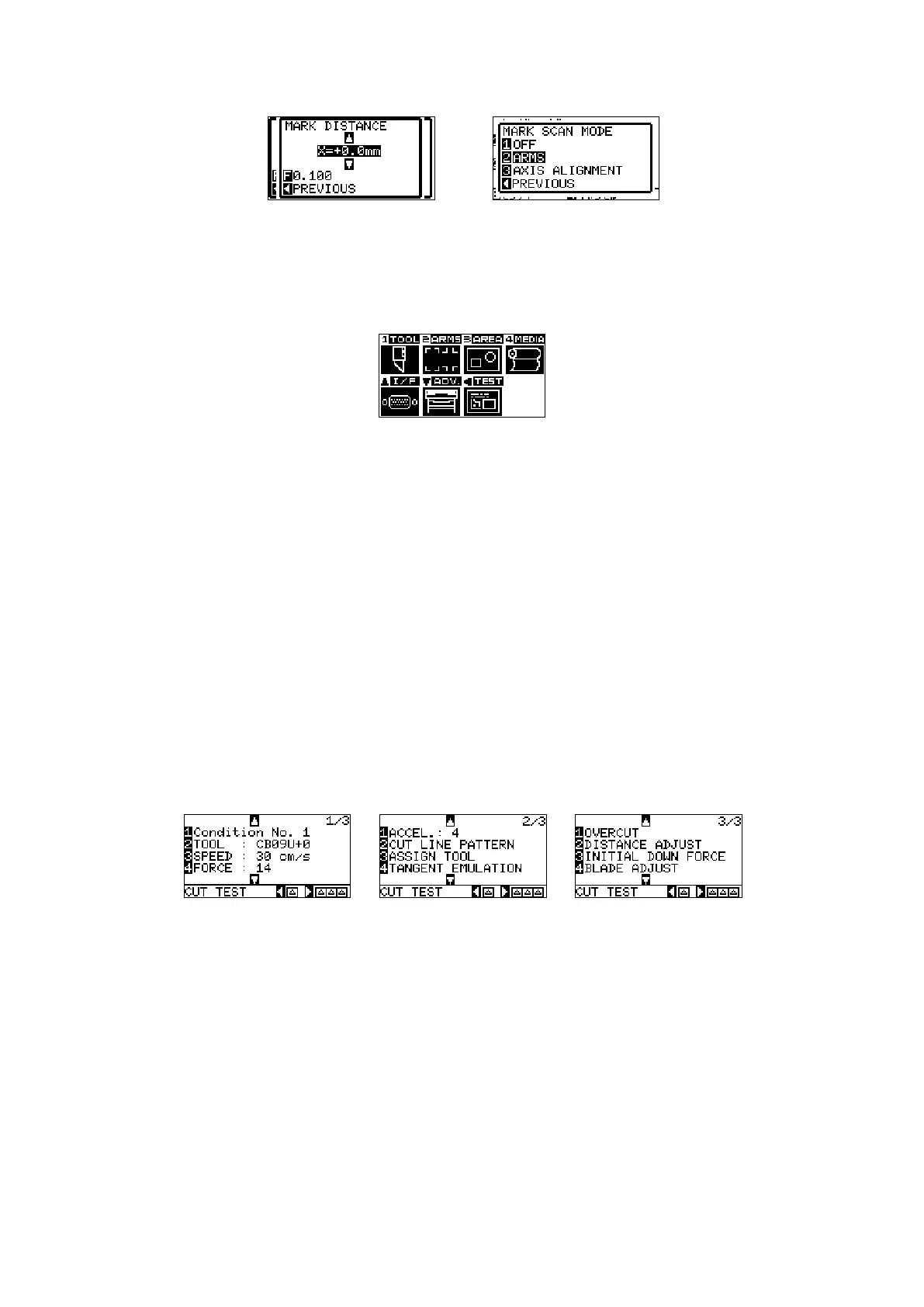
Example of screen to change the settings value
Contents of Operation from Menu Screen
MENUscreen
ContentsoftheoperationandsettingsthatisdisplayedinMENUscreenwith[MENU]keyisasfollowing:
[1](TOOL):...... Makethesettingfortheoperationofthetool.
[2](ARMS):...... Makethesettingsandoperationtopositionthetoolandmedia,suchasautomaticscanning
oftheregistrationmarksbytheARMS.
[3](AREA):...... Makethesettingsforarea,magnification,rotation,reverse,etc.,ofthecutting.
[4](MEDIA):.... Makethesettingoftheconditionforthemedia.
[p](I/F):.......... Makethesettingsoftheconditionfortheinterfacingwiththecontrolcomputer.
[q](ADV):....... Makethesettingsoftheconditionsforthebasicoperationoftheplotter,suchasdisplay
language,unitofthemeasurements,sensor,etc.
[t](TEST):...... Doestheoperationnecessaryformaintenance,suchasselfdiagnostictestorprintoutofthe
conditionsettingslist.
MENU:............. ItwillclosetheMENUscreenandreturntodefaultscreen.
Contents of Operation from CONDITION Key
CONDITION screen (1-3)
Toolconditionsaresetinthesettingscreensdisplayedbythe[CONDITION]key.
Upto8CONDITIONsettingscanbesavedwithdifferentsettingsinnumbers1through8.
CONDITION:ItwillcleartheCONDITIONscreenandreturntodefaultscreen.









 To Next Page