FC8000-UM-251-9370 7-17
7. ADJUSTMENT
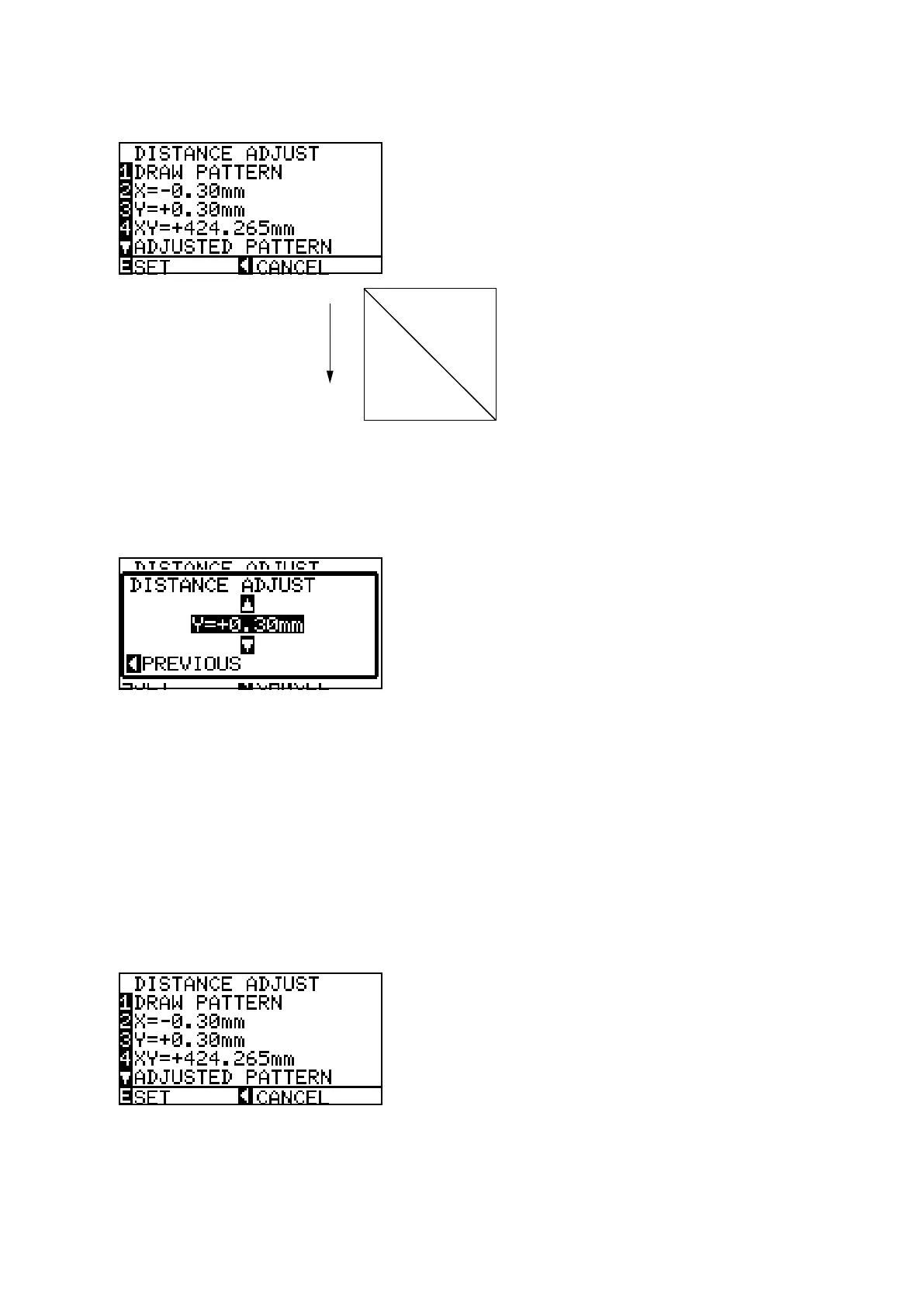
(10)PresstheF1keytostarttodrawtheadjustmentpattern.Theplotterimmediatelyplotstheadjustment
pattern,andthefollowingmenuappears.
+X
Y=300 mm
X=300 mm
(11)RemovethepaperandmeasuretheY-axisdistance.Ifyouhavereplacedthemainboardonly,usethe
recordedvalues.
(12)PresstheF3keytodisplaythemenushownbelow,andtheninputthevaluefortheY-axisdistance.
(13)InputthevaluesusingthePOSITIONkeys.
TheUPandDOWNARROWkeysareusedtochangetheY-axisorX-axisadjustmentvalue.
Ifyouinputthemeasuredvalueusethefollowingformulatocalculatetheinputvalue.
Theformulaoftheinputvalueisasfollows:
InputvalueforX-axis=300mm-measuredXdistance
InputvalueforY-axis=300mm-measuredYdistance
Forexample:
Ifyoumeasured299.0mmfortheY-axistheninput+0.10mmfortheadjustmentvalue.
Adjustablerange:-9.9mmto+9.9mm
(14)Presstheleftarrowkeytodisplaythemenushownbelow.(Adjustedvaluewillbedisplayed.)









 To Next Page