FC8000-UM-251-9370 7-21
7. ADJUSTMENT
(10)PresstheF1keytodisplaythemenushownbelow.
(11)UsetheARROWkeystomovethepentoanopenareatoplottheadjustmentpattern.
(11)UsetheARROWkeystomovethepentoanopenareatoplottheadjustmentpattern.
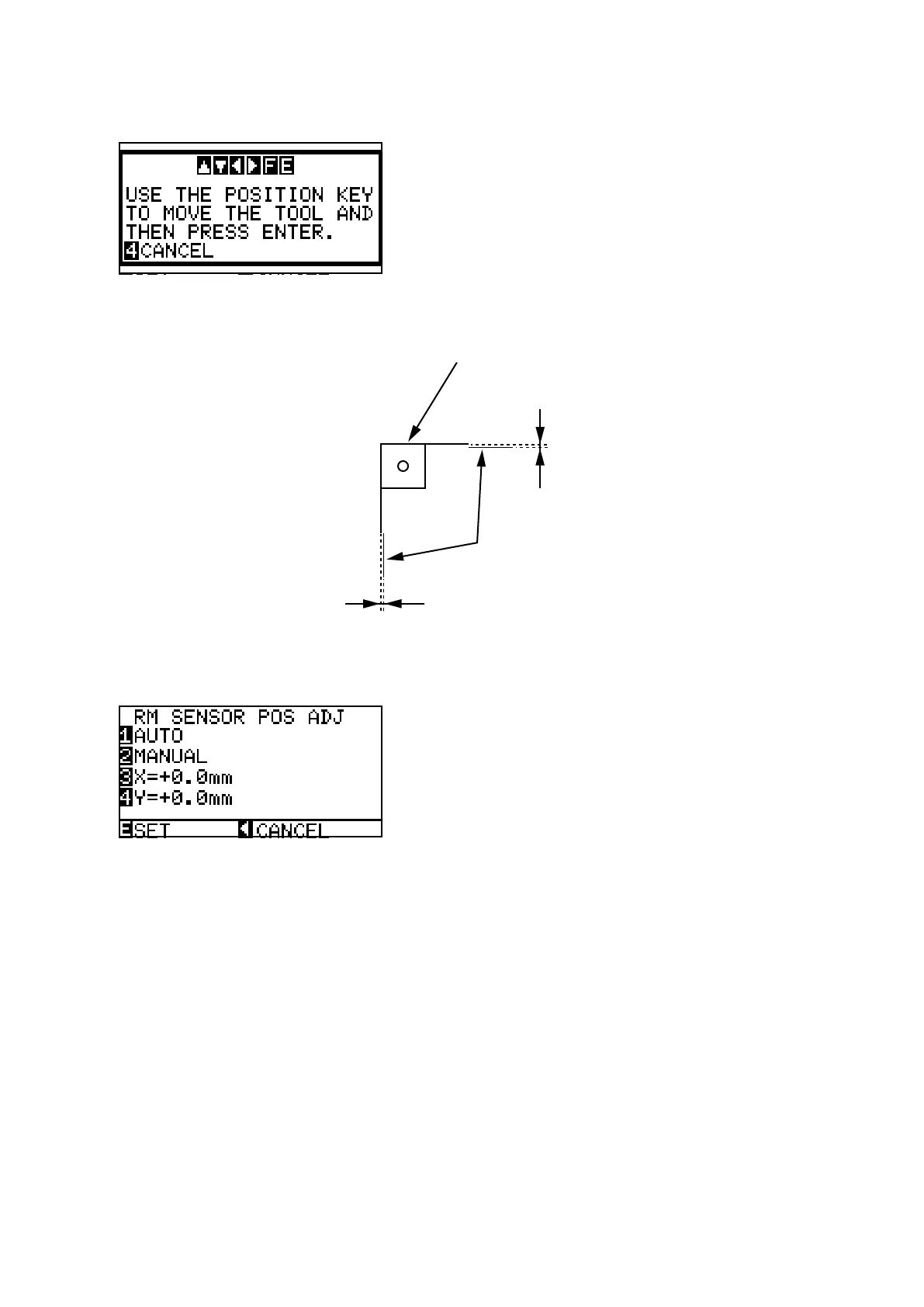
(12)PresstheENTERkeytoplottheadjustmentpatternshownbelow.
Plotted target mark
Adjustment lines
(13)Theplotterimmediatelyadjuststheregistrationmarksensorpositionautomatically,andaddsavertical
lineandahorizontallinetothescannedplottedpattern.
(14)Measuretheoffsetbetweenthelinesandconrmthattheyarewithin0.25mm.
(15)PresstheENTERkeytostorethesetting.
(16)Turnoffthepowertoexitfromtheadjustmentmenu.









 To Next Page