FC8000-UM-251-9370 7-23
7. ADJUSTMENT
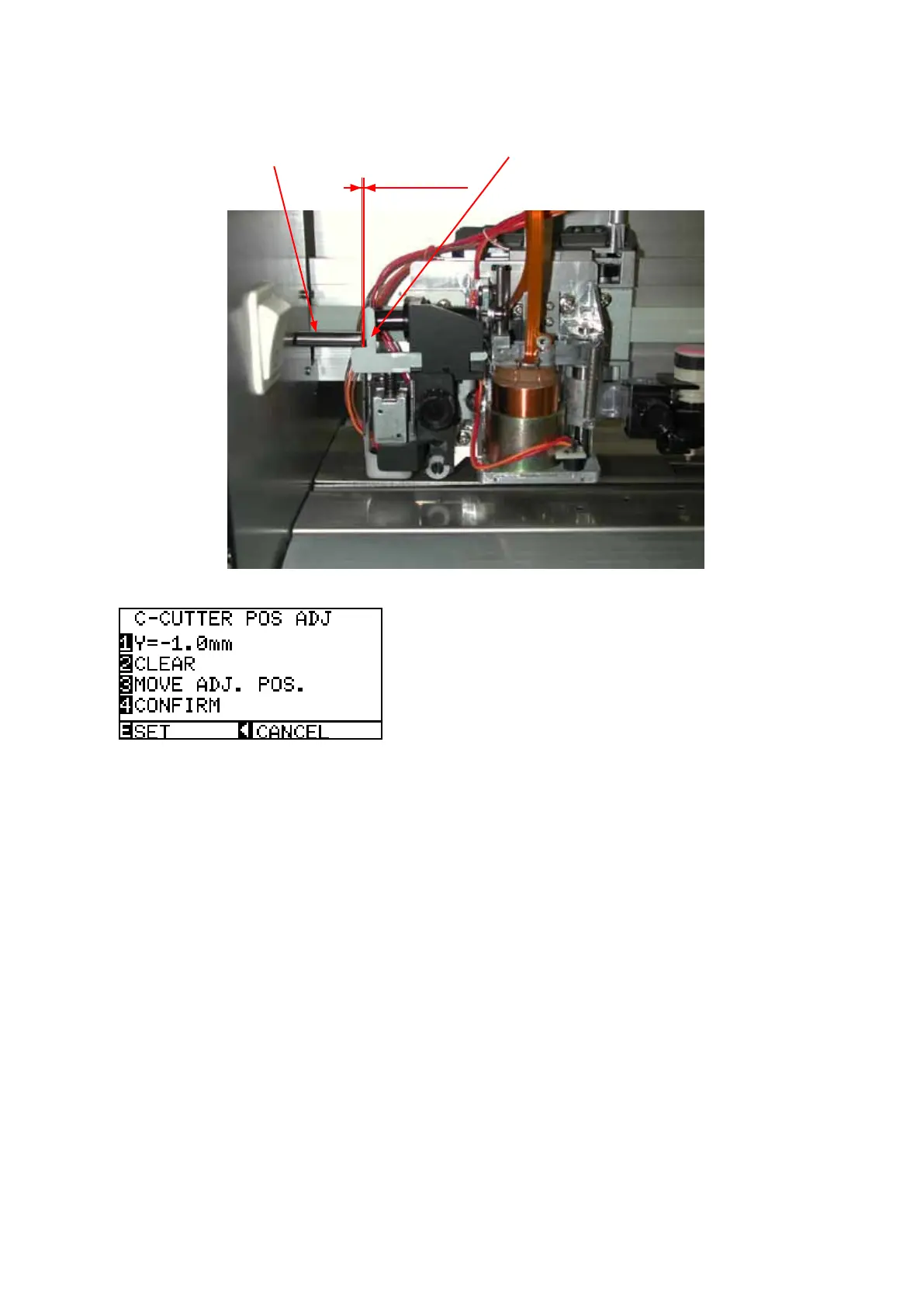
(8) Adjustthegaptoavalueintherangeof0mmto0.2mm.
PresstheUPorDOWNARROWkeytoadjustthegap.
Crosscutterdog
Crosscutterreleaseplate
0to0.2mm
(9) Presstheleftarrowkeytodisplaythemenushownbelow.
(10)PresstheF4keytoconrmthegap.
Ifthecrosscutterdogpressesonthecutterreleaseplatetoomuch,apositionalarmerrorwillbe
displayed.
AtthistimereducetheC-CUTTERPOSADJvalue.
(11)PresstheENTERkeytostorethesetting.
(12)Turnoffthepowertoexitfromtheadjustmentmenu.









 To Next Page