FC8000-UM-251-9370 7-32
7. ADJUSTMENT
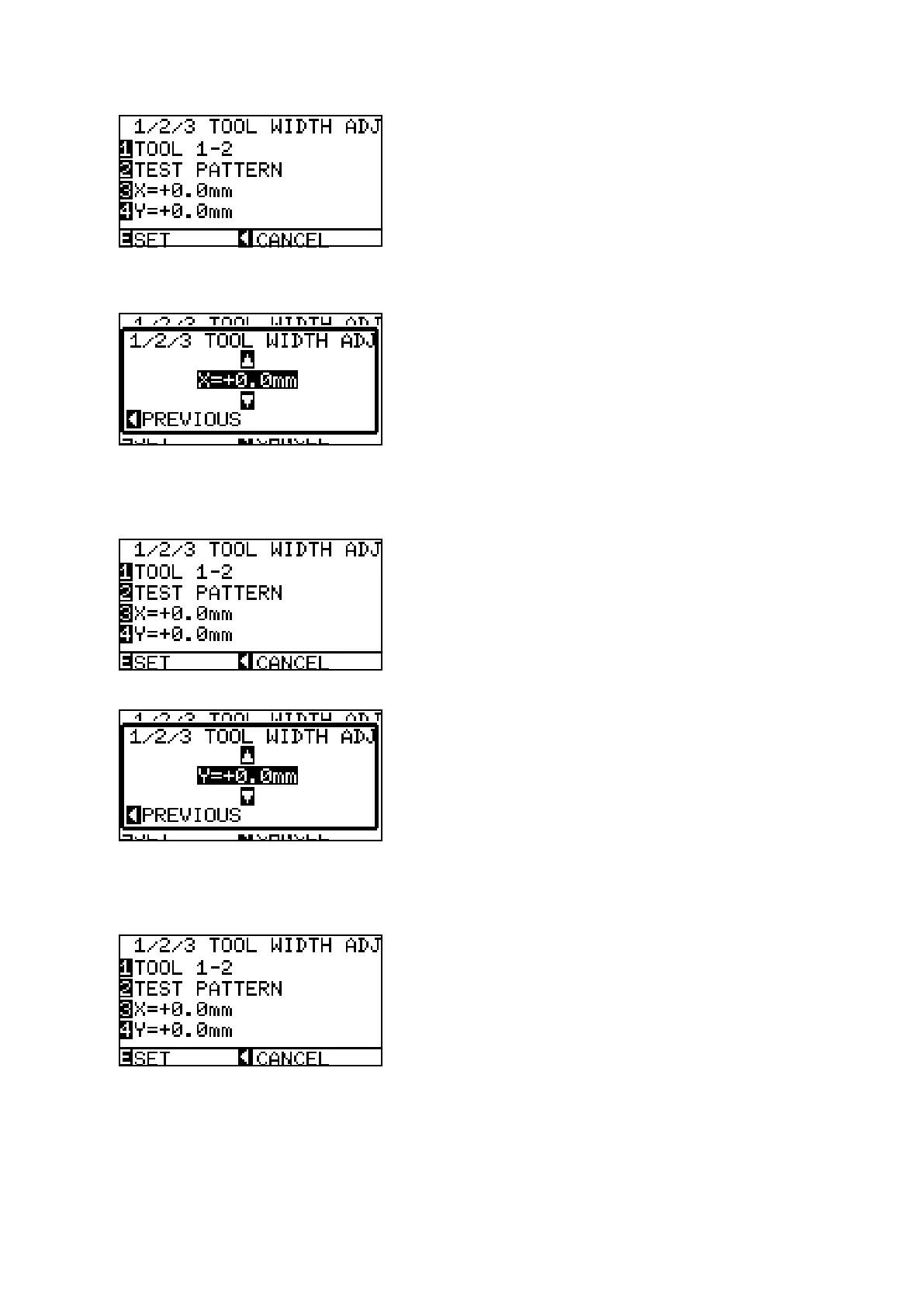
(16)Whentheyhavebeenplotted,themenushownbelowisdisplayed.
(17)Measuretheoffsetbetweenthepen1crossmarkandthepen2lines.
(18)PresstheF3keytodisplaythemenushownbelow.
(19)SettheX-offsetvalue.PresstheUPARROWkeyorDOWNARROWkeytochangethenumberbased
onthepen1crossmark.
(20)PresstheleftpositionkeywhentheXdirectionisadjusted.
(21)PresstheF4keytodisplaythemenushownbelow.
(22)SettheY-offsetvalue.PresstheUPARROWkeyorDOWNARROWkeytochangethenumberbased
onthepen1crossmark.
(23)PresstheleftpositionkeywhentheYdirectionisadjusted.









 To Next Page