10.1 Temperature Controller/Servo/Inverter Connection 10-7
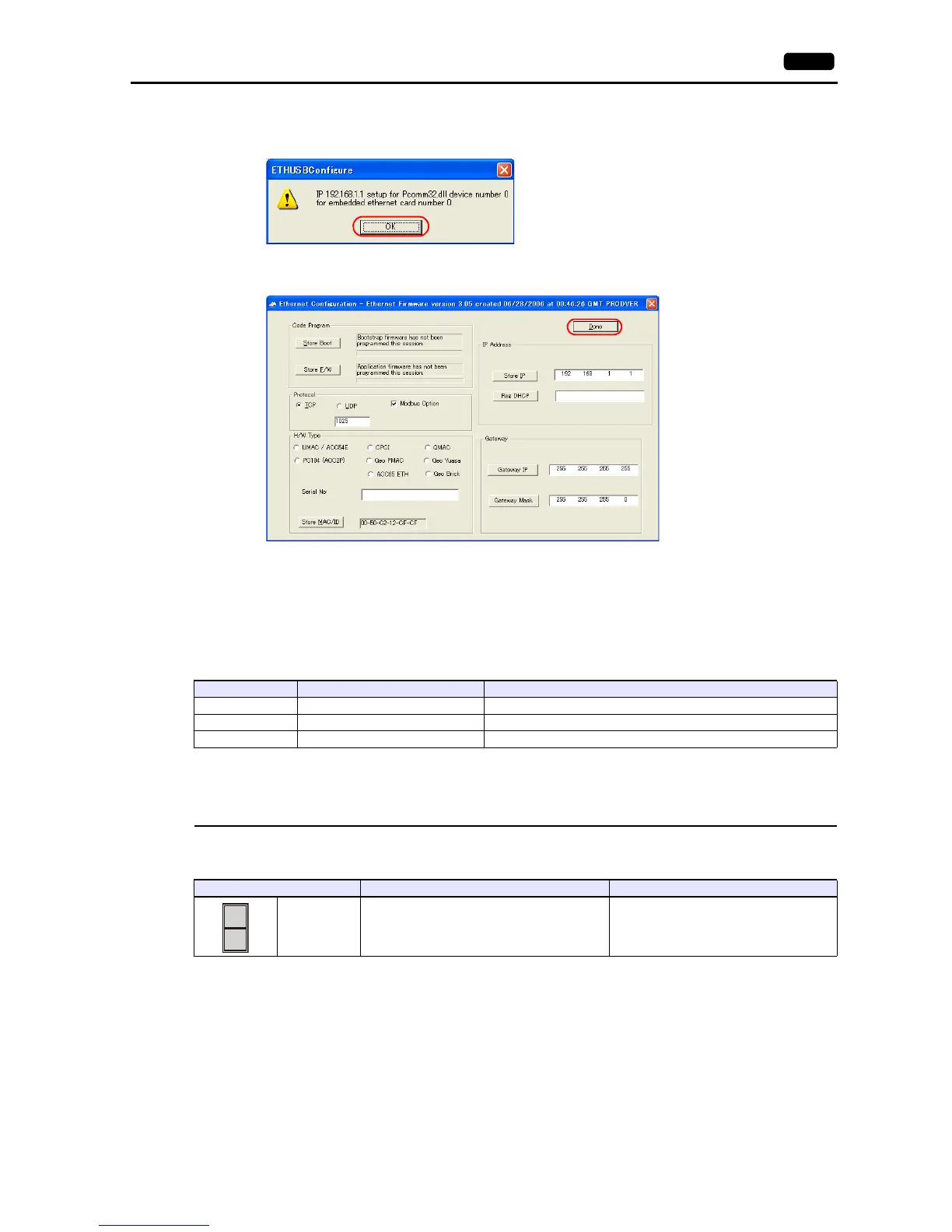
5. The [ETHUSBConfigure] dialog is displayed.
Click [OK].
6. The [Ethernet Configuration] dialog is displayed again.
Click [Done] in the dialog.
7. Turn the power off and back on again.
* UMAC settings must be made via USB communication.
Before performing Ethernet communication with MONITOUCH, turn the power to UMAC off and remove the USB cable. Then, insert the
Ethernet cable and turn the power on again.
I-Variables by number
* Values after change are saved in FROM and determined when the power is turned off and back on again.
UMAC Turbo CPU
TURBO CPU BOARD E-POINT
Address Contents Setting
I3 Handshake I/O control 2
I6 Error notification mode 1
I63 <Control-X> Echo valid/invalid 1: Valid
E-POINT Contents Setting
E6 Reloading the micro controller firmware
Normal operation: Install a jumper between pins
1 and 2.



 To Next Page