37
WE2107 - Communication commands
I1820-1.3 en HBM
Calculating the internal correction factor:
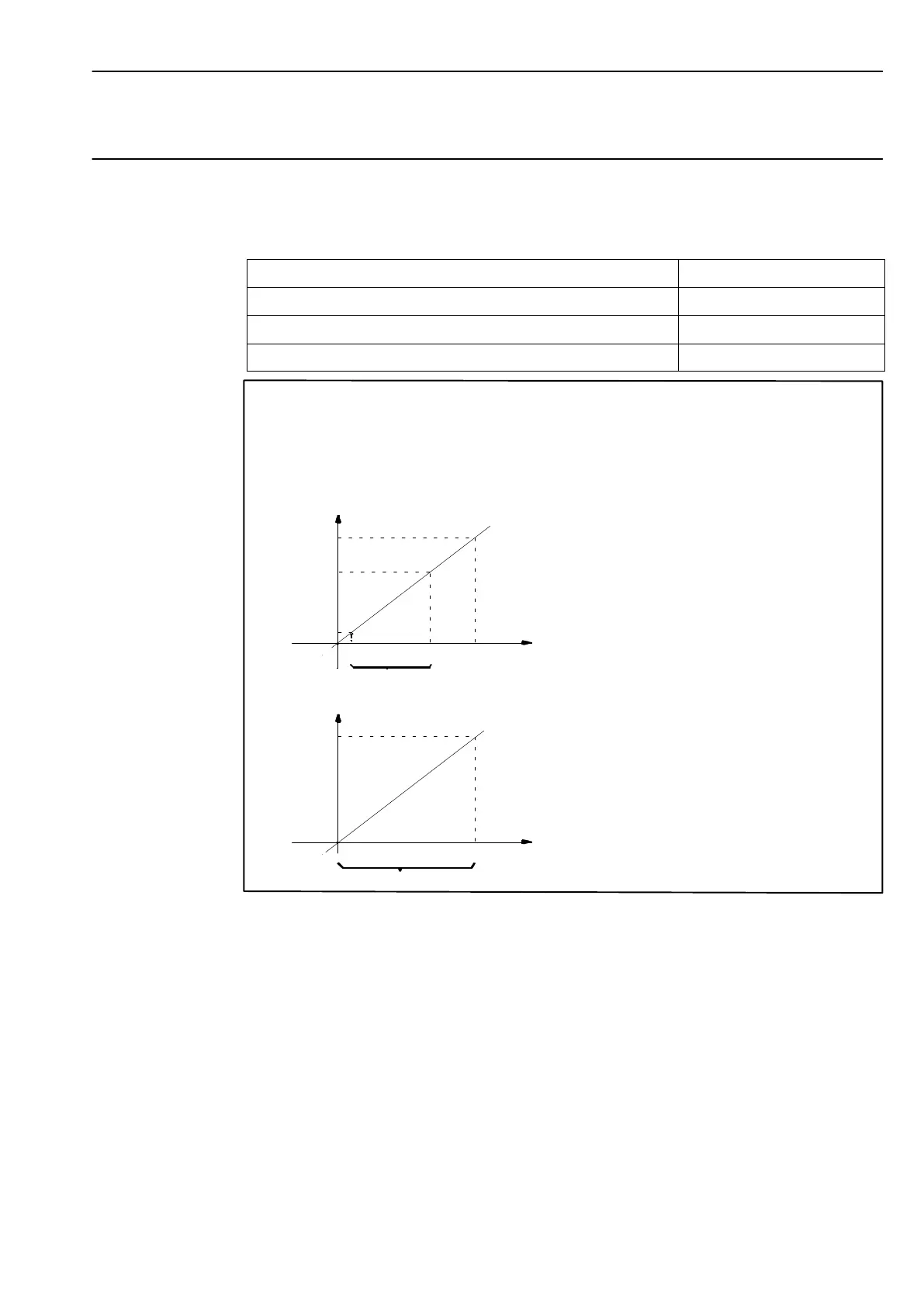
Setting the scale characteristic curve with LDW, LWT (for max. capacity adjustment)
Action
Command sequence
Enter password, e.g. SPW00000;
Loading at scale zero load LDW(P1);
Loading at scale max. capacity LWT(P2);
Set user characteristic curve with LDW, LWT
Digit
100000
70000
10000
COF2
Default characteristic curve
0.1
0.7 1
Range application
Load L/Ln
Digit
200000
0
COF2
User characteristic curve
Load L/Ln
Ln = max. load
Range application
0.1
0.7
Fig. 4: Setting the user characteristic curve


 To Next Page