Hardware options installation 116
o
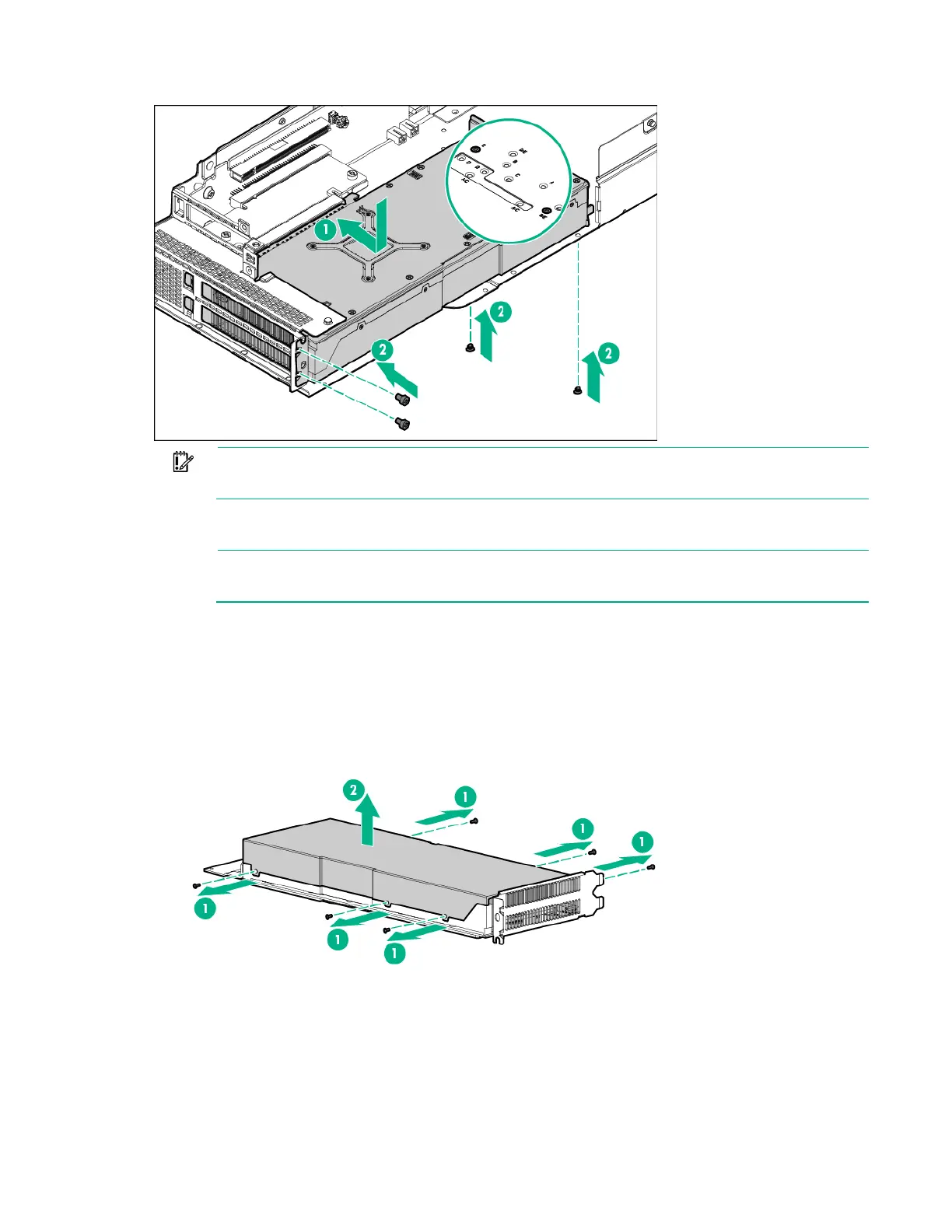
AMD FirePro S9150 GPU
IMPORTANT: If installing an Intel Xeon Phi Coprocessor 5110P, connect the power cable
the 2x4 connector only. Do not connect the power cable to the 2x3 connector.
14. Connect the Accelerator 1 power cable to Accelerator 1. For more information, see "Accelerator
cabling (on page 144)."
NOTE: If installing a single NVIDIA GRID K2 RAF, NVIDIA K80, and NVIDIA M60 GPU, skip
to step 21.
15. Remove the existing rear support bracket from Accelerator 2.
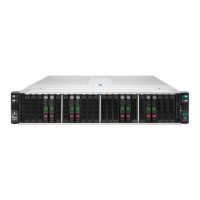
16. If installing an AMD FirePro S9150 GPU or AMD FirePro S7150 GPU, remove the cover from
Accelerator 2.
o AMD FirePro S9150 GPU









 To Next Page