Body Quick Guides 108 Section - 15
Operator’s - Manual # 99906363
Crane
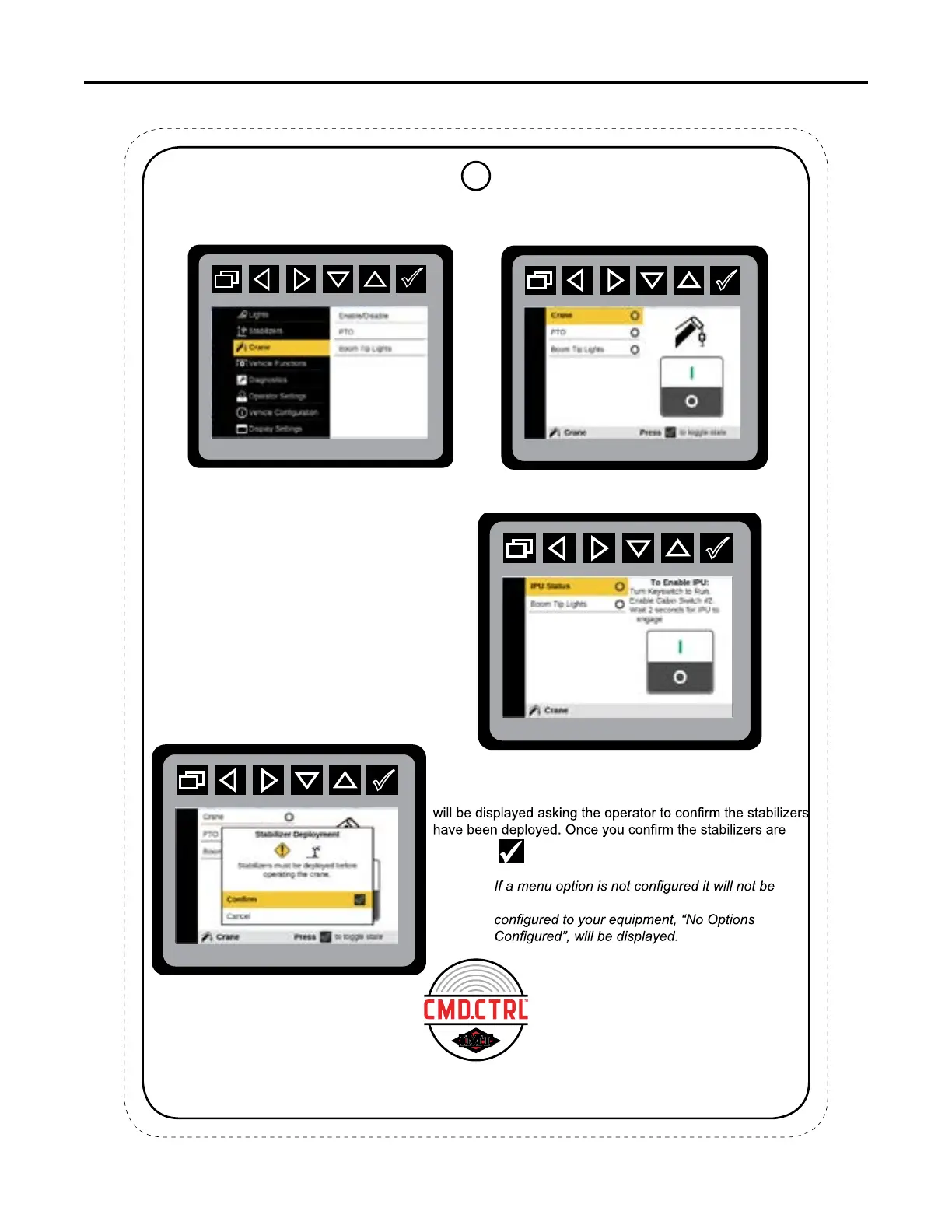
Main Menu: Crane
Crane: Enable Mode
The Crane menu allows the selection of Power On and Power Off options for Crane, PTO, and Boom Tip Lights.
If the chassis type is set to “IPU” the Crane
Power and PTO will not be shown. Instead, the
IPU Status option will be shown with instructions
on how to enable the IPU. If the Chassis Option
is selected as Paccar Engine”, the PTO object
also will not be shown.
After the IPU activation, the operator can
remove the key from the ignition.
When Crane is selected to turn on, a pop-up menu
deployed, the display will verify the status of the PTO.
displayed on the screen. If none of the options are
Crane: Stabilizer Acknowledgment
IPU Status Row
CRANE
This chart is to be used as a “quick reference” guide only.
It should not be substituted for a thorough review of the manual.
70490137
7



 To Next Page