Vehicle Congurations 62 Section - 8
Operator’s - Manual # 99906363
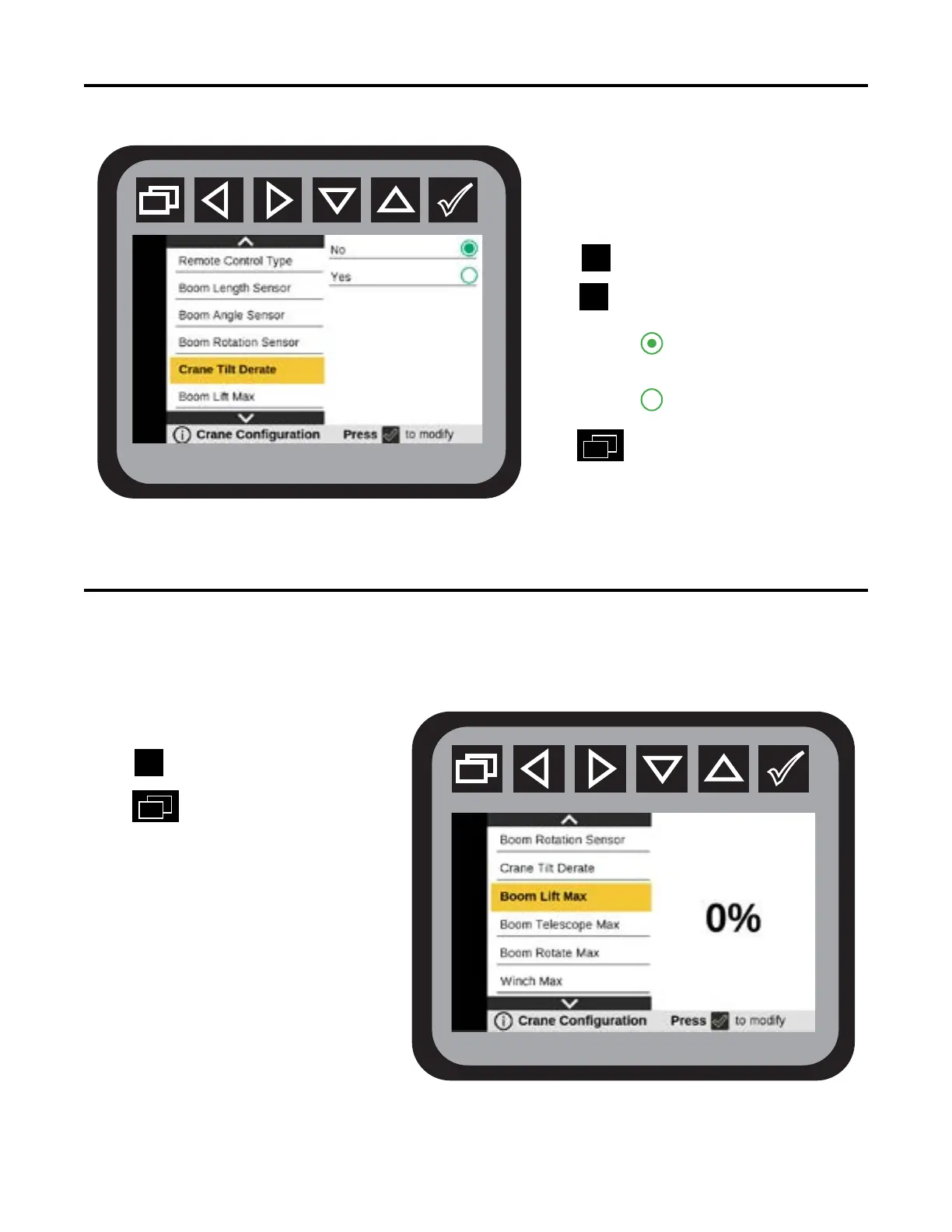
Crane Conguration—Crane Tilt Derate
From the Main Menu navigate to Vehicle
Conguration.
Navigate to Crane Tile Derate
Press to modify.
Press to choose:
No
Yes
Press to return to Main Menu.
Always set the Crane Tilt Derate to NO.
Crane Conguration—Boom Lift Max
From the Main Menu navigate to Vehicle
Conguration.
Navigate to Boom Lift Max
Press to modify.
Press
to return to Main Menu.
Exceeding the limits presented on
the capacity placard will create
severe safety hazards and will
shorten the life of the crane. The
operator and other concerned
personnel must know the load capacity of the
crane and the weight of the load being lifted.
The capacity chart for each model is located
in the specific crane technical specifications
manual, and on placards on the crane and
body. Boom Lift Max should not be set higher
than the percent of lifting capacity found
on the Load Capacity Chart.The values on
the factory-installed Load Capacity Chart are based on 85% of the tipping point for a specic truck and crane
combination.



 To Next Page