Vehicle Functions 28 Section - 7
Operator’s - Manual # 99906363
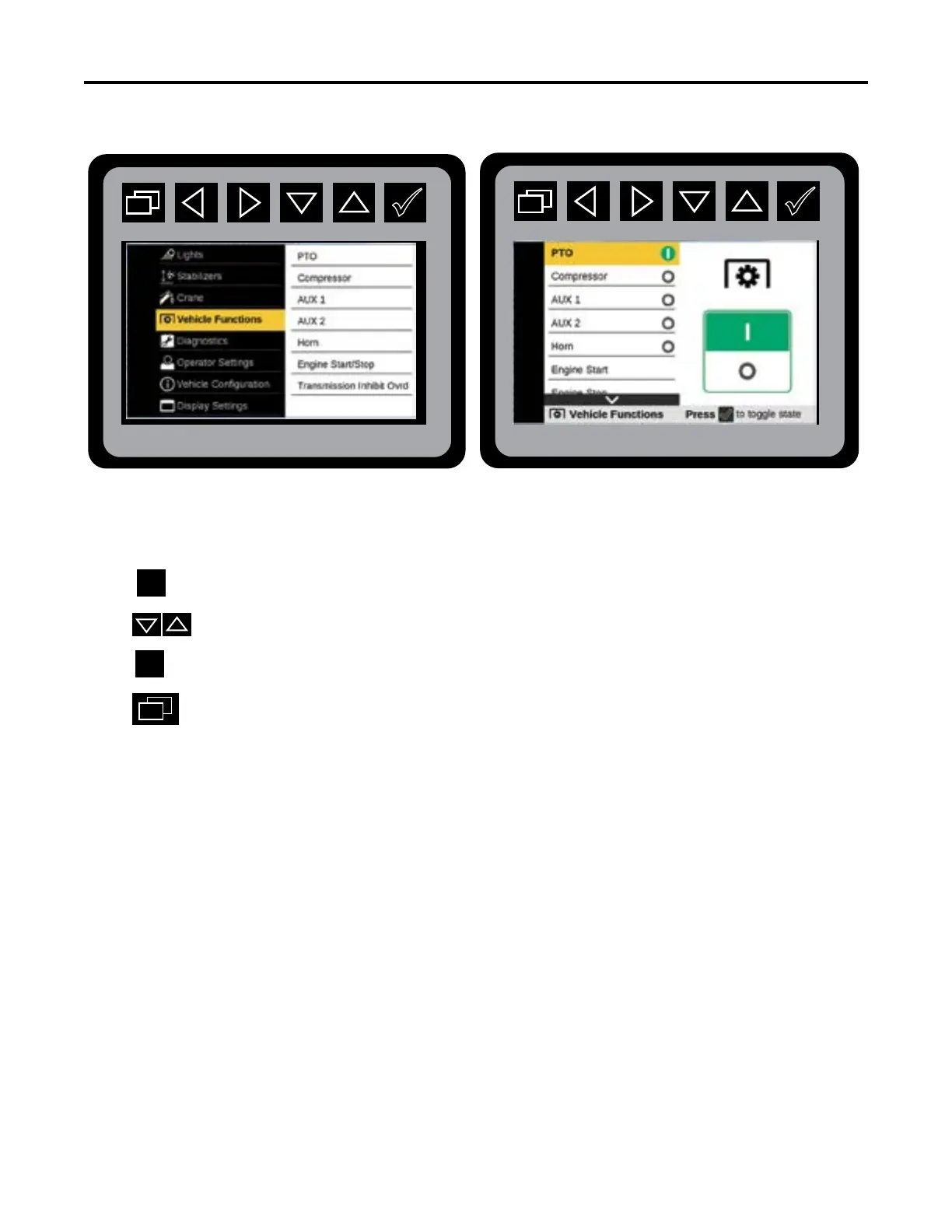
Vehicle Functions Screen—PTO
Main Menu: Vehicle Functions Mode
From the Main Menu Navigate to Vehicle Functions.
Press to initiate the Vehicle Functions mode.
Press to select desired function.
Press to activate used desired function.
Press
to return to Main Menu.
Repeat the step 1-5 to initiate: Compressor, Aux 1, Aux 2, Engine Start / Stop in the Vehicle
Functions menu if your equipment have these congurations
.
The Vehicle Functions menu will have menu options to turn on and turn o the PTO, Compres-
sor, AUX 1 & 2, Horn, Engine Start / Stop, and activate Transmission Inhibit Override. The status
of the function will be displayed next to the menu object.
Vehicle Functions: PTO



 To Next Page