Diagnostic 32 Section - 8
Operator’s - Manual # 99906363
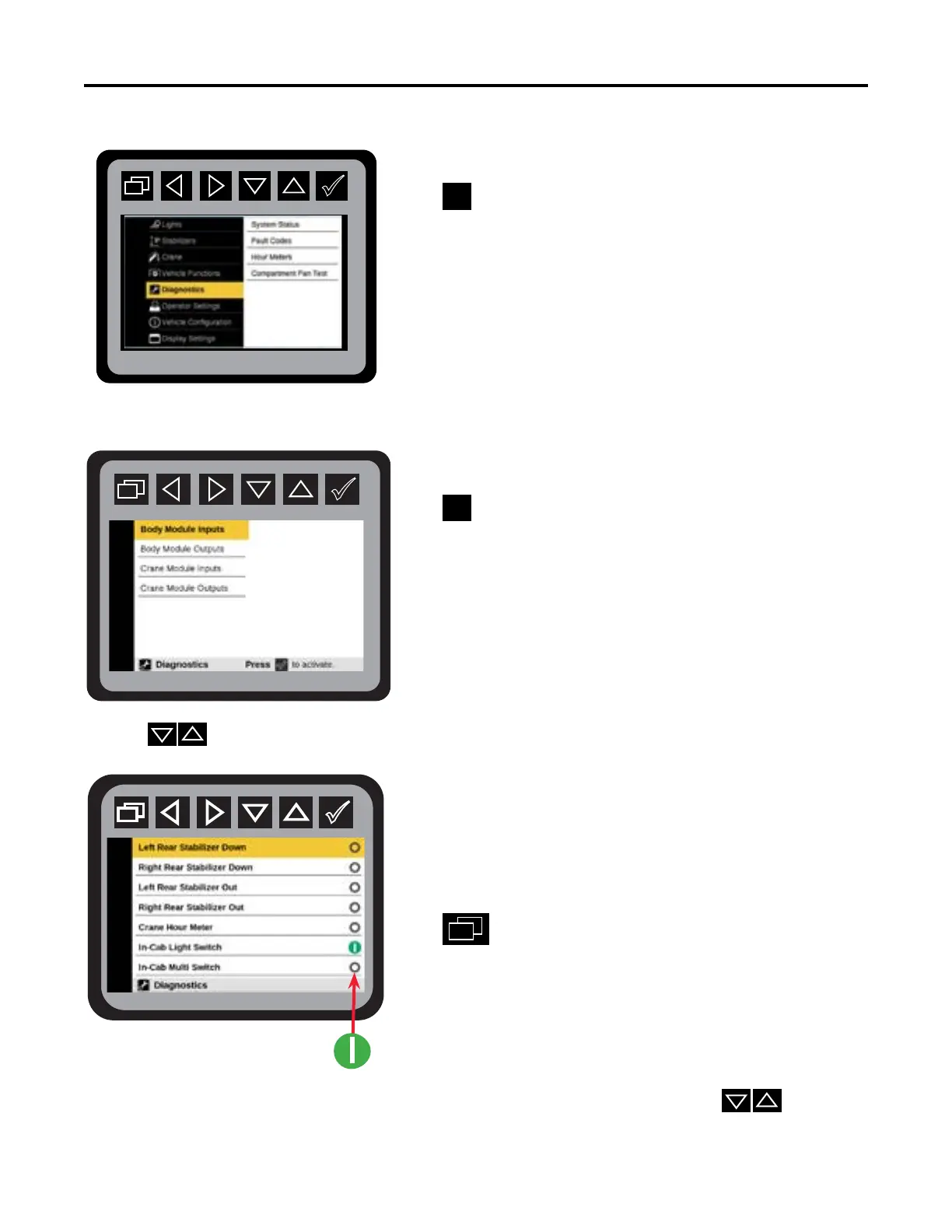
Diagnostics—Input States
From the Main Menu navigate to Diagnostic Menu.
Press
to initiate Diagnostics mode.
Press
to initiate diagnostic state.
Use the
to navigate the following input states screens:
Left Rear Stabilizer Down
Right Rear Stabilizer Down
Let Rear Stabilizer Out
Right Rear Stabilizer Out
Crane Hour Meter
In-Cab Light Switch
In-Cab Multi Switch
Press
to return to Main Menu.
If the input is active it will show as a green circle The operator can use the
to scroll
through the list of inputs. Your system may not have all inputs connected.



 To Next Page