Stabilizers 18 Section - 4
Operator’s - Manual # 99906363
Stabilizers
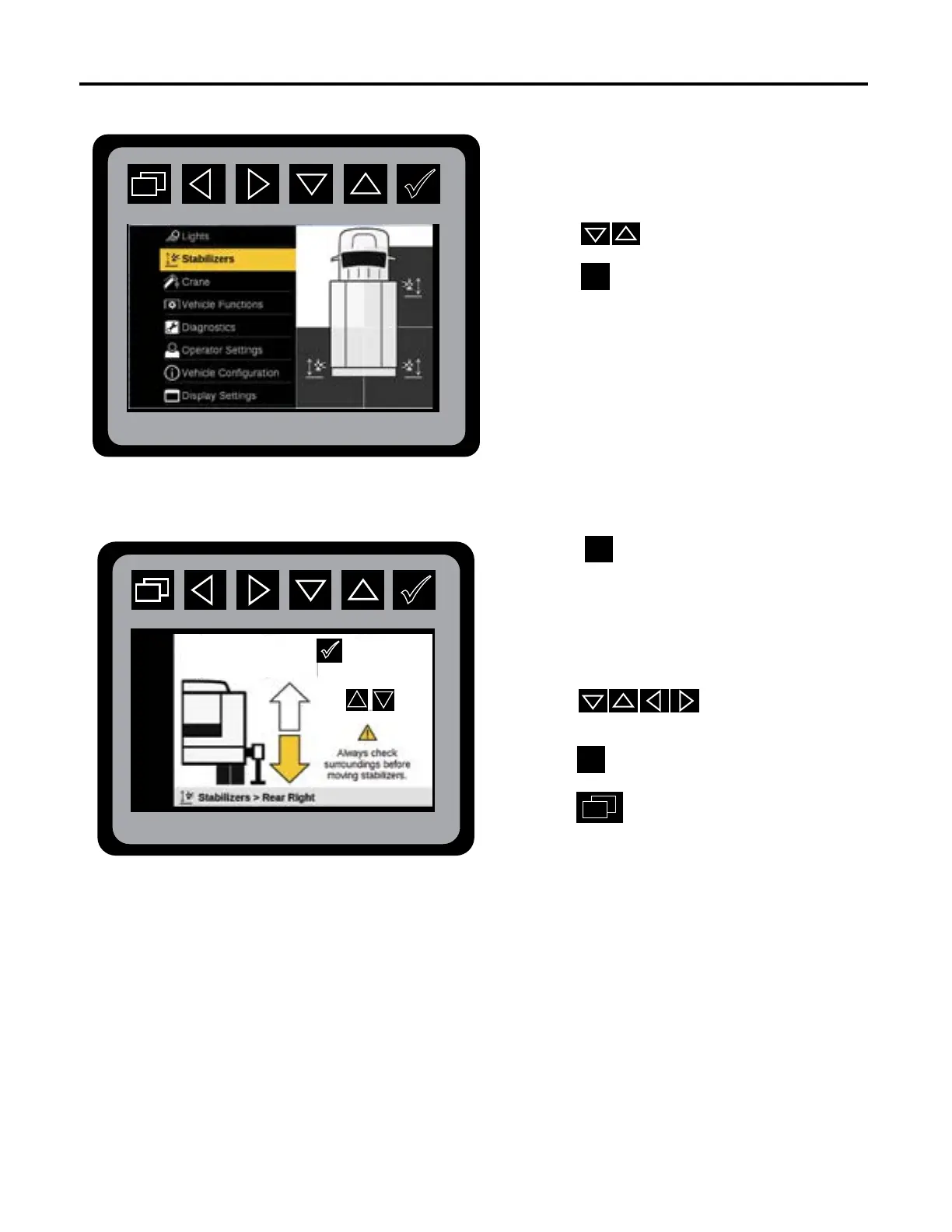
Main Menu: Stabilizer Preview
Stabilizer Selection Mode
Stabilizer: Selection Mode.
The Stabilizer menu allows the operator to
maneuver selected stabilizers from the control
screen in a two-step process.
1. Press to select Stabilizer Mode.
Press
to initiate Stabilizer states.
2. Press until desired stabilizer is
displayed.
This illustration shows the highlighted
stabilizer location in the Stabilizer
Selection Mode.
3. Press to operate applicable
stabilizer or function.
4. Press to select next stabilizer.
5. Press to return to Main Menu.
Next Stabilizer
Hold
to move stabilizer.



 To Next Page