Radio Remote 79 Section - 13
Operator’s - Manual # 99906363
M-STOP
70735198
WSMB-10561-PH2
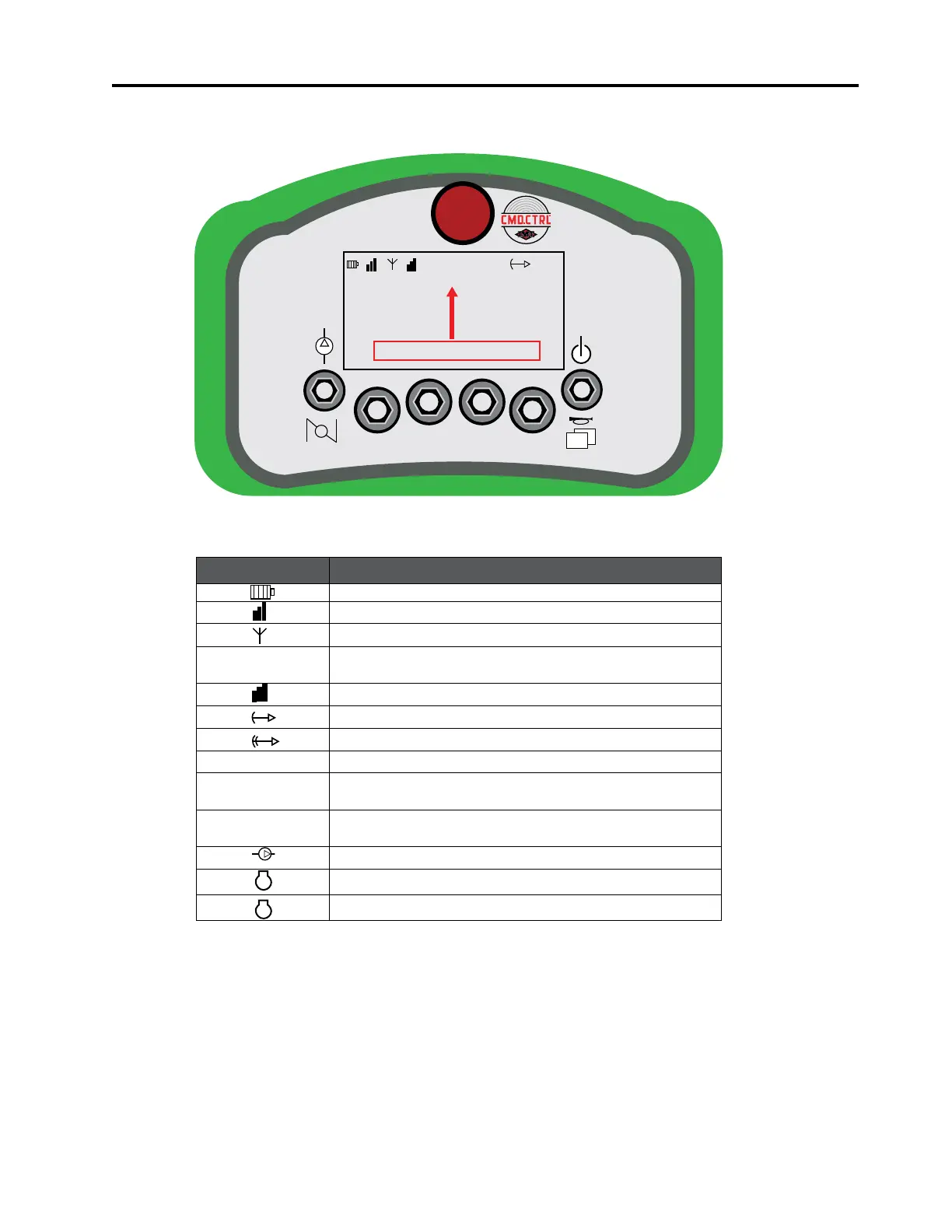
TOP BAR ICONS
01
ICON DESCRIPTION
A visual indication of the battery’s state of charge.
Received signal strength at the Remote.
Wireless connection.
Cable
The tethered cable is connected. Radio transmitters are
o. No picture available.
Received signal strength at the Base.
Crane is in Snubbing Mode.
Crane is in Overload Mode (not shown).
01 Indicates the current screen number.
AUX1
Indicates Auxiliary output No. 1 status is ON (not
shown).
AUX2
Indicates Auxiliary output No. 2 status is ON (not
shown).
Indicates Compressor is enabled (not shown).
Indicates Engine Speed1 is enabled (not shown).
Indicates Engine Speed2 is enabled (not shown).
The red highlighted area is for illustration purposes only. It will not appear on the faceplate dislay.
Faceplate - Top Bar Icons
1



 To Next Page