Stand Alone Crane 136 Section - 19
Operator’s - Manual # 99906363
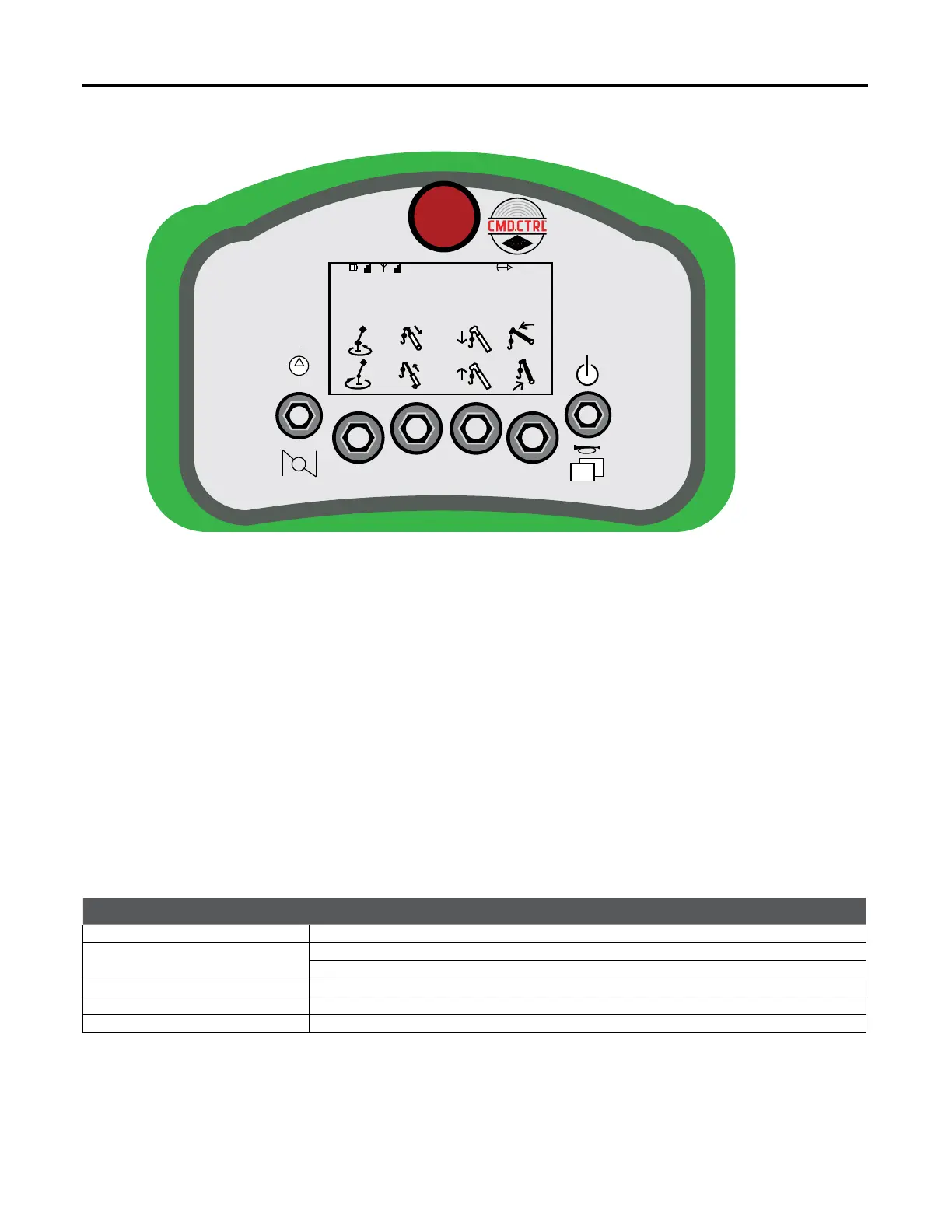
Stand Alone Crane—Crane Screen
Crane Mode
When in Crane Mode:
Soft Toggle 1: Crane Rotation:
• Toggle UP - enables crane rotate CCW function.
• Toggle DOWN - enables crane rotate CW function.
Soft Toggle 2: Boom Extension:
• Toggle UP - enables Boom Retract function.
• Toggle DOWN - enables Boom Extend function.
Soft Toggle 3: Boom Winch:
• Toggle UP - enables winch DOWN function.
• Toggle DOWN - enables winch UP function.
Soft Toggle 4 Boom Lift:
• Toggle UP - enables Boom DOWN function.
• Toggle DOWN enables Boom UP function.
ITEM
DESCRIPTION
LMI (Load Moment Indicator) Displays the Load Moment of the Crane in percentages (0-100%)
Boom Angle
Displays in degrees
Horizontal = 0° (above horizontal reads positive)
Truck Tilt Combined tilt angle of the body
Weight Calculated weight on the hook
Horizontal Distance Load distance from center of the mast measured horizontally
For Crane movment, enable crane function rst and then control function speed with the
trigger.
M-STOP
1
2 3
4
WEIGHT: 0.0
LB
ROTATION: 0.0°
HORIZ DIST: 0’ 0”TRUCK TILT: 0.0°
LMI: 0%
BOOM ANGLE: 0.0°
01



 To Next Page