Crane Quick Guides 113 Section - 16
Operator’s - Manual # 99906363
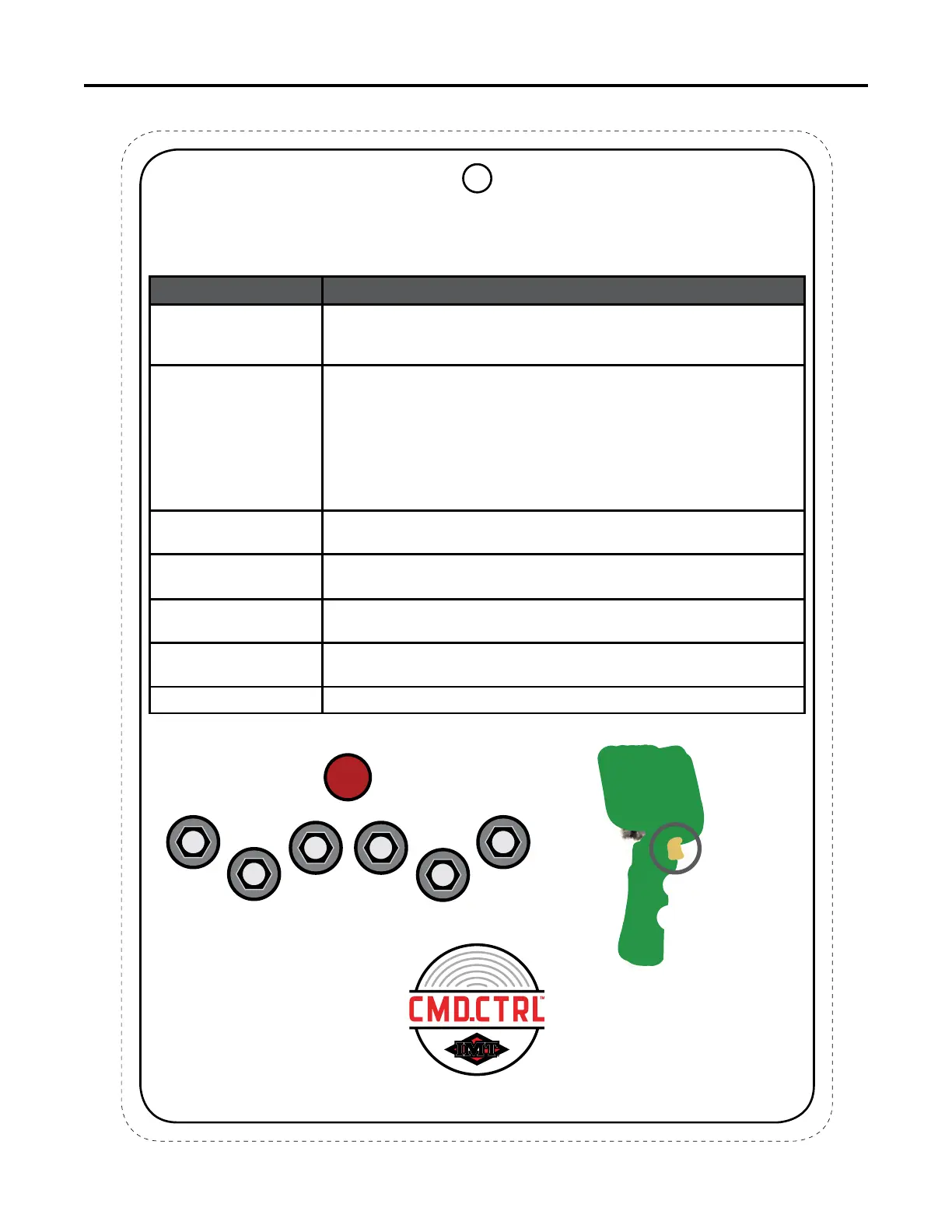
Toggle Identication
This chart is to be used as a “quick reference” guide only.
It should not be substituted for a thorough review of the manual.
TOGGLE IDENTIFICATION
TOGGLE NAME DESCRIPTION
Right Fixed Function Up
A hard function toggle, meaning its operation never changes.
• Turning the remote ON/OFF - toggle upward and HOLD for 1/2
second.
Right Fixed Function
Down
A hard function toggle, meaning its operation never changes.
• Horn - toggle DOWN and HOLD until you hear the horn
• Switching Operation Screens - short clicks downward will display
next screen in sequence:
• Crane
• Lights
• Stabilizers
• Operations
Soft Toggles 1 – 4 Functions will change based on the screens that are being displayed.
Left Fixed Function Up
A hard function toggle, meaning its operation never changes.
• Short click UP to enable / disable compressor.
Left Fixed Function
Down
A hard function toggle, meaning its operation never changes.
• Short click DOWN to change speed
Emergency Stop Pressing DOWN will shut down the chassis engine in an emergency, pull
to release.
Trigger Controls crane movement speed.
Left Fixed
Function
Toggle
Soft Toggle
1
Soft Toggle
2
Soft Toggle
3
Soft Toggle
4
Right Fixed
Function Toggle
1
2 3
4
E-Stop
2
70490368
Trigger



 To Next Page