Operator Settings 40 Section - 8
Operator’s - Manual # 99906363
Operator Settings—Lights
SOME OF THE OPERATOR SETTINGS MAY NOT BE AVAILABLE DUE TO PRESELECTED
VEHICLE CONFIGURATIONS.
The Display will detect if any changes to the Operator Settings were made when the operator
escapes out of the menu. If there were changes, a pop-up menu will display prompting the
operator to save or cancel these changes.
.
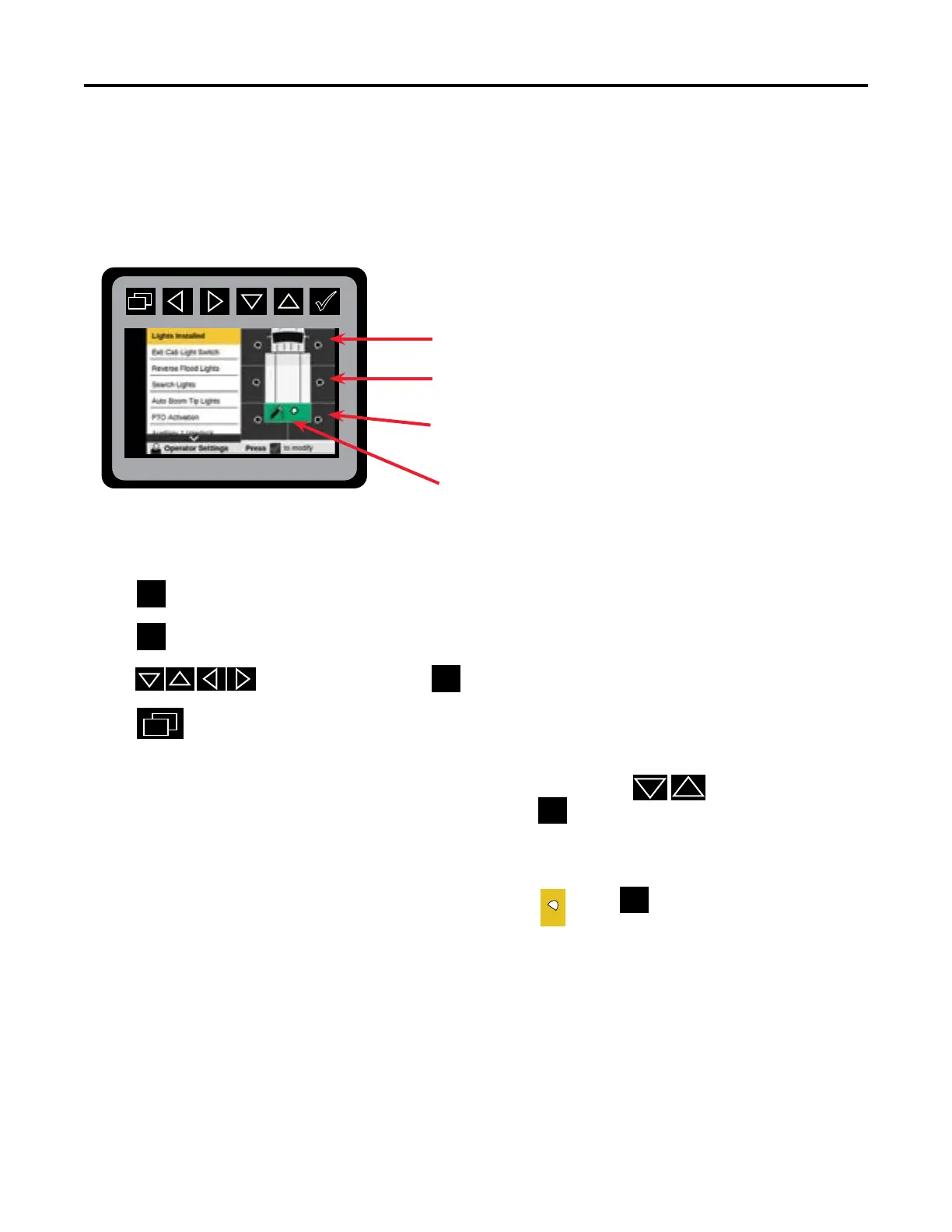
Front Left/Right Flood Lights
Middle Left/Right Flood Lights
Rear Left/Right Flood Lights
Boom Tip Lights
From the Main Menu Navigate to Operator Settings
Select Truck Settings.
Press
to display Lights Installed.
Press to navigate lights and to select.
Press
to return to Main Menu.
The light graphic will turn yellow when the operator navigates to a
specic conguration, and when selected with the
will turn green indicating it is activated.
If the light is not congured to your equipment, it will remain black.
The light congurations will change to this yellow when
is selected.
Some changes require a power cycle to get activated.



 To Next Page