Vehicle Congurations 54 Section - 8
Operator’s - Manual # 99906363
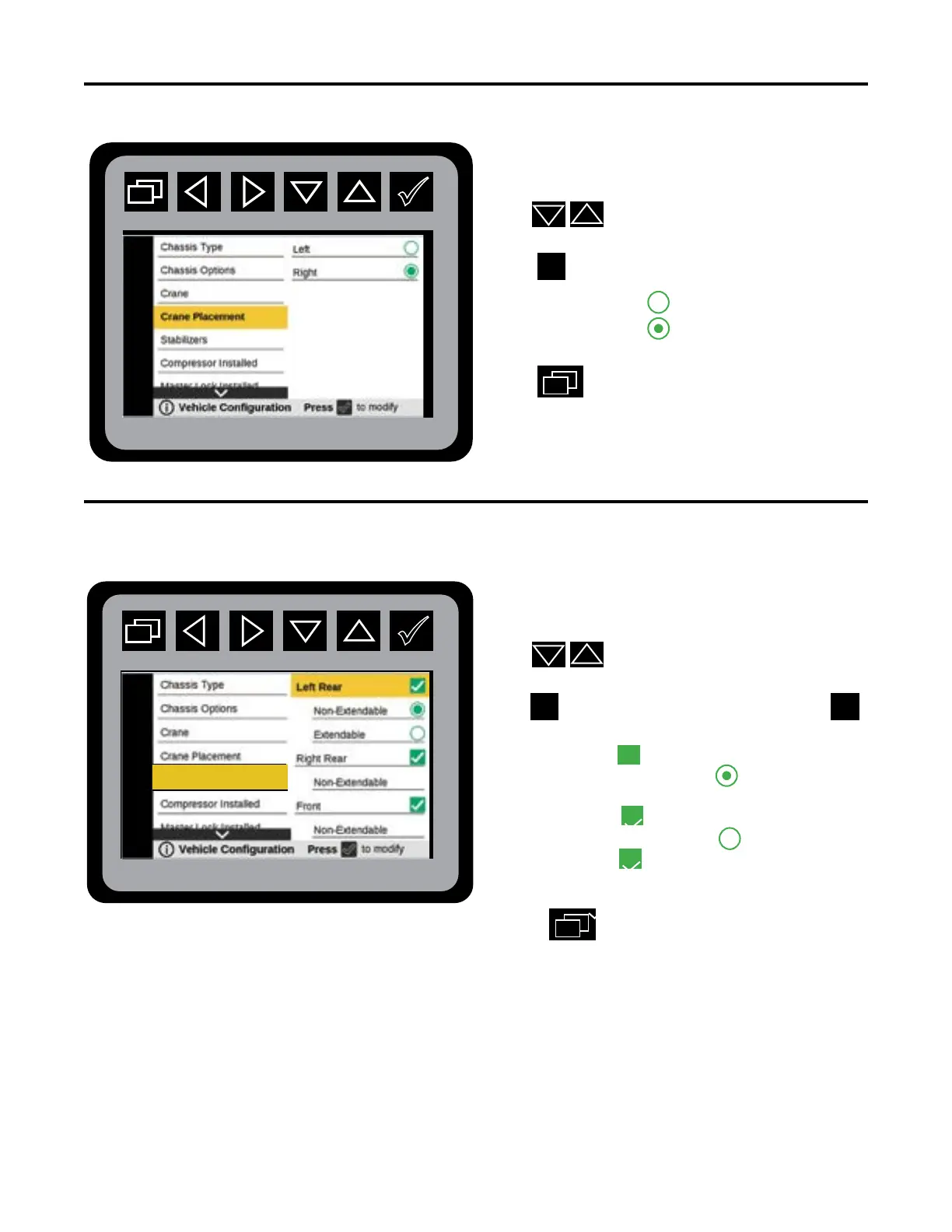
Vehicle Conguration—Crane Placement
From the Main Menu navigate to Vehicle Congu-
ration.
Press
to navigate to Crane Placement.
Press
to initiate Crane Placement states:
• Left
• Right
Press
to return to Main Menu.
Vehicle Conguration—Stabilizers
From the Main Menu press navigate to Vehicle
Conguration.
Press
to navigate to Stabilizers.
Press
to initiate Stabilizers states. Press
to initiate stabilizers:
Left Rear:
• Non-Extendable
• Extendable
Right Rear:
• Non- Extendable
Front:
Non-Extendable
3. Press
to return to Main Menu.
The Stabilizer conguration menu will allow the selection of what Stabilizers are installed,
Left Rear, Right Rear, and Front Stabilizer. The selection of Extendable and Non-Extendable
will be a sub-item under the Stabilizer selection.
PTO Activation
Stabilizers



 To Next Page