Crane 22 Section - 5
Operator’s - Manual # 99906363
Crane
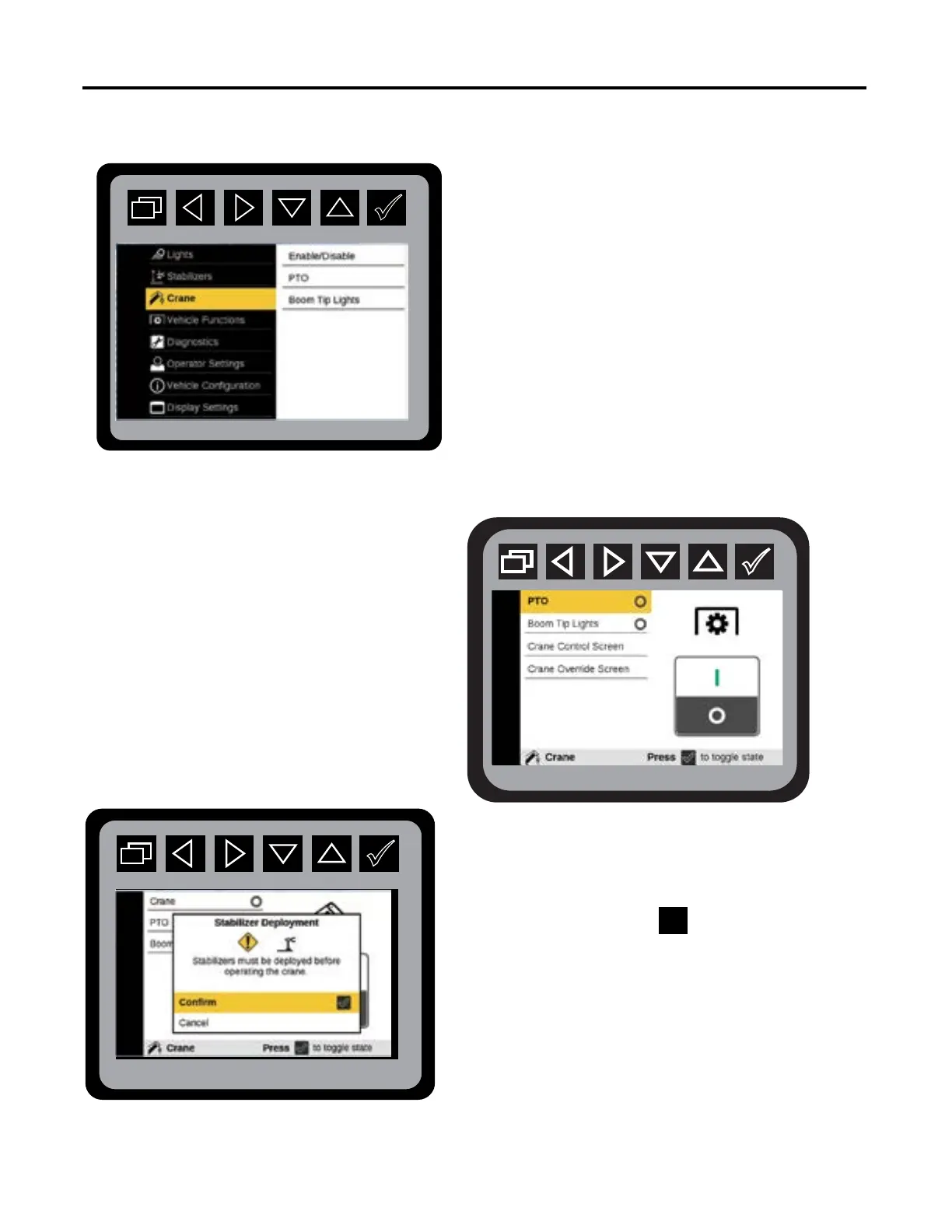
The Crane menu allows the selection of Power On
and Power O options for Crane, PTO, Boom Tip
Lights, and Crane Override.
Main Menu: Crane
When Crane Enable is selected to turn on, a pop-up
menu will be displayed asking the operator to conrm
the stabilizers have been deployed. Once you conrm
the stabilizers are deployed, the display will verify
the status of the PTO.
If a menu option is not congured it will not be
displayed on the screen. If none of the options
are congured to your equipment, “No Options
Congured”, will be displayed.
Crane: Stabilizer Acknowledgment
Crane: PTO



 To Next Page