Crane Quick Guides 112 Section - 16
Operator’s - Manual # 99906363
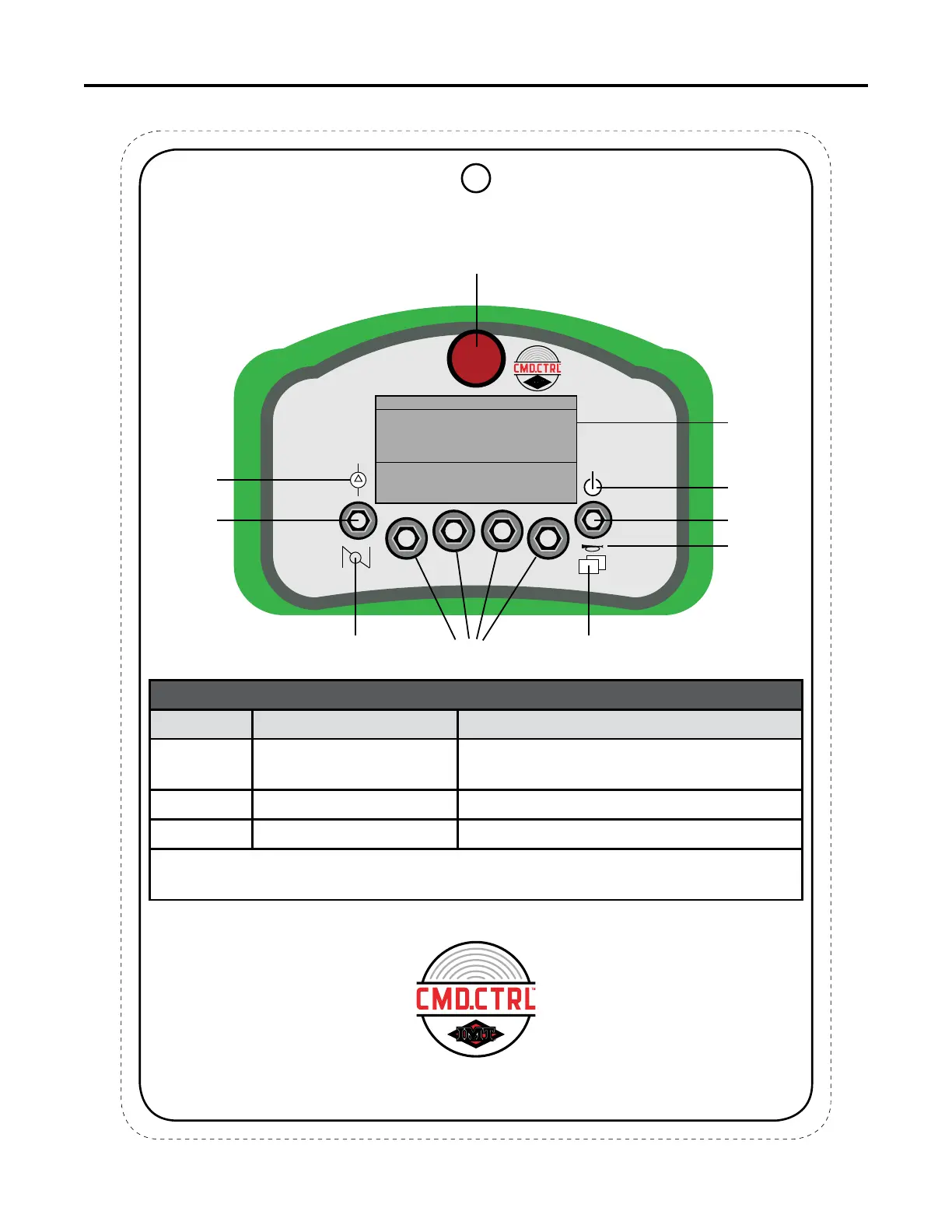
Faceplate Identication
This chart is to be used as a “quick reference” guide only.
It should not be substituted for a thorough review of the manual.
70490368
FACE PLATE IDENTIFICATION
M-STOP
Emergency
Stop
Multi-Functional
Soft Toggles
1-4
Switch Screen
Horn
Right Fixed
Function
Toggle
Power
On/Off
Engine Speed
Left Fixed
Function
Toggle
Compressor
1
2
3
Display
1
2 3
4
DISPLAY
ITEM NO. NAME DESCRIPTION
1. Top Bar Area
Displays: Battery Status, Operation
Mode, Received Signal strengths
2. Indicator Area System Feedback
3. Soft Toggle Area Displays: Soft Toggle Icons
NOTE:
The lines separating the different segments on the display are for visual
reference only, and will not be visible during the operation of the remote.
1



 To Next Page