Diagnostic 34 Section - 8
Operator’s - Manual # 99906363
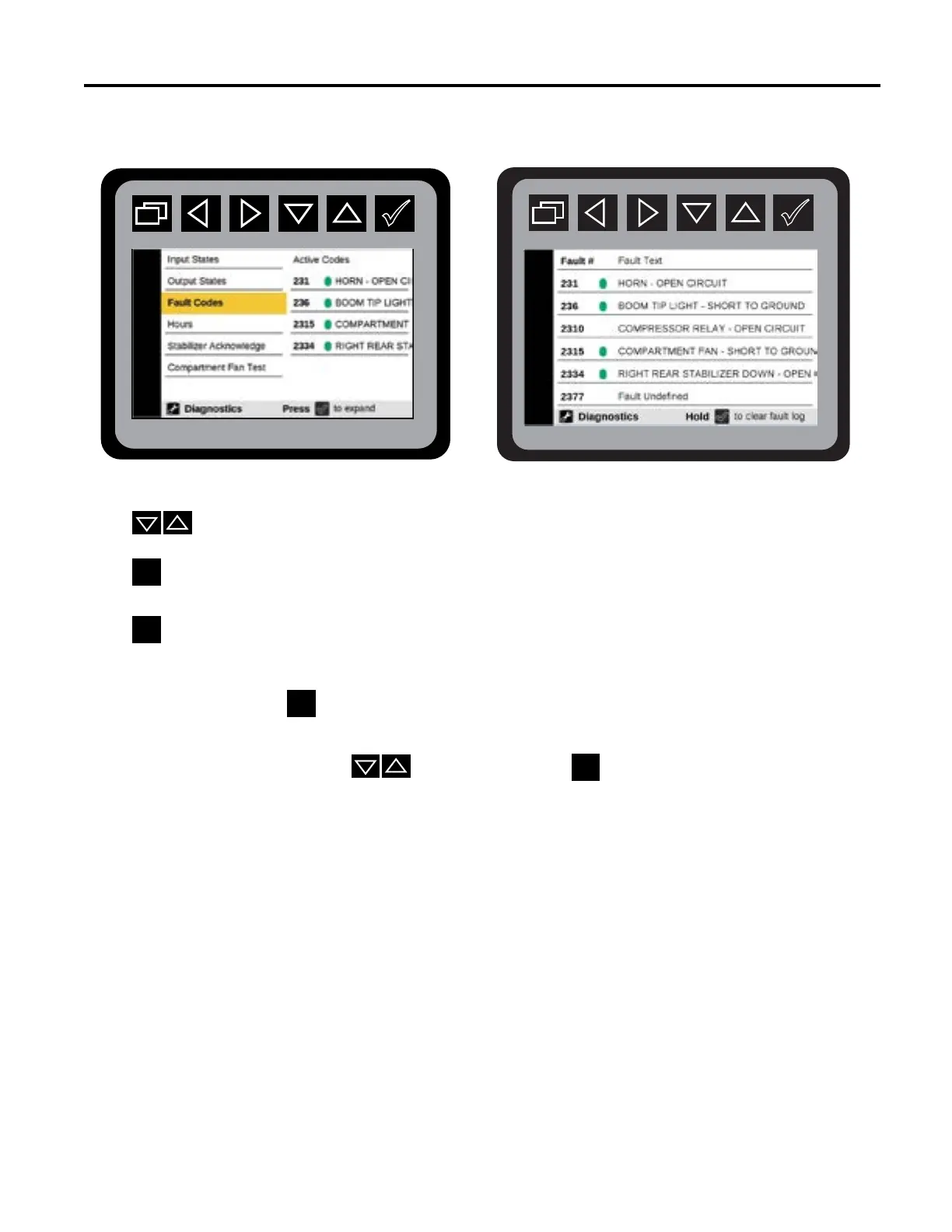
Diagnostics—Fault Codes
REFER TO CHAPTERS 19 & 20 TO SEE THE COMPLETE DIAGNOSTIC FAULTS CODE TABLE.
From the Main Menu Navigate to the Diagnostic Menu.
Press
to navigate to Fault Codes, or Crane Fault Codes.
Press
to initiate the Diagnostic Fault Code Preview Menu.
Press
to initiate fault states. This state will display:
• 25 most recent codes in chronological order
• DTC Ø indicates a power cycle.
• Press and hold
to clear fault log.
The Faults menu will show 25 of the most recent codes in chronological order and page to the
next 7 faults when arrow
is pressed. Hold the
to clear the fault code. The text for
the fault codes will scroll back and forth if the text is larger than the screen area.
REFER TO CHAPTERS 19 & 20 FOR THE COMPLETE DIAGNOSTIC FAULT CODE
TABLES FOR BODY AND CRANES.



 To Next Page