Operator Settings 41 Section - 8
Operator’s - Manual # 99906363
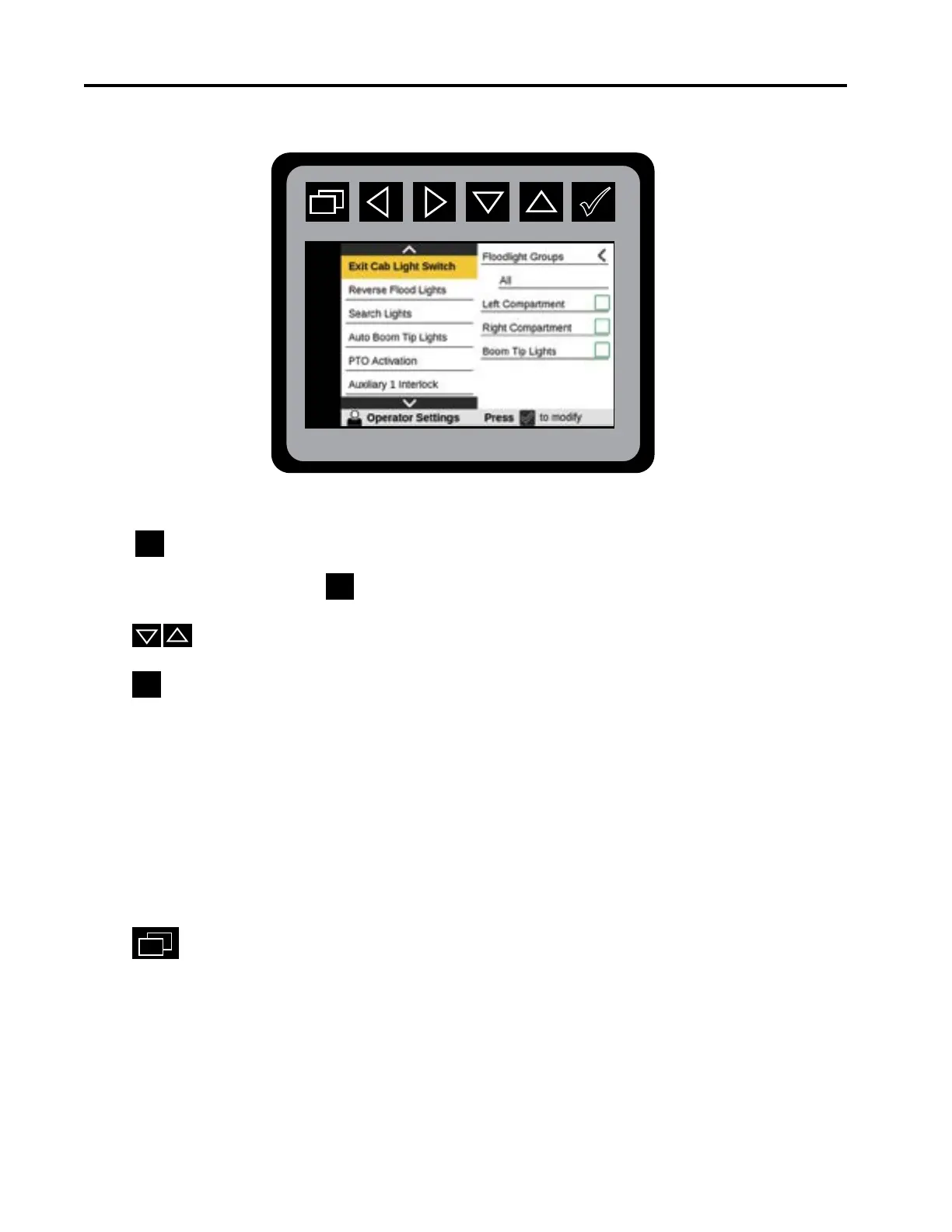
Operator Settings—Exit Cab Lights
From the Main Menu Navigate to Operator Settings.
Press to display.
From the Main Menu press the
to navigate to the Exit Cab Light Switch mode.
Press
to choose Exit Cab Light Switch states.
Press
to choose a specic conguration.
A. Floodlight Group
• All
• None
• Left
• Right
• Front
• Rear
B. Left Compartment
C. Right Compartment
D. Boom Tip Lights
Press
to return to Main Menu.
The operator can congure what lights turn on for the Exit Cab Light Switch mode using
CAB multi-switch.The operator can select the Left and Right Compartment lights and
Boom Tip Lights if precongured in Vehicle Conguration.



 To Next Page