Navigation 11 Section - 2
Operator’s - Manual # 99906363
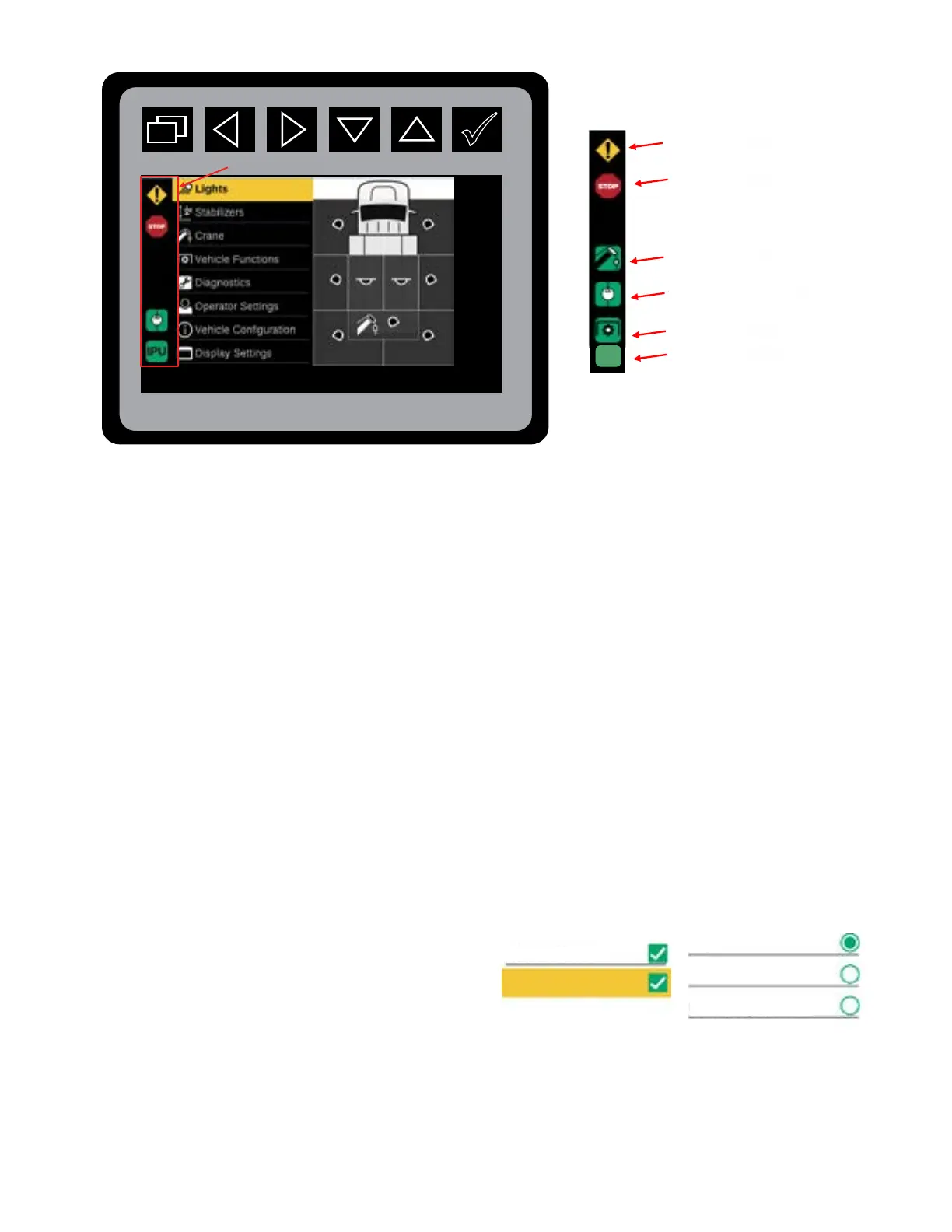
The Status Icon Display will have an area of the screen on the left sidebar. The status Icon screen will be
shown for all screens expect for the Splash and About Screens. There will be a dedicated space for the
following icons in this area; Warning, Stop, Crane Enabled, Compressor Enabled, PTO Active, and IPU
Active.
The IPU and PTO Active icons will share the same space. The PTO Active icon will not be shown if the
IPU Chassis option is selected. The Icons will have three-on modes: Full On, Flashing 1 Hz, and Flash-
ing at 2 Hz.
WARNING ICON: System has detected an abnormal condition.
STOP ICON: System has been stopped. All system functions are disabled. Use the Diagnostic Functionality and
the Fault Tables to troubleshoot the issue.
CRANE ENABLED ICON: Crane has been enabled.
COMPRESSOR ENABLED ICON: Compressor has been enabled by the system.
PTO / IPU ICON: PTO is running / IPU has been enabled.
Use the Diagnostics Functionality and the Fault Tables, found in Chapter 12, to troubleshoot the issues.
When a conguration item can have more than one selection, square boxes with a check mark indicat-
ing the selected will be used. When a conguration item can have only one option, a radio button will
be used.
IPU
IPU Icon
IPU Icon
PTO Icon
Compressor Enable
Icon
Crane Enabled Icon
Stop Icon
Warning Icon
Status Icons, Left Sidebar
Status Icons Locations
Example of square selection boxes, and radio selection
buttons.
No
Auto
In-Cab Light Switch
Remote Cradle
Boom Stowed



 To Next Page