CEAST 9340 - Instructions for Use and Maintenance 7510.000MN1r ed. 1 rev. 1 - Page 75
ASSEMBLY
X
a) Open the front door of the turret accessing to the lifting system, using the special key
provided.
b) Choose the correct striker holder according to the specimen type, dimension and
standard of reference. Striker holder can be of two different types: light (Fig. 2) or
standard (Fig. 1).
c) Check that the striker holder is free from combinable weights and striker.
d) Place the striker holder on a table.
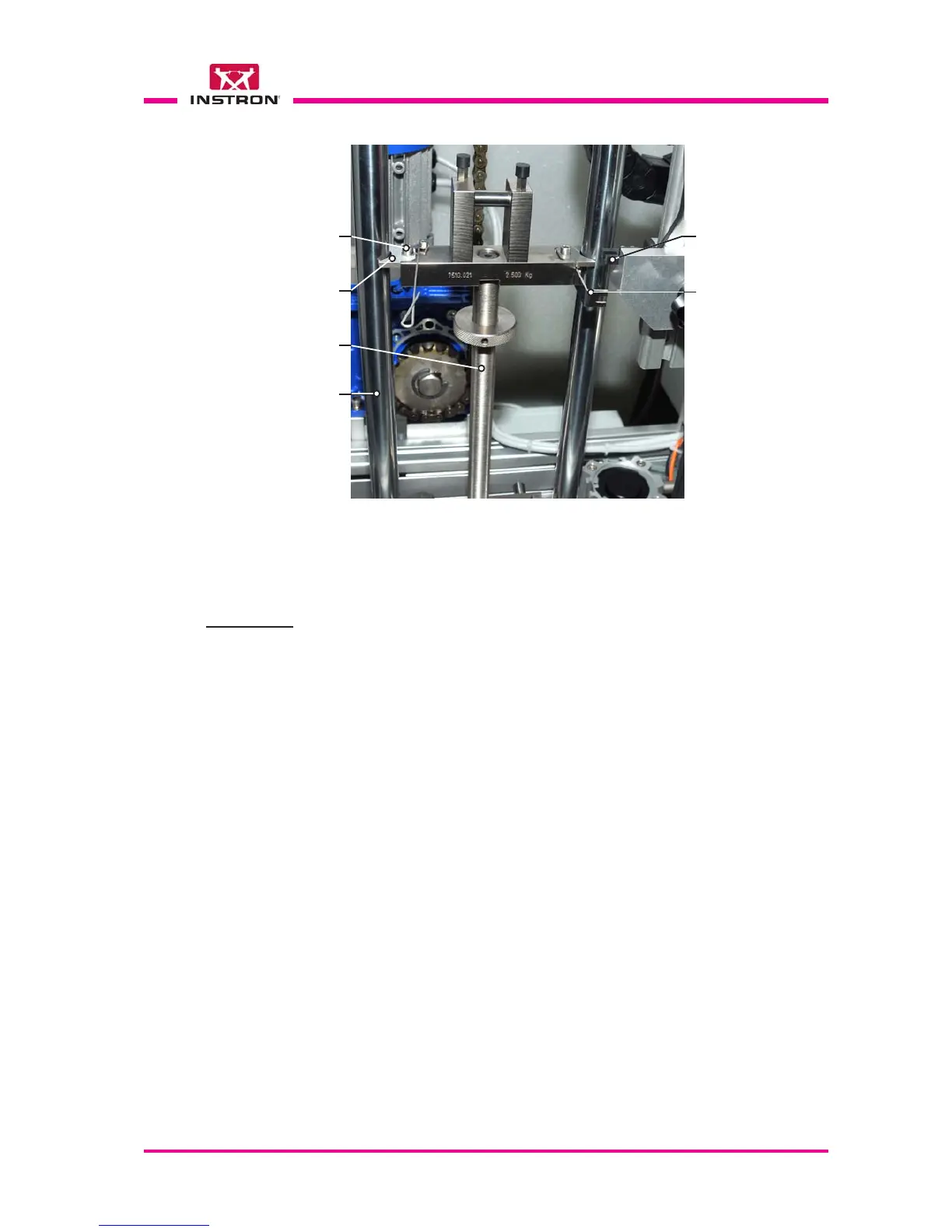
e) Remove the screw and guide plate from the upper left side of the striker holder.
f) Place the striker holder between the two guide columns of the instrument, ensuring
that the flag is positioned on the right side.
g) Fit the guide plate in the slots of the striker holder and fasten it with screw.
h) Check that the striker holder travels freely between the guides and the flag passes
freely through the photocell slot.
i) Engage the striker holder in the hole of the striker lifter in automatic way following the
instructions below:
- Close the door of the turret;
- Press the “Power ON” button;
- Press the “Home” key and wait the automatic recovery and repositioning of the
striker holder.
X
X
X
X
X
X
X
X
Screw
Guide plate
Fig. 3
Standard striker holder installed on the instrument
Striker holder
Guide
column (x2)
Flag (it pass through
the photo-cell slot)
Photo-cell slot



 To Next Page