19.
Focus controls:
•
Autofocus: Runs autofocus in the selected channel.
Note: Do NOT use autofocus with oil-immersion objectives, as this can create air bubbles in
the oil or cause the objective to collide with the sample.
•
Coarse and Fine focus sliders: Allow you to adjust the focus in the selected channel when in
the Live mode.
Using the Autofocus Maximum and Autofocus Minimum controls (blue (when active)
triangles on the Coarse focus slider), you can limit autofocus to the selected region along
the Z-axis.
20.
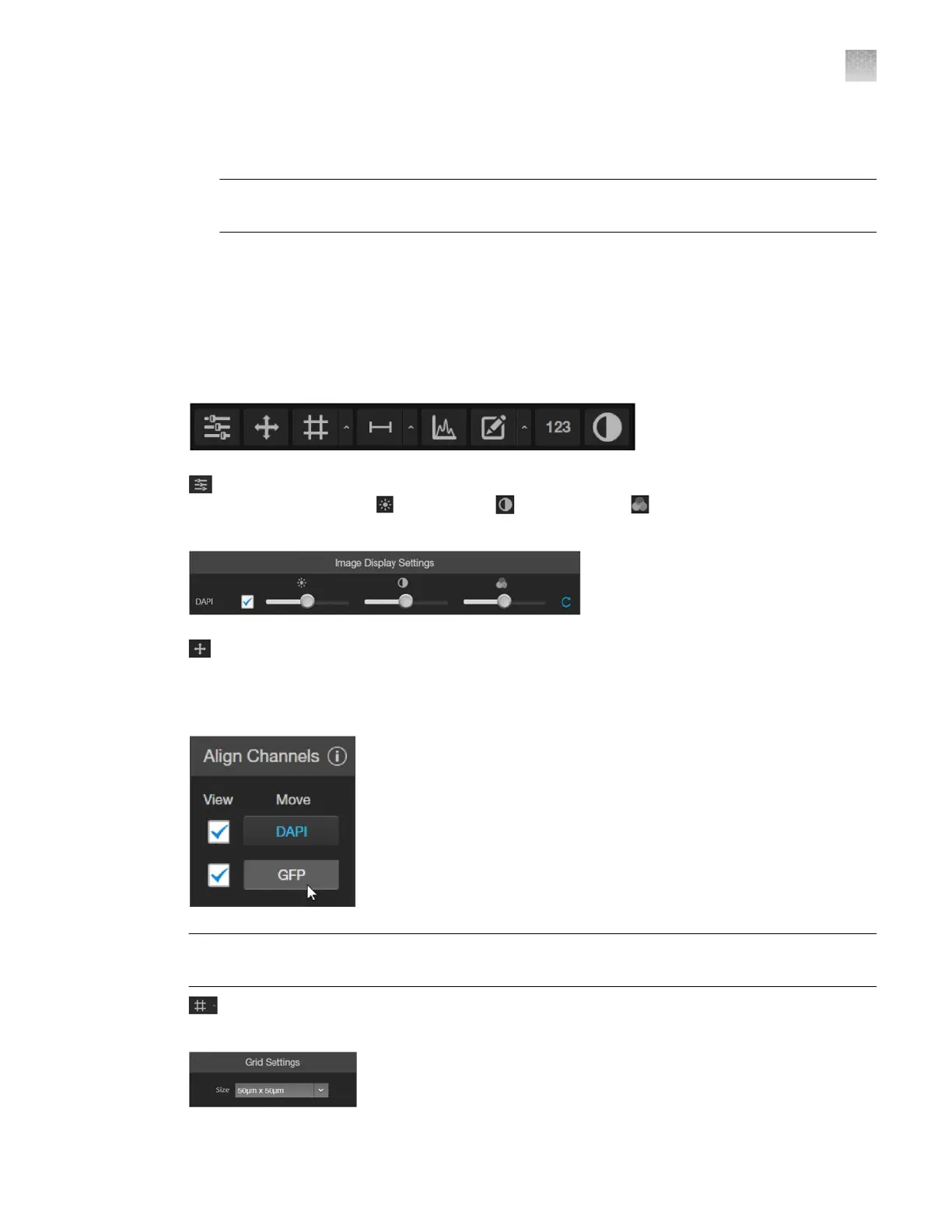
Display Settings and Analysis Tools: Allow you to change image display settings in the Viewing
area, and analyze and annotate captured images.
(Image Display Settings)
: Opens the Image Display Settings tool, which allows you to adjust
image display parameters (
(Brightness)
,
(Contrast), and (Gamma Correction)) for the
select
ed channels.
(Align Channels)
: Allows you to correct pixel shifts that can occasionally appear when
performing multichannel fluorescence imaging at higher magnifications. The Align Channels tool
only displays the controls for the channels in which the selected multichannel fluorescent image
has been captured.
Note: The button to display the Align Channels tool is visible only if the Show Align Channels in
Display Settings and Analysis Tools
option is selected in the Settings4General tab.
(Display Grid/Grid Settings): Display Grid button switches the grid display in the Viewing
ar
ea on and o. Grid Settings allows you to set the grid size.
AppendixBGraphical user interface (GUI)
Capture tab
B
EVOS
™
M5000 Imaging System User Guide
121



 To Next Page