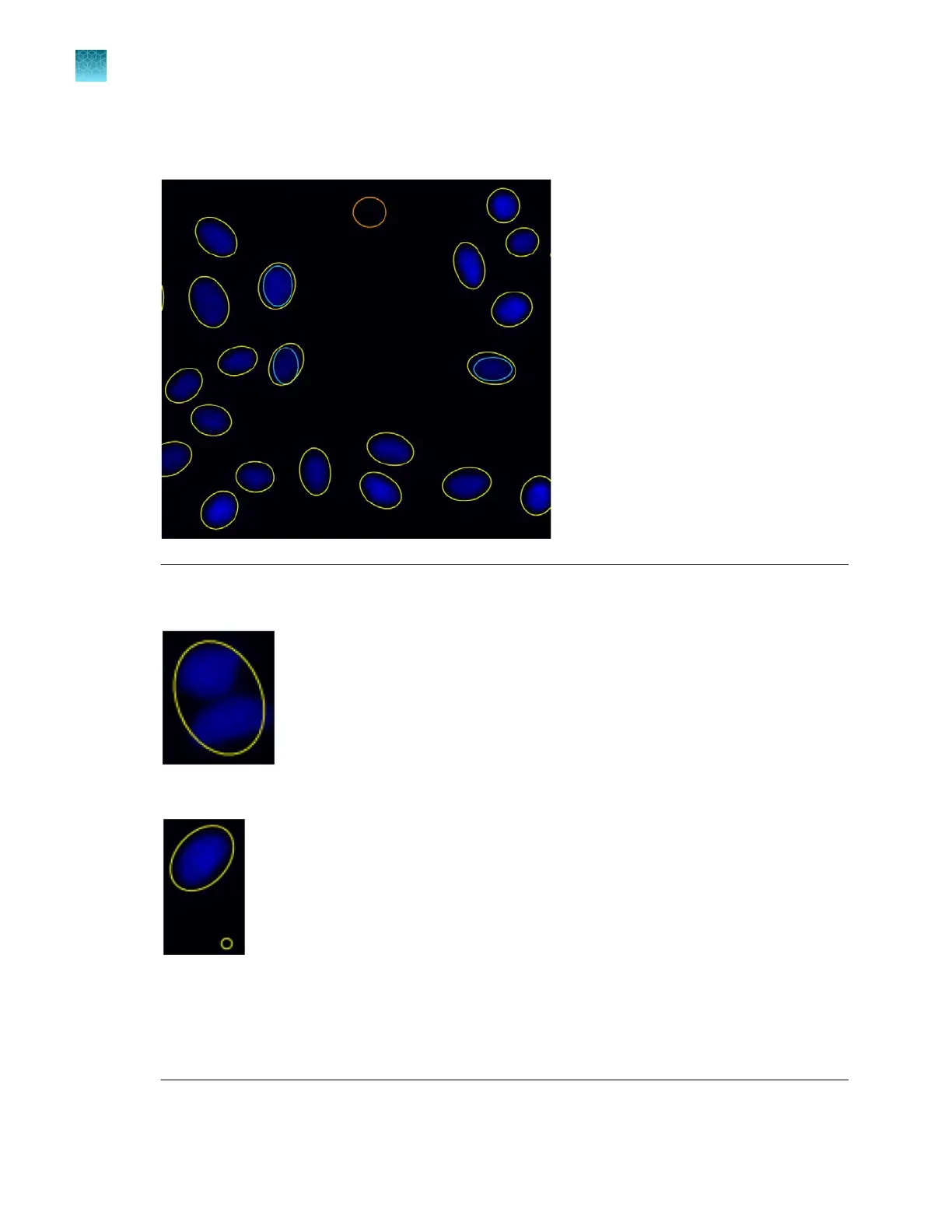
The target objects that were counted are identified with colored circles (in this example, yellow)
and the Object Count field displays the number of objects included in the count.
Note: Depending on the quality of the image and representative targets and background that you
have select
ed, the auto count algorithm can overcount or undercount the cells in the image.
Figure3Undercount – 2 cells counted as 1
Figure4Overcount – 1 cell counted as 2
To obtain a more accurate count:
·
Split cells by shape or intensity.
·
Refine your count by intensity, area, or circularity.
Chapter5Measure, annotate, and analyze captured images
Count cells – auto count
5
48
EVOS
™
M5000 Imaging System User Guide



 To Next Page