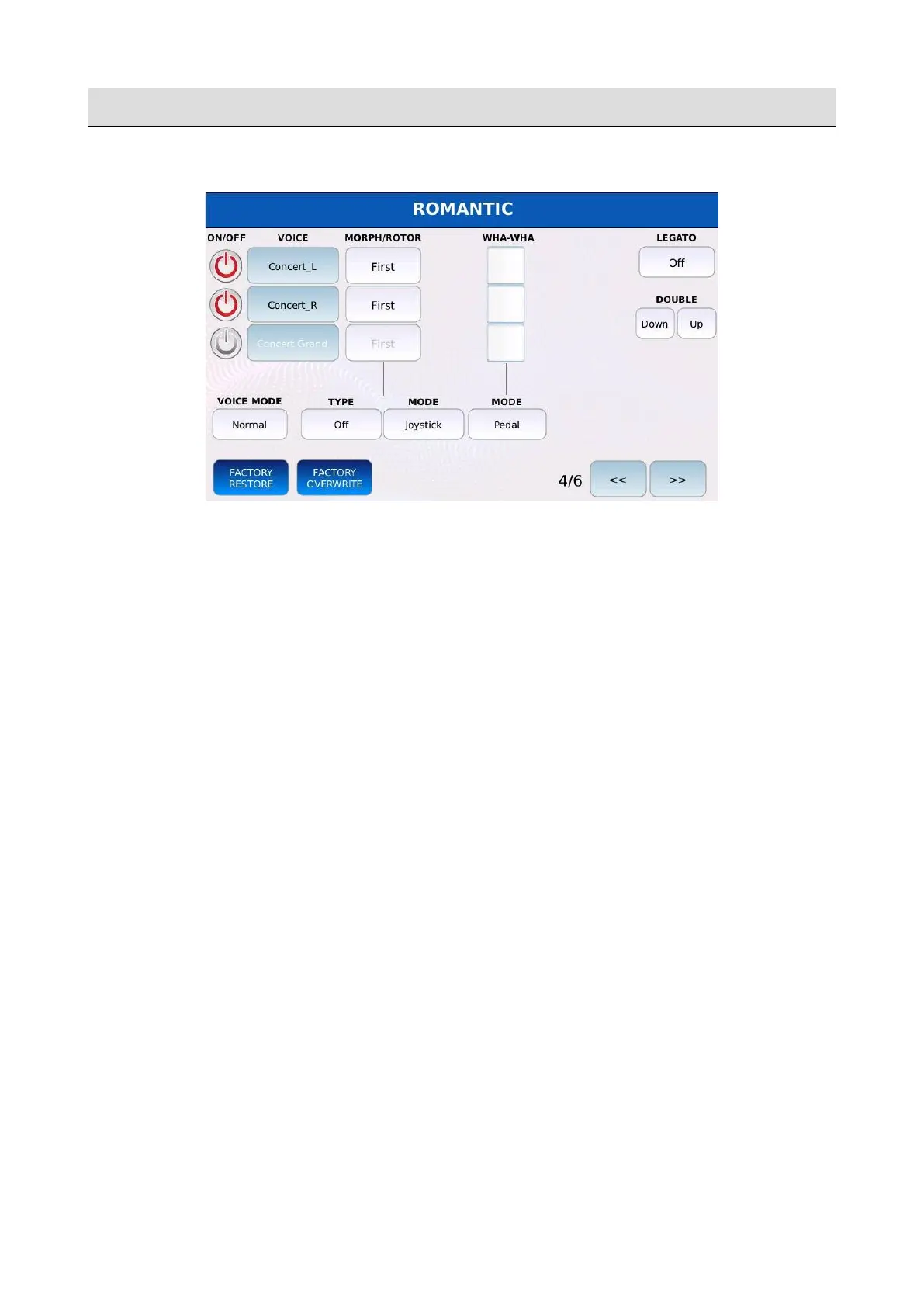
VOICE
Page 4
• VOICE MODE: determines how the chords notes are played:
◦ Normal: the default setting. All the notes are played at the same time on all layers.
◦ Duet1, Duet2: when you play a chord, the first layer plays the highest note of the chord
and the second layer plays the lowest note of the chord. All the other notes are played by
all layers. If you play only one note, only the first layer will play. The only difference
between Duet1 and Duet2 is the notes processing speed.
◦ Trio1, Trio2: similar to Duet1 and Duet2 but for 3 notes chords.
◦ Steel: the Pitch Wheel affects only the lowest note played. It is very useful when you
want simulate the playing technique of some instruments such as the Hawaiian guitar,
violin etc.
• MORPH/ROTOR TYPE: the morphing/rotor feature allows you to cross-fade between two
“Voice” layers. If enabled, the “First” layer fades down while the “Second” layer
simultaneously fades up. The cross-fade can be controlled manually (e.g. by changing the
position of a potentiometer) or can be automatic. If a layer is set as “All”, the is will not be
affected by the morphing.
◦ Off: morphing is disabled.
◦ Normal: the cross-fade is controlled manually. A physical controller continuously
controls the cross-fade position.
◦ Rotor: the cross-fade is automatic and it is triggered by activating the selected controller.
This mode mimics the behaviour of the old Leslie speakers that gradually change the
rotor speed by activating a switch.
◦ Coupling: the first layer does not change, and the second one will fade in and out.
80 - KETRON - LOUNGE



 To Next Page