bizhub C652/C552 5-47
5.4 Application
5
Copy Protect
Specify text to be printed as copy protection text (hidden text that prevents unauthorized copying). Copying
a copy-protected document repeatedly prints hidden text in all pages more clearly than the original to prove
the user that it is a copied document.
0 The copy protection text is printed on all pages. The page to start with cannot be specified.
0 The selected copy protection text formats appear in the order they are placed, and can be used in
combination for up to eight text lines.
0 Use the Copy Protection Utility to register a registered stamp.
0 Multiple registered stamps or preset stamps cannot be selected.
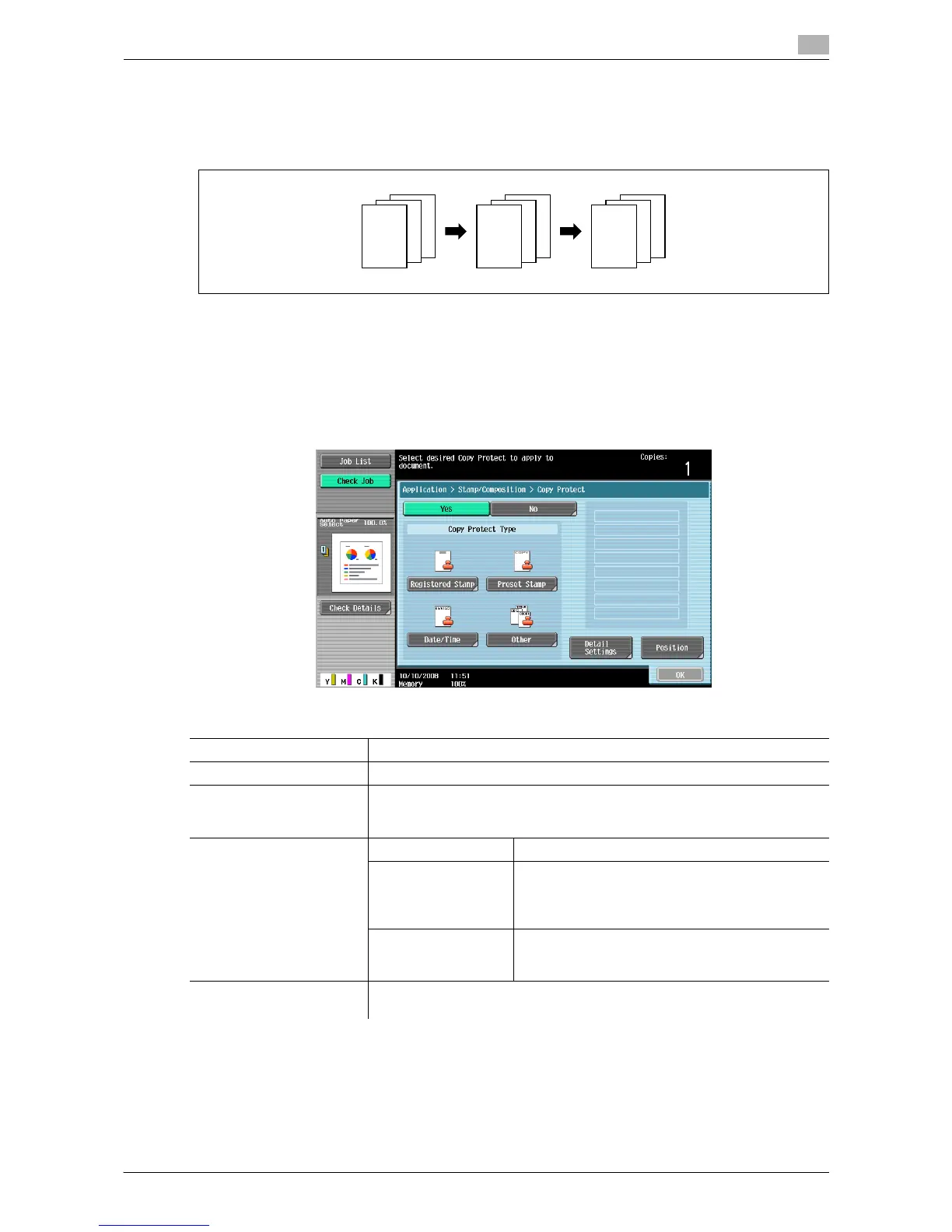
% Press [Application] ö [Stamp/Composition] ö [Copy Protect].
Settings
Registered Stamp Select one from registered stamps.
Preset Stamp Select a stamp to be printed from the eight types available.
Date/Time Select the type of date and time notation. When [None] is selected for Time
Format, the time is not printed.
The date/time as of scanning the original is stamped on the paper.
Other Job Number Select Yes to print the copy job number.
Serial Number Select Yes to print the serial number of this ma-
chine.
For details on setting for the serial number, contact
your service representative.
Distribution Control
Number
Prints the distribution control number.
Specify the distribution control number using a val-
ue between 1 and 99999999.
Detail Settings Configure the settings for Text/Background Color, Density, Copy Protect
Text, Text Size, Pattern Overwrite and Background Pattern.
3
3
2
2
1
1
REPORT
3
3
2
2
1
1
REPORT
3
3
Draft
Draft
Draft
Draft
Draft
Draft
Draft
Draft
2
2
Draft
Draft
Draft
Draft
Draft
Draft
Draft
Draft
Draft
Draft
Draft
Draft
Draft
Draft
Draft
Draft
1
1
REPORT














 To Next Page