bizhub C652/C552 7-28
7.4 User Authentication/Account Track
7
7.4.1 General Settings
Configure the settings for enabling the authentication functions.
0 Before registering a user, select an authentication method. Changing the authentication method setting
deletes the registered users.
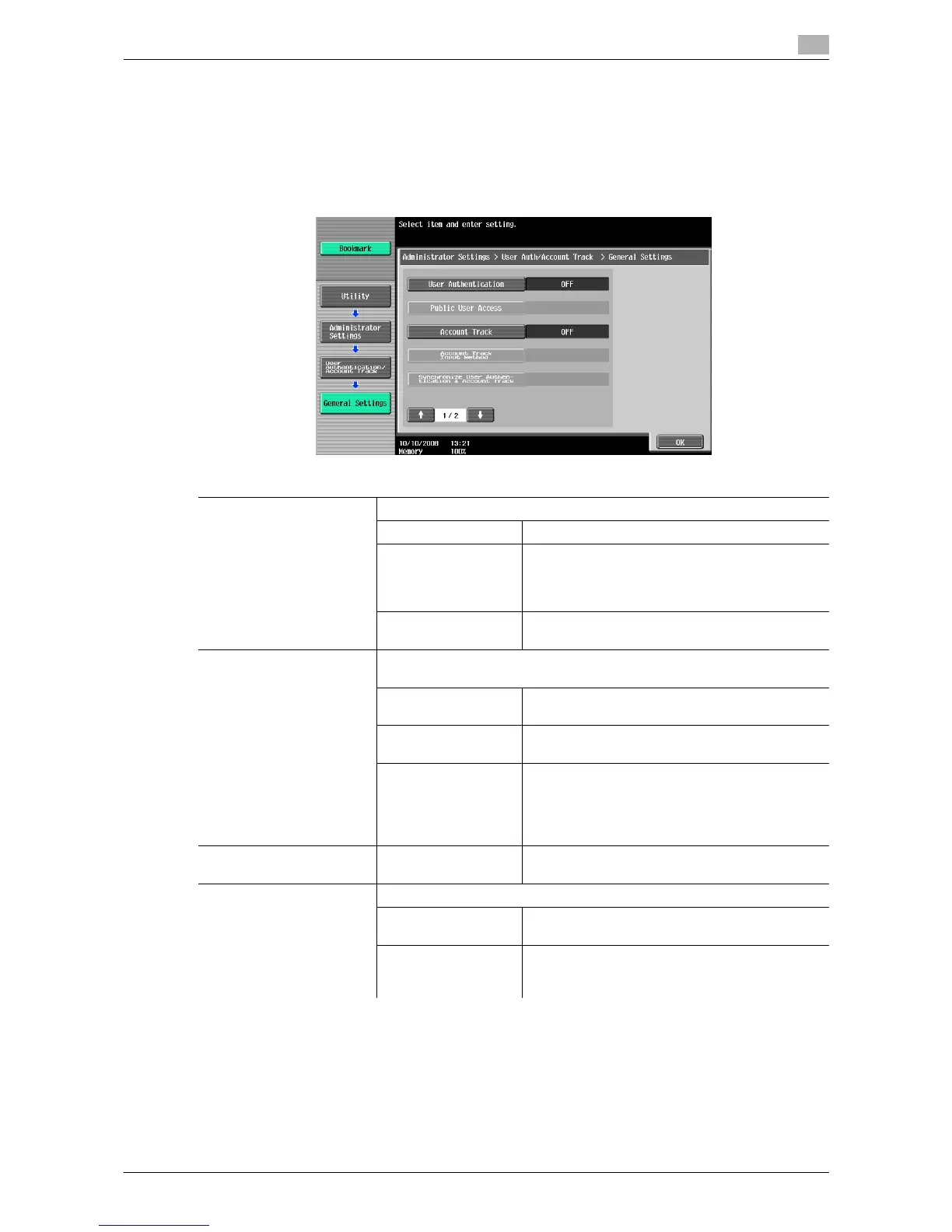
% Press the [Utility/Counter] key ö [Administrator Settings] ö [User Authentication/Account Track] ö
[General Settings].
Settings
User Authentication Configure whether to use user authentication.
OFF Disables user authentication.
ON (External Server) Restricts users who can access this machine us-
ing the external authentication server. This setting
is available when external authentication server
settings are configured.
ON (MFP) Restricts users who can access this machine us-
ing this machine.
Public User Access Allows public user accesses when the enhanced security mode is disa-
bled.
Restrict Prohibits unregistered users from using this ma-
chine.
ON (Without Login) Allows the users to use this machine after press-
ing [Public User Access] in the Login screen.
ON (With Login) Allows unregistered users to use this machine
without authentication.
When the user presses the [Access] key, the
Login screen appears. The user can log in to this
machine as an authenticated user.
Account Track ON/OFF Configure whether to use the account track func-
tion.
Account Track Input Meth-
od
Select an authentication method when configuring account track settings.
Account Name &
Password
Enter the account name and password to log in.
Password Only Enter only the password to log in.
• You cannot configure this when user authen-
tication settings are configured.














 To Next Page