bizhub C652/C552 7-4
7.1 System Settings
7
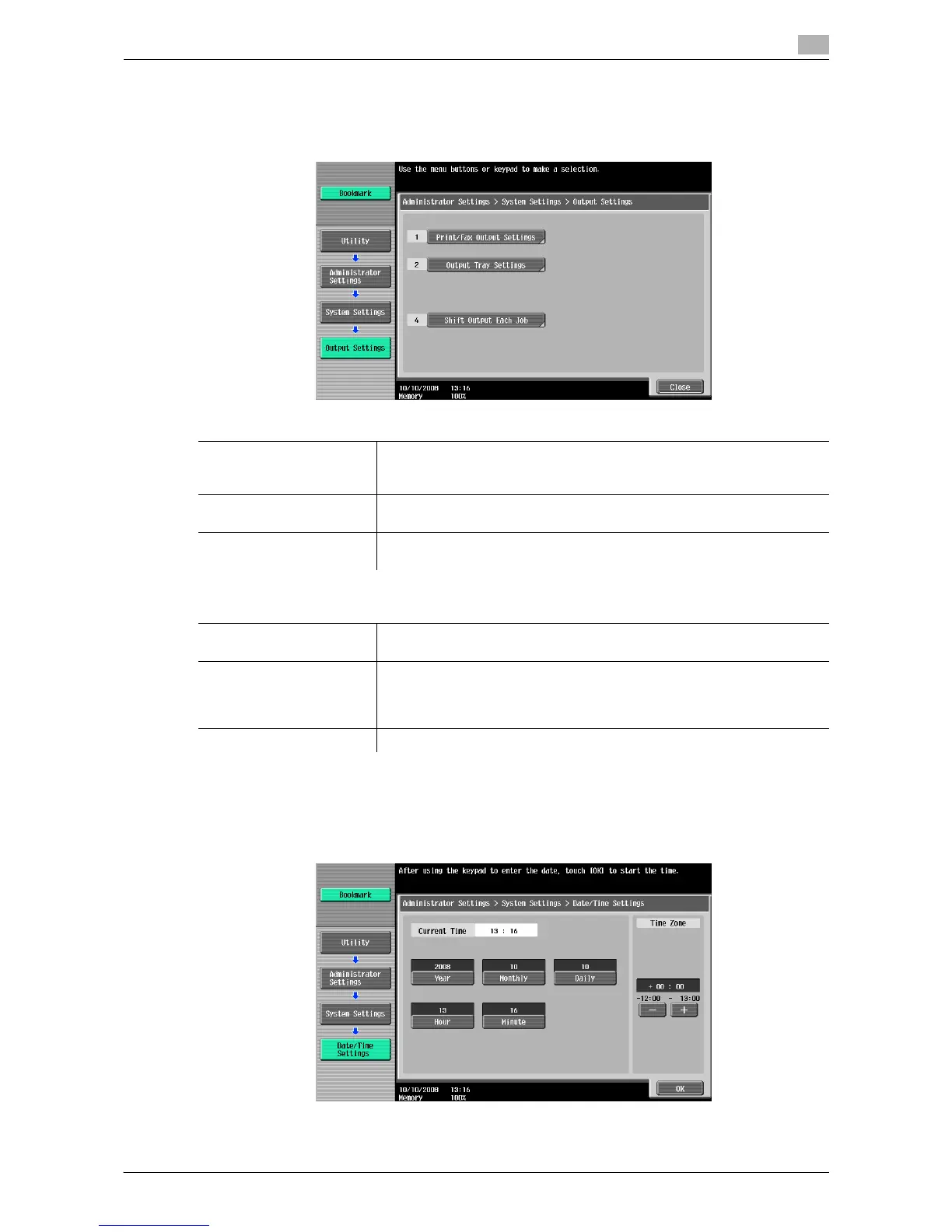
7.1.2 Output Settings
Configure the settings for the output functions.
% Press the [Utility/Counter] key ö [Administrator Settings] ö [System Settings] ö [Output Settings].
7.1.3 Date/Time Settings
Configure the current date and time and the time zone.
% Press the [Utility/Counter] key ö [Administrator Settings] ö [System Settings] ö [Date/Time Settings].
Settings
Print/Fax Output Settings This setting is for the print and fax operations. For details, refer to the "Us-
er's Guide [Network Scan/Fax/Network Fax Operations]" and " User's
Guide [Print Operations]".
Output Tray Settings Configure an output tray given priority for outputting by function.
If no finisher is installed, this menu item will not be displayed.
Shift Output Each Job Select whether to specify the offset function as the initial setting.
If no finisher is installed, this menu item will not be displayed.
Factory default
Print/Fax Output Settings Print: Page Print
Fax: Batch Print
Output Tray Settings • Copy: Tray 1
• Print: Tray 1
• Print Reports: Tray 2
• Fax: Tray 2
Shift Output Each Job Yes














 To Next Page