bizhub C652/C552 1-5
1.2 Conventions used in this manual
1
d Reference
This symbol indicates a reference.
View the reference as required.
Key symbols
[ ]
This symbol represents a key name on the control panel, touch panel or the computer screen, power switch,
etc.
1.2.2 Indication for originals and paper
Paper size
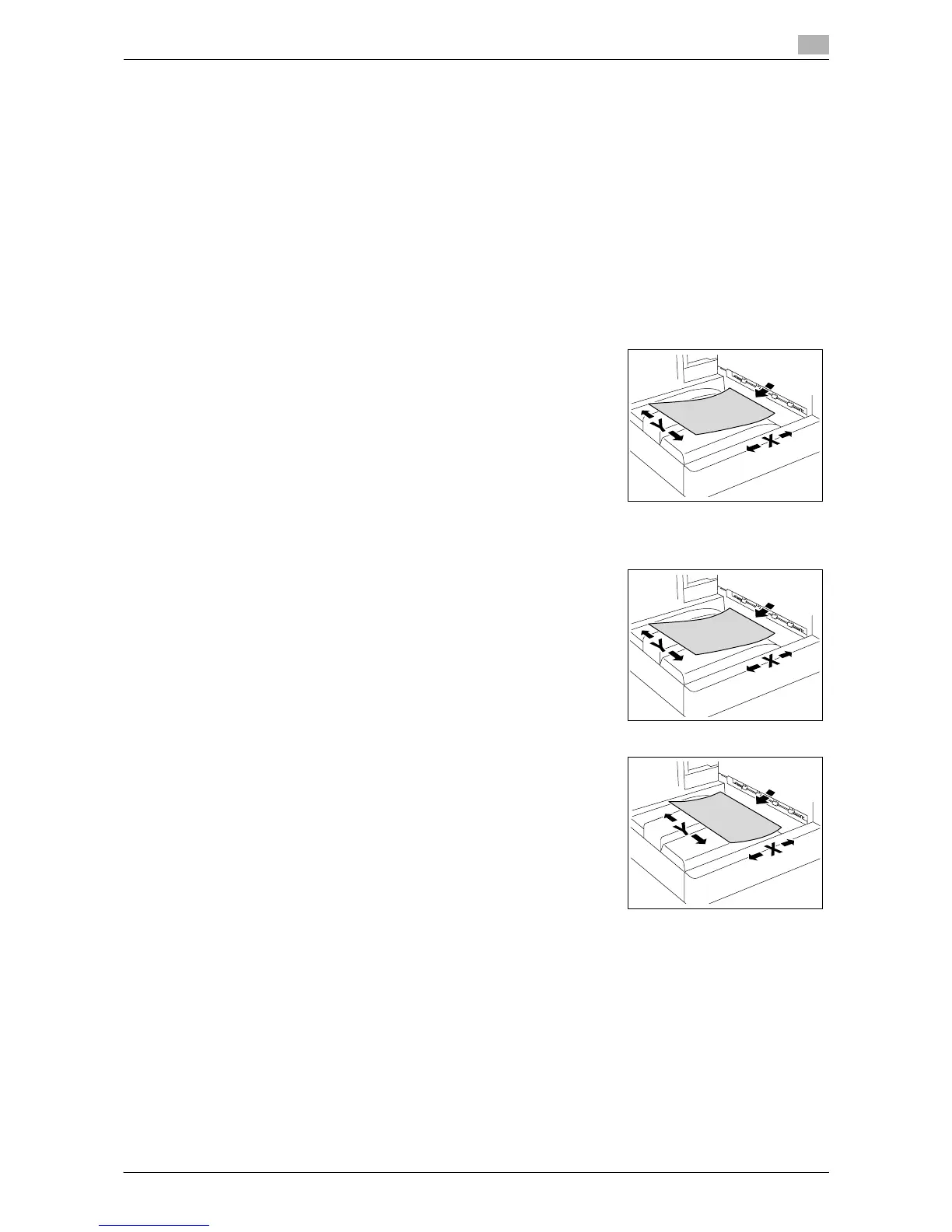
The following explains the indication for originals and paper described
in this manual.
When indicating the original or paper size, the Y side represents the
width and the X side the length.
Paper indication
w indicates the paper size with the length (X) being longer than the
width (Y).
v indicates the paper size with the length (X) being shorter than the
width (Y).














 To Next Page