bizhub C652/C552 9-12
9.3 If print quality is deteriorated
9
Cleaning the print head
If the print head becomes dirty, print quality may be reduced. If this occurs, clean the print head according
to the following procedure.
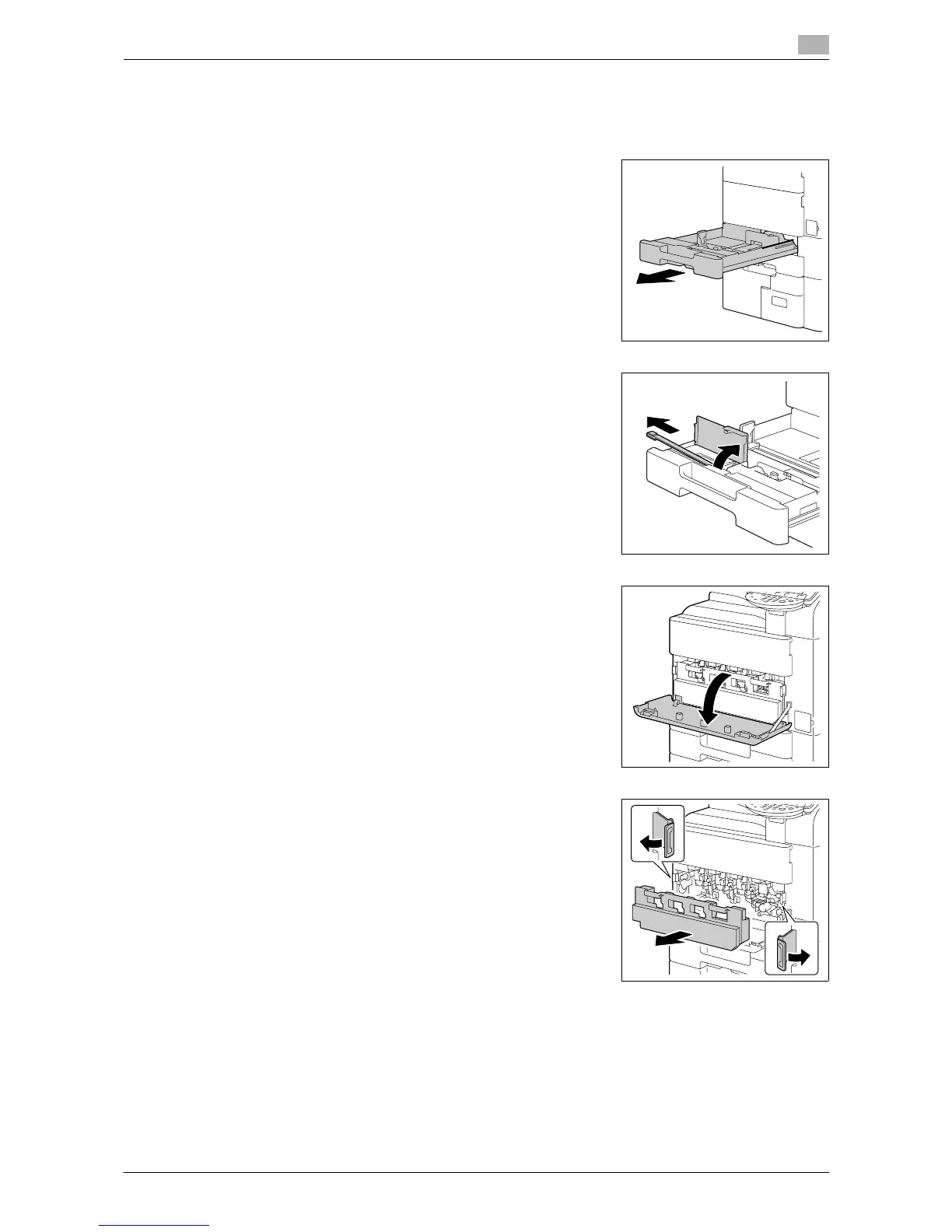
1 Pull out tray 1.
2 Remove the print head glass cleaning tool from tray 1.
3 Open the machine's lower front door.
4 Release the securing levers for the waste toner box, and then
remove the waste toner box.














 To Next Page