bizhub C652/C552 7-50
7.10 Security Settings
7
7.10.8 Stamp Settings
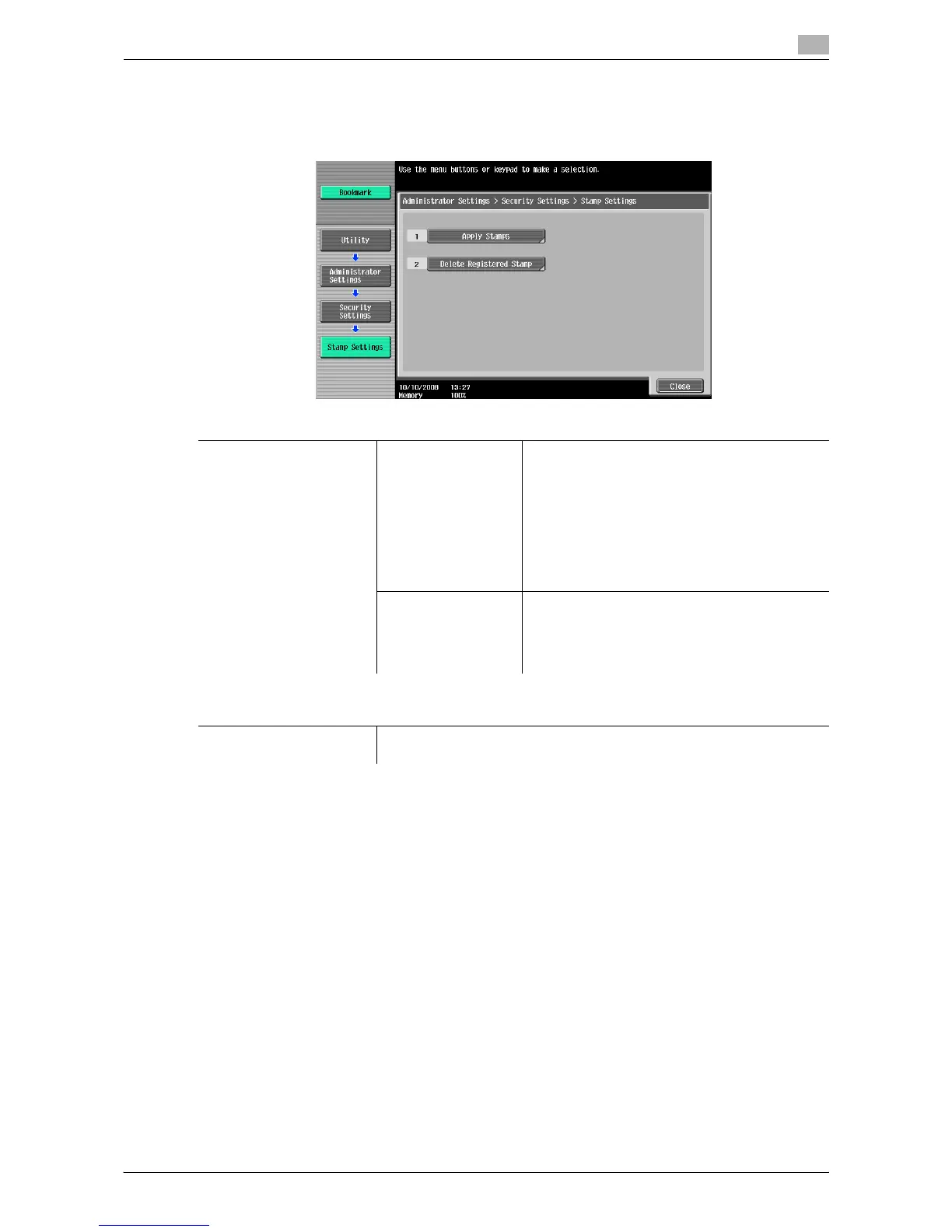
Manage the stamp.
% Press the [Utility/Counter] key ö [Administrator Settings] ö [Security Settings] ö [Stamp Settings].
d Reference
To configure copy protect and stamp repeat settings:
Press [Application] ö [Stamp/Composition].
7.10.9 Driver Password Encryption Setting
This setting is for the print operations. For details, refer to the "User's Guide [Print Operations]".
Settings
Stamp Settings Apply Stamps Configure whether to add a stamp when printing
or sending.
To add a stamp, configure stamp contents set-
tings.
d Reference
If a stamp is added, print settings can-
not be configured in "Stamp/Compo-
sition" of "Application".
Delete Registered
Stamp
•Stamp
Deletes all registered stamps.
• Copy Protect/Stamp Repeat
Deletes all stamps registered in Copy Protect
and the stamp repeat function.
Factory default
Apply Stamps Printing: Do Not Apply
Sending: Do Not Apply














 To Next Page