bizhub C652/C552 5-33
5.4 Application
5
Image Repeat
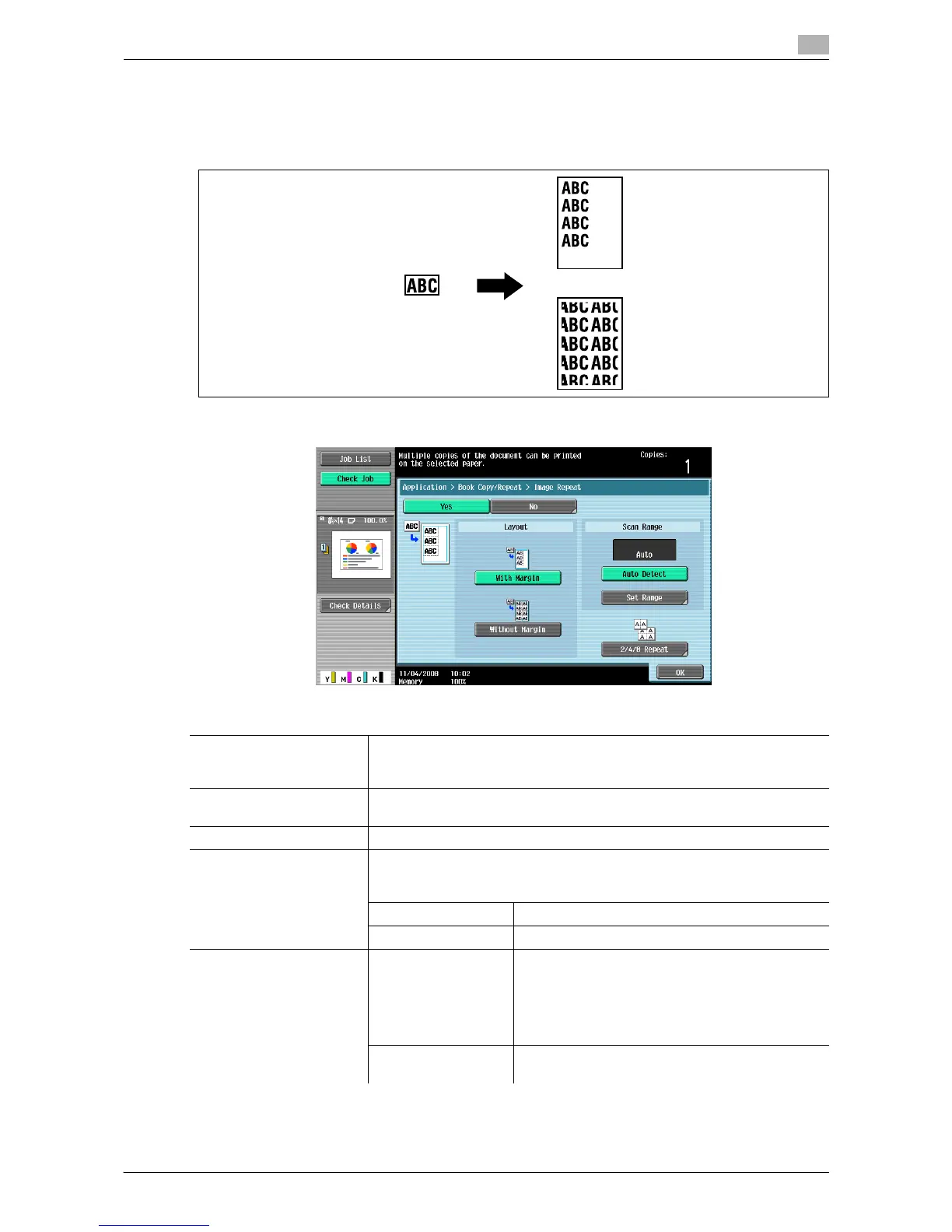
An original image can be repeatedly printed on a single sheet of paper. Specify the original and paper sizes
or the zoom to automatically calculate the number of images to be copied accordingly. Alternatively, specify
the desired number of repetitions.
% Press [Application] ö [Book Copy/Repeat] ö [Image Repeat].
Settings
With Margin Repeats copying of the scanned area of the original so that the copy area of
the sheet is filled with the copied image. If the entire image does not fit into
the copy area, the extra range is not copied.
Without Margin Repeats copying of the scanned area of the original so that the sheet is filled
with the copied image. However, some parts of the image may be lost.
Auto Detect Automatically detects the area to be scanned.
Set Range Select [Auto] to detect the size of the original automatically.
If the size of the original is not automatically detected, or the reading range
must be specified, select the original size.
Custom Size Enter the original size.
Photo Size Select the photo size.
2/4/8 Repeat 2 Repeat
4 Repeat
8 Repeat
Repeats copying of the scanned area of the original
as many times as specified. Note, however, that an
image that does not fit within the size of the paper
used is copied with partial cutoff.
[Repeat Interval Settings] can be configured only
for [2 Repeat].
Repeat Interval Set-
tings
Specify the clearance between copied images.














 To Next Page