bizhub C652/C552 7-21
7.1 System Settings
7
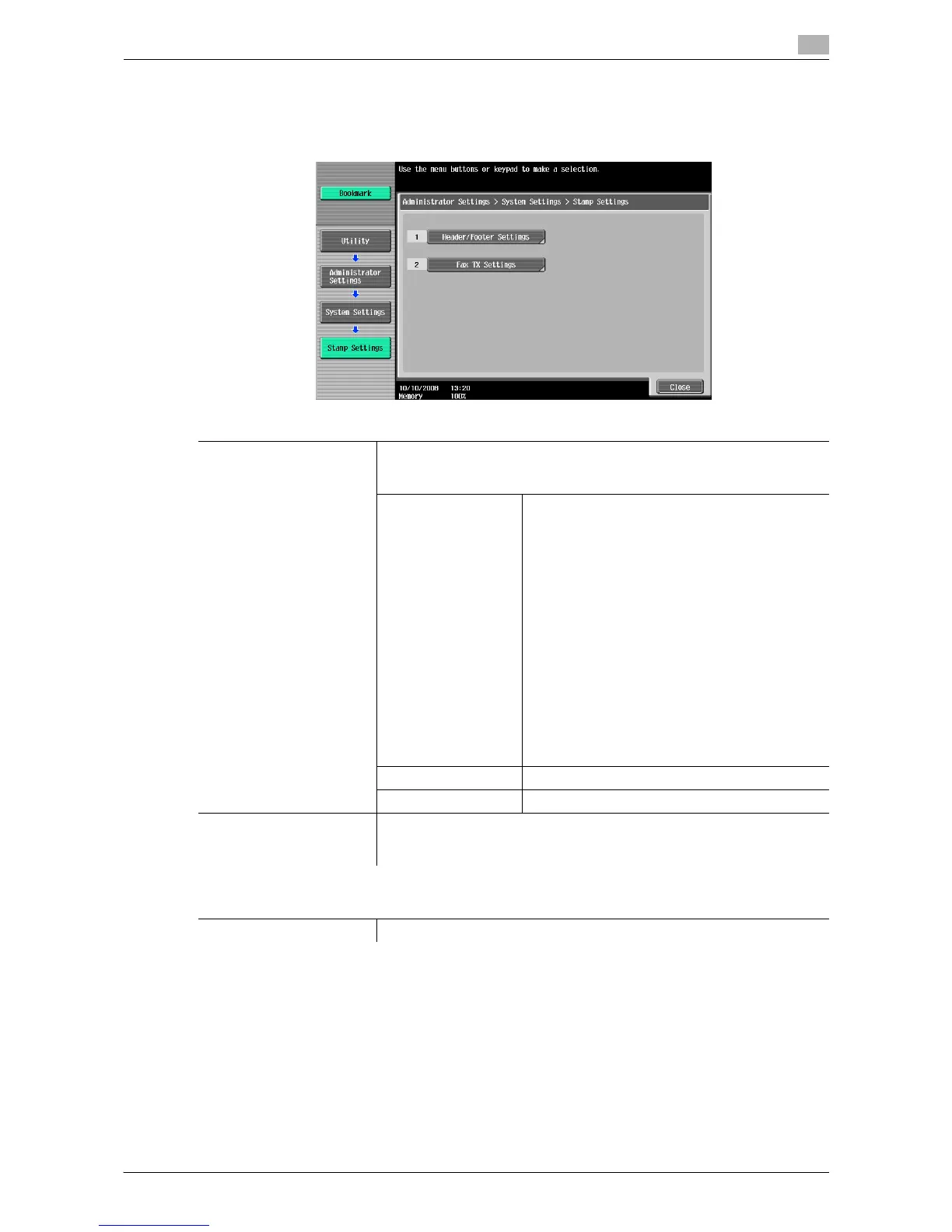
7.1.12 Stamp Settings
Configure header and footer settings to be printed.
% Press the [Utility/Counter] key ö [Administrator Settings] ö [System Settings] ö [Stamp Settings].
Settings
Header/Footer Settings Register or change a header and footer.
To use the header/footer function in Application Setting, a header and
footer must be registered in advance.
New Enter a registration name, and then configure de-
tailed header and footer settings.
Configure whether to print a header and footer,
and then configure print contents.
• Text: Enter text.
• Date/Time: Select a format to display the date
and time.
• Other: Specify the distribution control
number. Select whether to include the Job
Number, Serial Number, and Account/User
Name.
Configure pages and text details.
• Pages: Select whether to print the header and
footer on all pages or only on the first page.
• Text Details: Select the color, size, and type of
the text for the header and footer to be print-
ed.
Delete Deletes the selected header or footer.
Check/Edit Change the selected header or footer.
Fax TX Settings This setting is for the fax and network fax operations.
For details, refer to the "User's Guide [Network Scan/Fax/Network Fax Op-
erations]".
Factory default
FAX TX Settings Cancel














 To Next Page