bizhub C652/C552 7-24
7.1 System Settings
7
7.1.16 Page Number Print Position
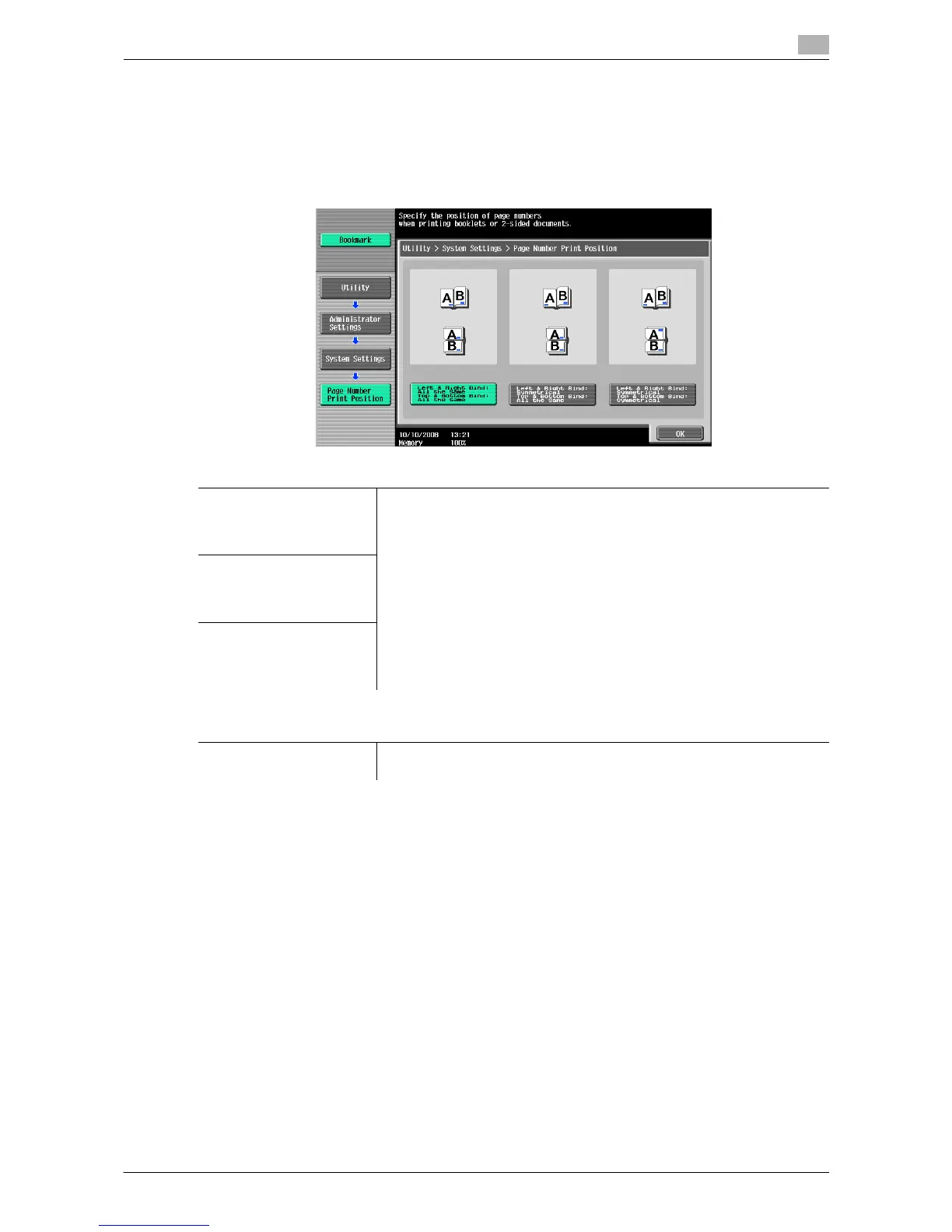
Specify a page number print position when printing page numbers after configuring 2-sided print or booklet
settings. Select whether to print the page numbers on a same position on all pages or on positions symmetric
with respect to the stapling position.
% Press the [Utility/Counter] key ö [Administrator Settings] ö [System Settings] ö [Page Number Print
Position].
Settings
Left & Right Bind: All the
Same
Top & Bottom Bind: All the
Same
Select a desired print position.
Left & Right Bind: Symmet-
rical
Top & Bottom Bind: All the
Same
Left & Right Bind: Symmet-
rical
Top & Bottom Bind: Sym-
metrical
Factory default
Page Number Print Posi-
tion
Left & Right Bind: All the Same
Top & Bottom Bind: All the Same














 To Next Page