bizhub C652/C552 5-57
5.5 Left panel display
5
5.5.1 Job List
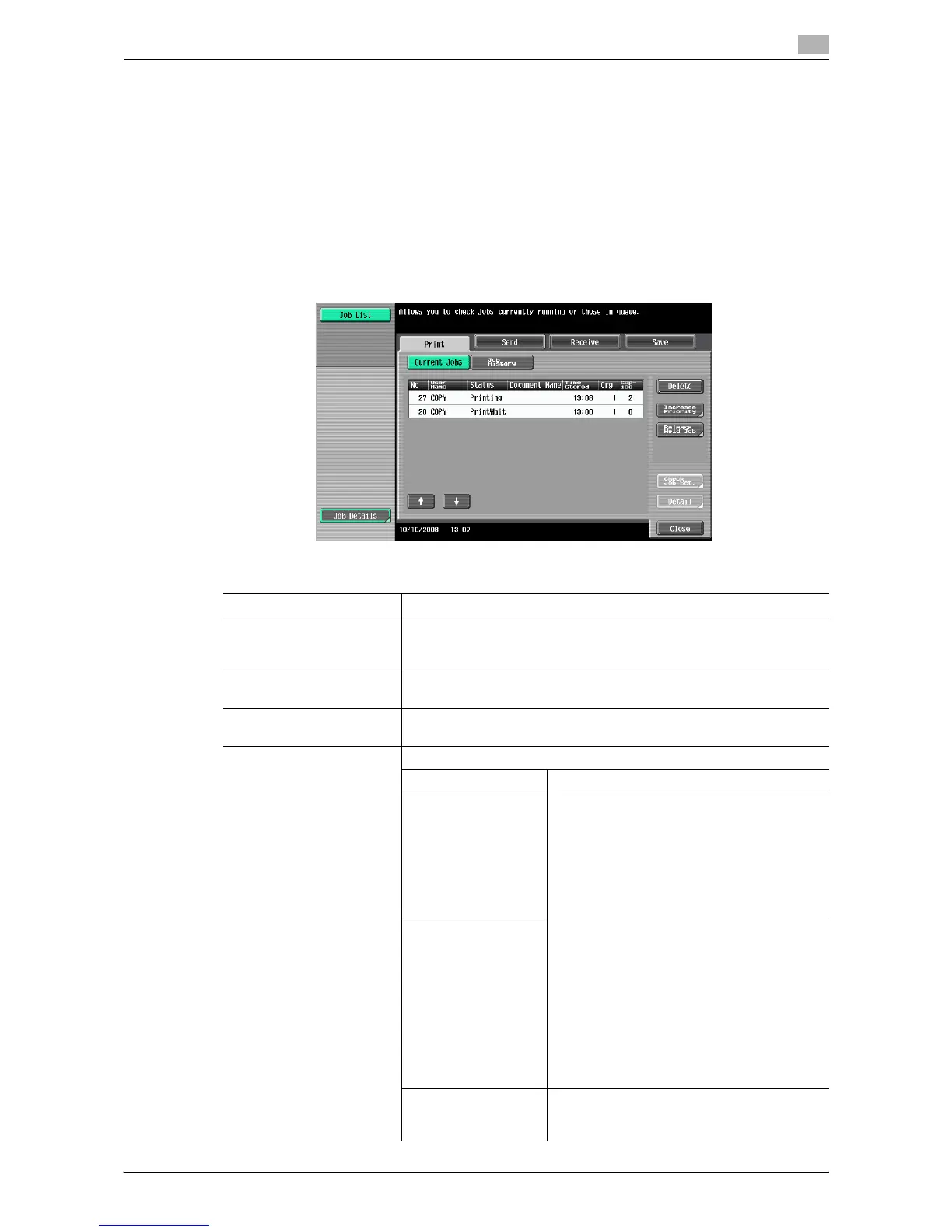
From the Job List screen, lists of jobs being performed by this machine and the jobs that have been
performed in addition to the job details can be viewed, and the job settings can be changed.
0 If user authentication settings have been applied and the machine is set so that jobs cannot be deleted
by other users, the job is not deleted.
0 If an Administrator Settings parameter was set so that the output priority of jobs cannot be changed,
[Increase Priority] does not appear and the output priority of the jobs cannot be specified.
0 When there is a job being printed, another job can be registered. Up to 251 jobs can be registered in
total.
% Press [Job List] ö [Job Details] ö [Print].
Settings
Print Opens the screen for checking print jobs.
Send Opens the screen for checking fax and scan transmission jobs. For de-
tails, refer to the "User's Guide [Network Scan/Fax/Network Fax Op-
erations]".
Receive Opens the screen for checking fax reception jobs. For details, refer to
the "User's Guide [Network Scan/Fax/Network Fax Operations]".
Save Opens the screen for saving jobs. For details, refer to the "User's
Guide [Box Operations]".
Current Jobs Lists the jobs currently processed. Check the current status.
Delete Deletes a job.
Increase Priority
(Displayed for the list
of print jobs in proc-
ess)
Change the job to be printed after the job be-
ing printed.
If the setting is specified so that the current
print job can be interrupted, it is interrupted
and printing of the higher priority job begins.
Printing of the interrupted job is automatically
restarted once printing for the job given prior-
ity is finished.
Release Held Job
(Displayed for the list
of print jobs in proc-
ess)
Select to switch to the held job list and
change the settings of, print, or delete a held
job.
The held job list contains jobs that could not
be printed because, for example, system
auto reset was activated during the proof
copy.
• If desired, press [Change Settings] to
change the copy settings.
• For confirmation, press the [Proof Copy]
key to print a copy from a stored job.
Check Job Set. Check job settings for stored jobs, jobs being
printed, jobs queued to be printed, and held
jobs.














 To Next Page