bizhub C652/C552 11-12
11.1 Using authentication unit (IC card type)
11
User registration
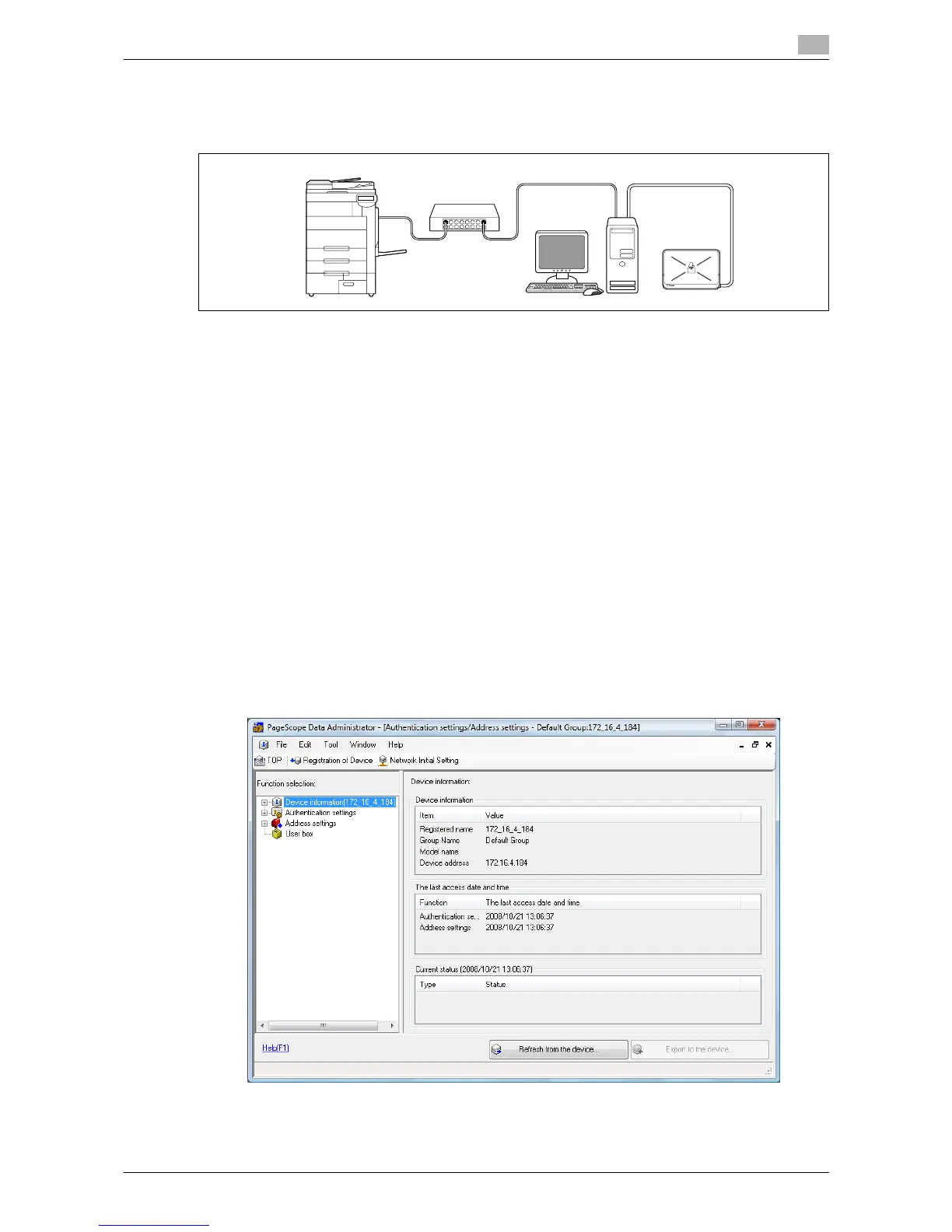
To register a user with Data Administrator, connect the authentication unit to the USB port of the computer,
and also connect the computer to this machine via network.
1 If the authentication unit is already connected to this machine, turn the main power of this machine off,
and then disconnect the authentication unit.
% When the authentication unit is already connected to the computer, go to step 4.
NOTICE
To turn the main power switch off and on, first turn the main power off, and then turn it on after 10 or
more seconds has elapsed. Not doing so may result in an operation failure.
When connecting or disconnecting the USB cable, hold the plug. Otherwise, the cable may be
damaged.
2 Turn the main power on.
3 Connect the authentication unit to the USB port of the computer that contains Data Administrator.
NOTICE
Do not connect another USB device to the same port as for the authentication unit. Doing so reduces
the USB power supply, resulting in an operation failure.
To use the USB hub, be sure to connect the self-power USB hub that supplies 500 mA or more.
Restart the procedure 5 or more seconds after connecting the authentication unit.
4 Data Administrator starts, and device information of this machine is imported.
The Device Information window appears.
% For details on how to import device information, refer to the Data Administrator User 's Guide.














 To Next Page