bizhub C652/C552 7-43
7.10 Security Settings
7
7.10 Security Settings
Configure the settings for the restricting the functions of this machine for processing secret data.
7.10.1 Administrator Password
Change the administrator password.
0 The administrator password can be entered using 0 through 8 digits.
0 If password rules are specified, an 8-digit password must be entered.
0 If you enter an incorrect administrator password a configured number of times, you are prohibited from
using this machine. In this case, contact your service representative.
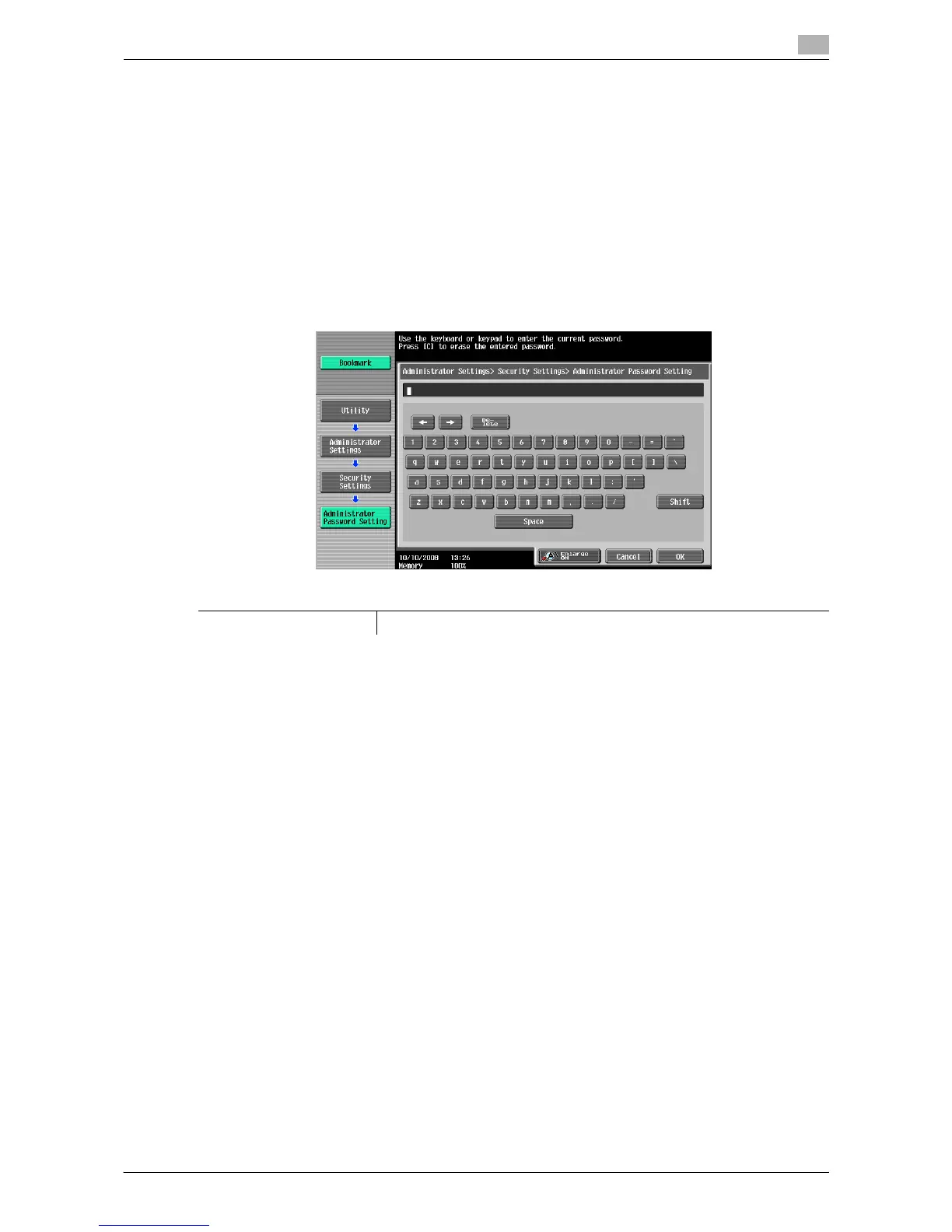
1 Press the [Utility/Counter] key ö [Administrator Settings] ö [Security Settings] ö [Administrator
Password].
2 Enter the administrator password, and then press [OK].
3 Enter a new administrator password, and then press [OK].
4 For confirmation, enter the administrator password again, and then press [OK].
The password is changed.
d Reference
To configure password rule settings:
Press the [Utility/Counter] key ö [Administrator Settings] ö [Security Settings] ö [Security Details] ö
[Password Rules].
7.10.2 User Box Administrator Setting
Configure settings for the User Box operations. For details, refer to the "User's Guide [Box Operations]".
Factory default
Administrator Password 12345678














 To Next Page